Batch convert over a hundred PDF files directly into EPUB e-book format
Translation:EnglishFrançaisDeutschEspañol日本語한국어,Update Time:2025-06-07 20:20:53
Compared to the fixed layout of PDFs, which display poorly on small screens, the Epub format supports adaptive layout, automatically adjusting to screen size on phones and tablets to enhance the reading experience on mobile devices. Epub is also the standard format for e-books, allowing publication on various e-book platforms. Here’s how to quickly convert a large number of PDF files into Epub e-book format in batch, making documents more compatible, interactive, and readable.
1. Usage Scenarios
There are many PDF files that need to be read on mobile devices such as phones and tablets, or the content of PDF files needs to be published as e-books. We can convert them to the Epub e-book format, which is suitable for e-book publishing and mobile reading.
2. Effect Preview
Before processing:

After processing:

3. Operation Steps
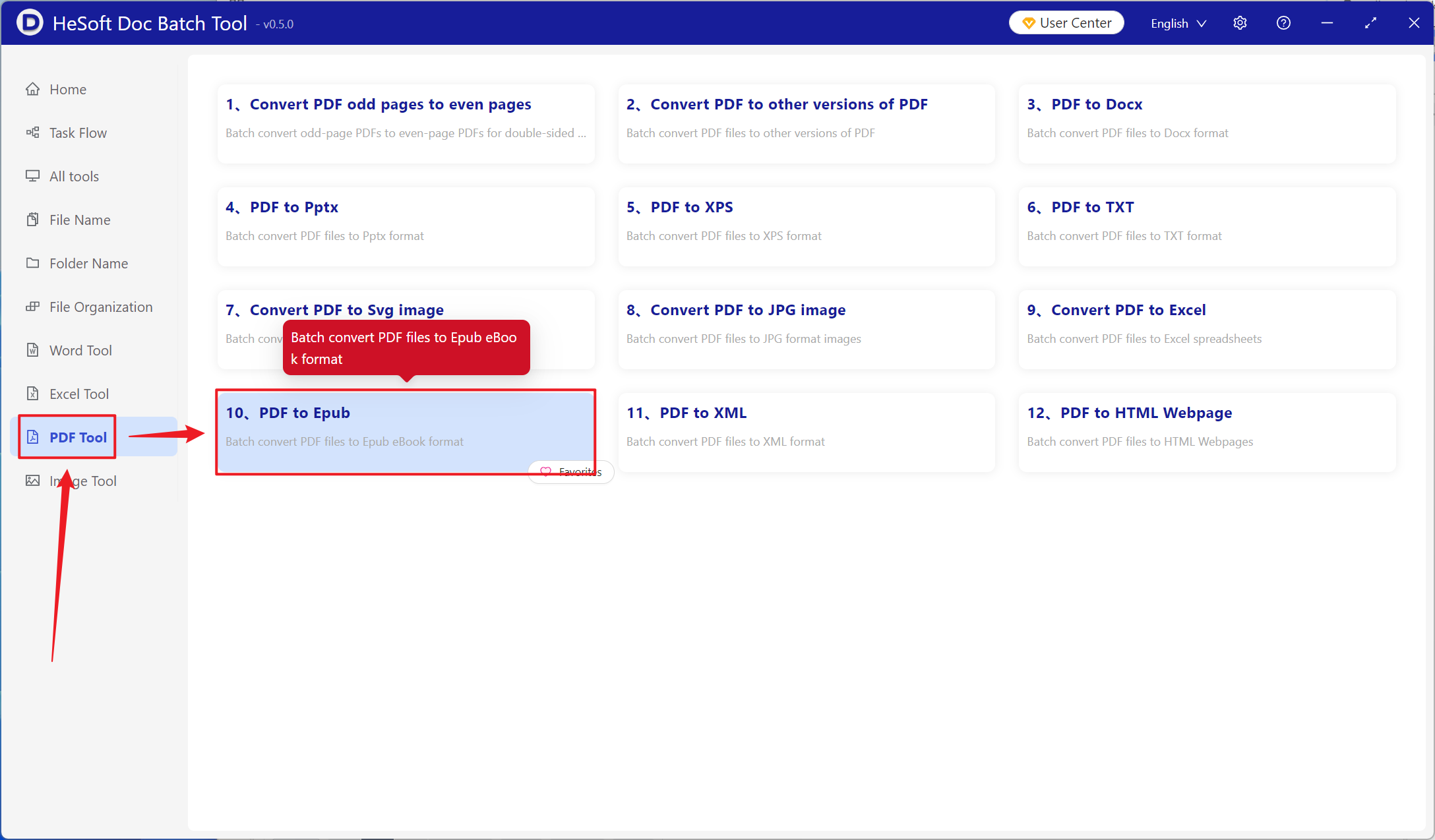
Open【 HeSoft Doc Batch Tool 】, select【PDF Tool】-【PDF to Epub】.
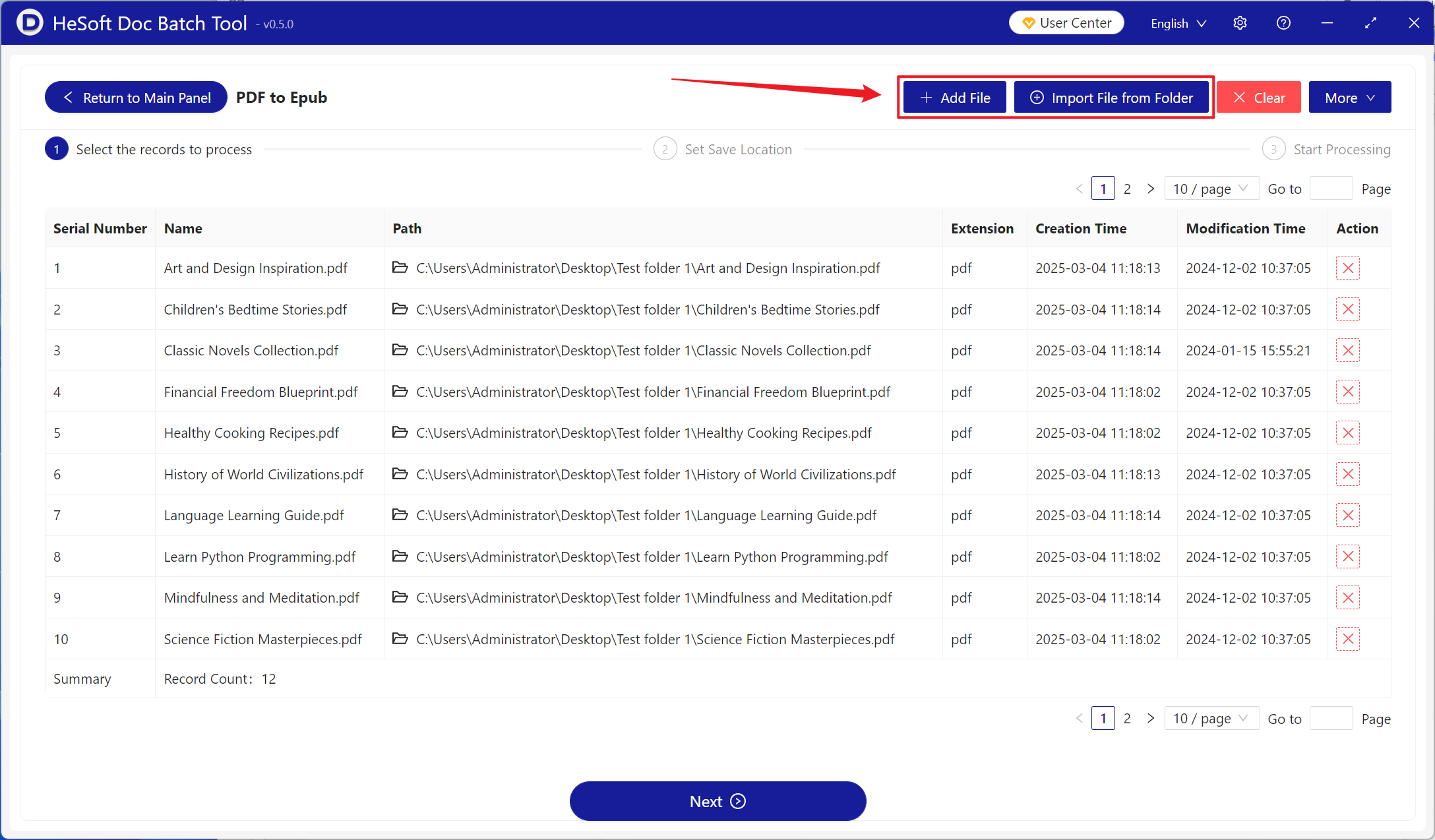
【Add Files】Add single or multiple PDF files that need to be converted to Epub e-books.
【Import Files from Folder】Import all PDF files in the selected folder.
Imported files can be viewed below.
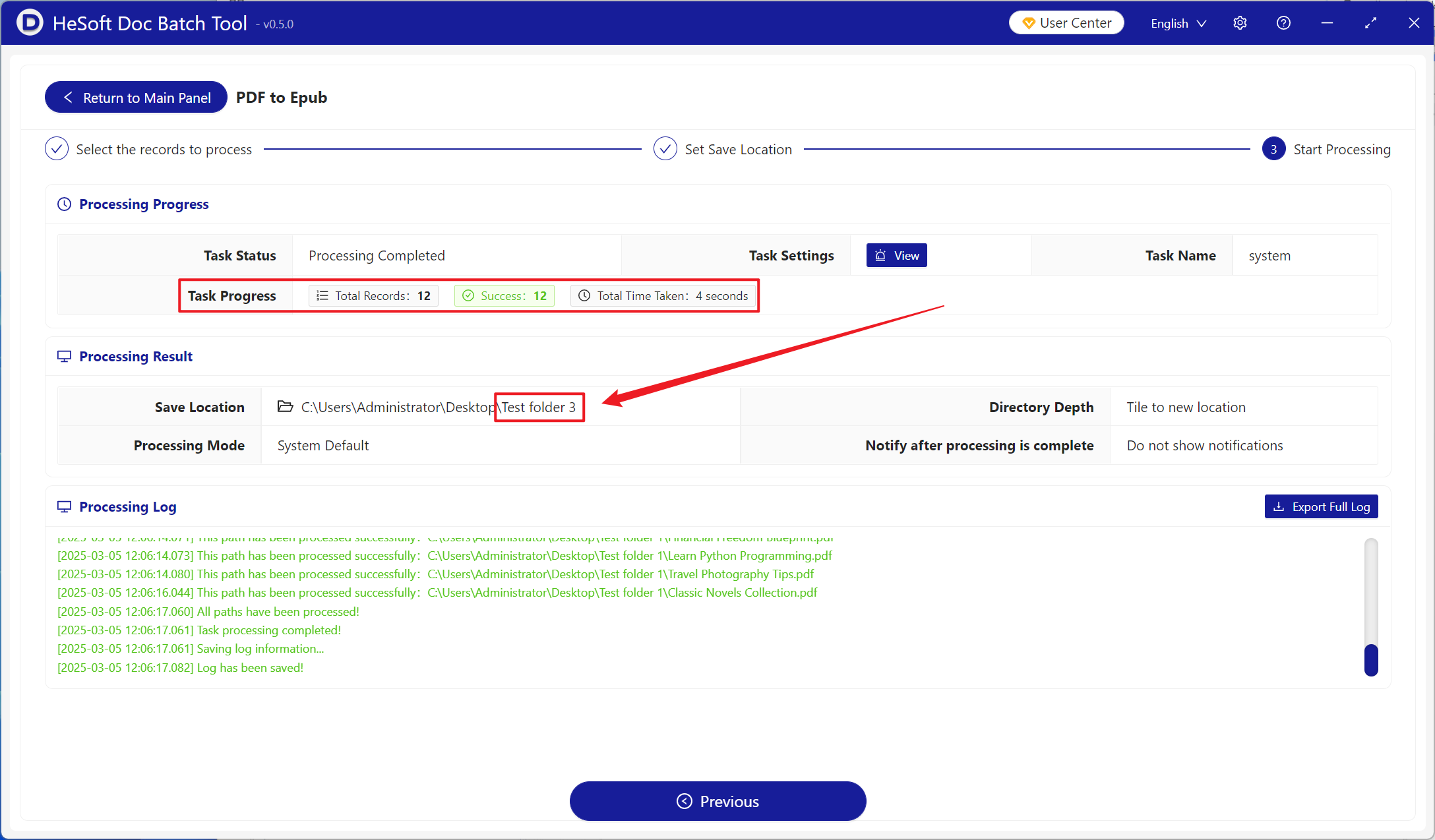
After processing is complete, click the save location to view the successfully converted Epub format files.