Batch convert hundreds of PDF files to specific 1.0/1.1/1.2/1.3/1.4/1.5/1.6/1.7/2.0 versions
Translation:EnglishFrançaisDeutschEspañol日本語한국어,Update Time:2025-06-07 20:21:12
Some software or devices may only support specific versions of PDF. Converting to an earlier version (e.g., PDF 1.4 or 1.5) ensures the file can be opened on older systems or devices. Moreover, certain institutions or platforms may require that submitted PDFs meet specific version restrictions (e.g., academic journals, government agencies, printing houses, etc.), which might mandate PDF versions 1.4 or 1.7. The following describes how to batch convert a large number of PDFs into specific PDF version formats to enhance document compatibility and feature support.
1. Usage Scenario
When you have hundreds or thousands of PDF files that need to be downgraded to be opened and viewed with older systems or software, or when these files need to be submitted to certain institutions or platforms that require a specific PDF version, you can batch convert these PDF files uniformly to various versions such as PDF 1.0/1.1/1.2/1.3/1.4/1.5/1.6/1.7/2.0.
2. Effect Preview
Before processing:

After processing:

3. Operation Steps
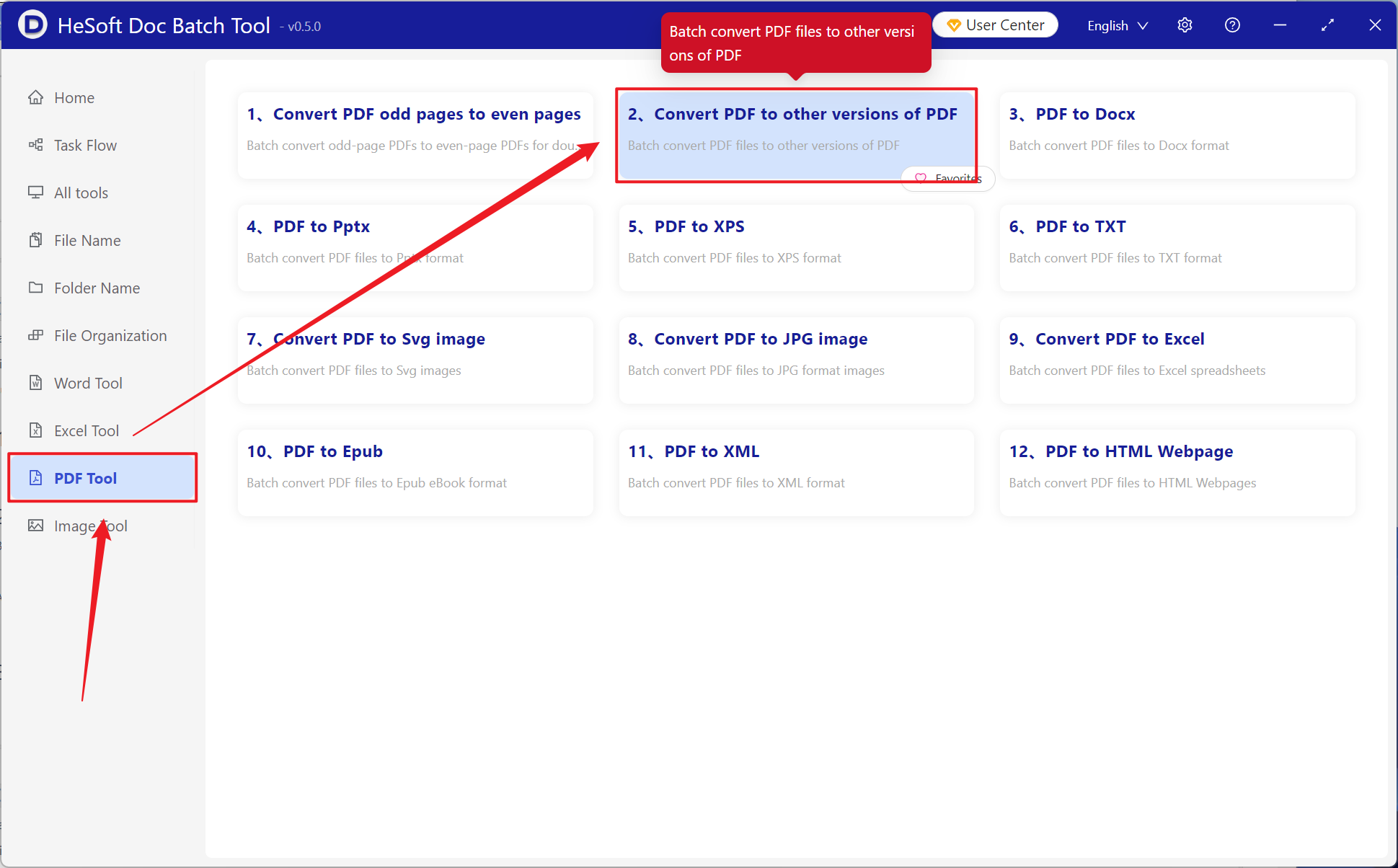
Open 【 HeSoft Doc Batch Tool 】, select 【PDF Tools】 - 【Convert PDF to Other PDF Versions】.
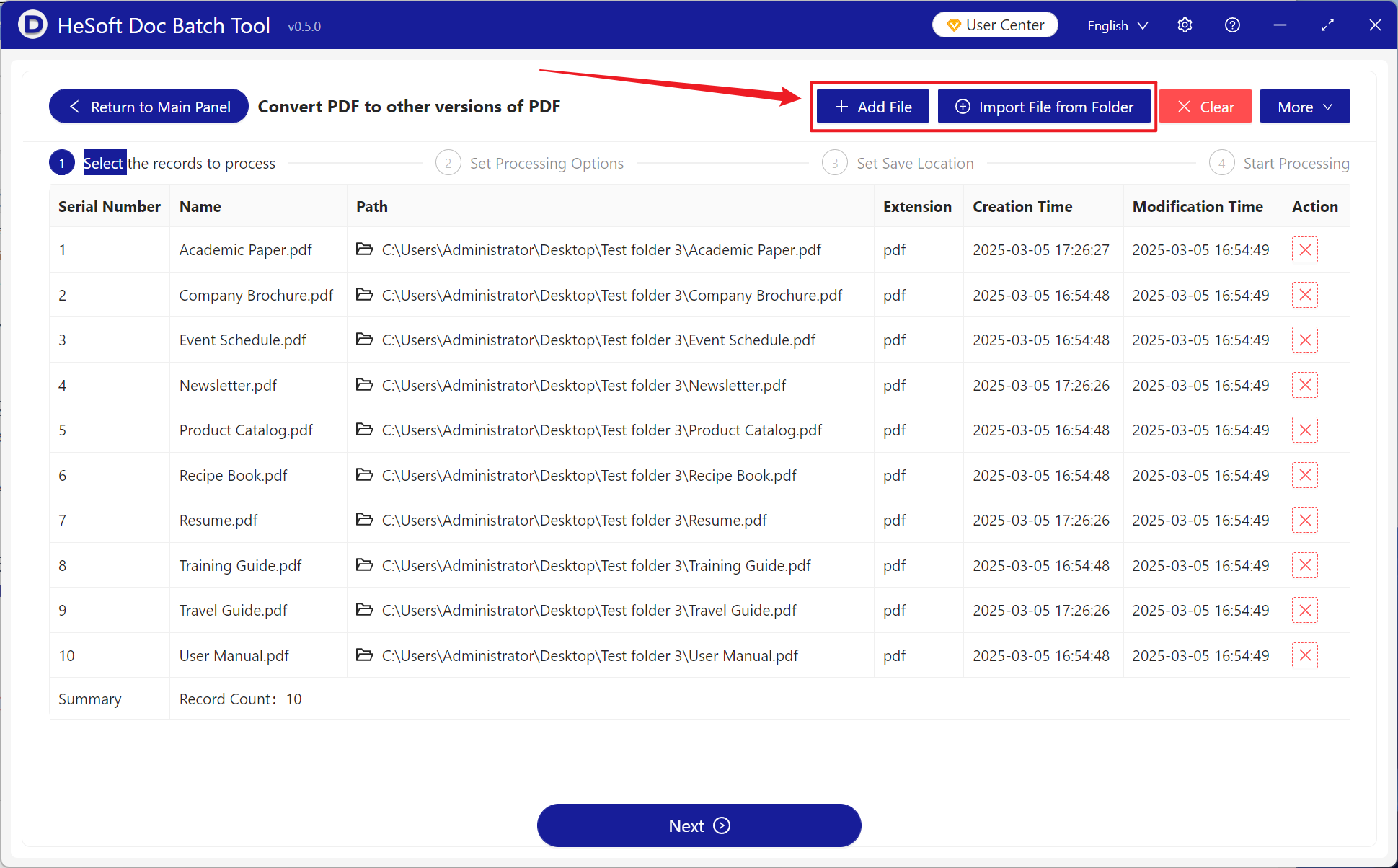
【Add Files】 Add single or multiple PDF files that need version conversion.
【Import Files from Folder】 Import all PDF files from the selected folder.
You can view the imported files below.
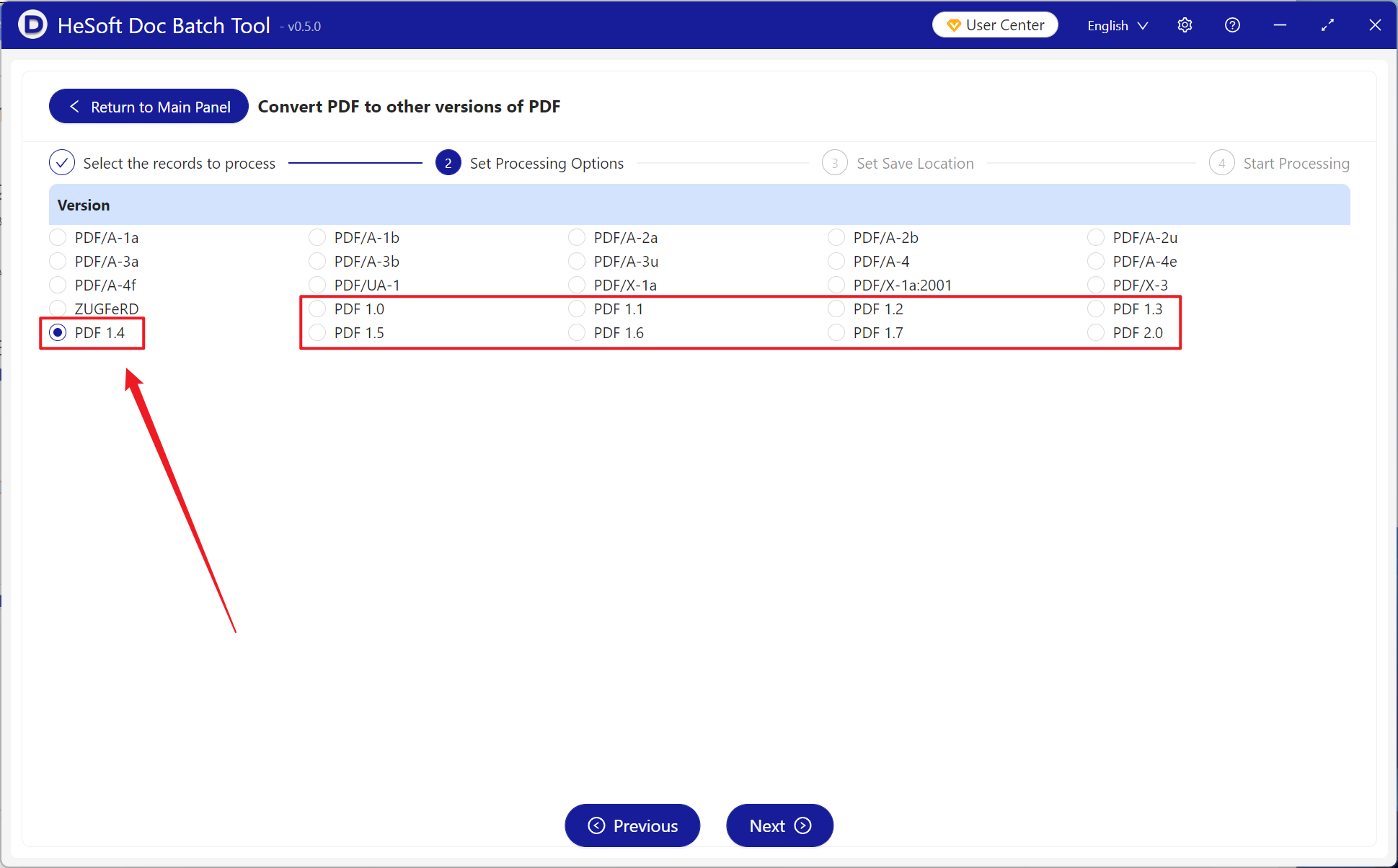
Select from various arbitrary PDF versions including 1.0/1.1/1.2/1.3/1.4/1.5/1.6/1.7/2.0 for conversion as needed.
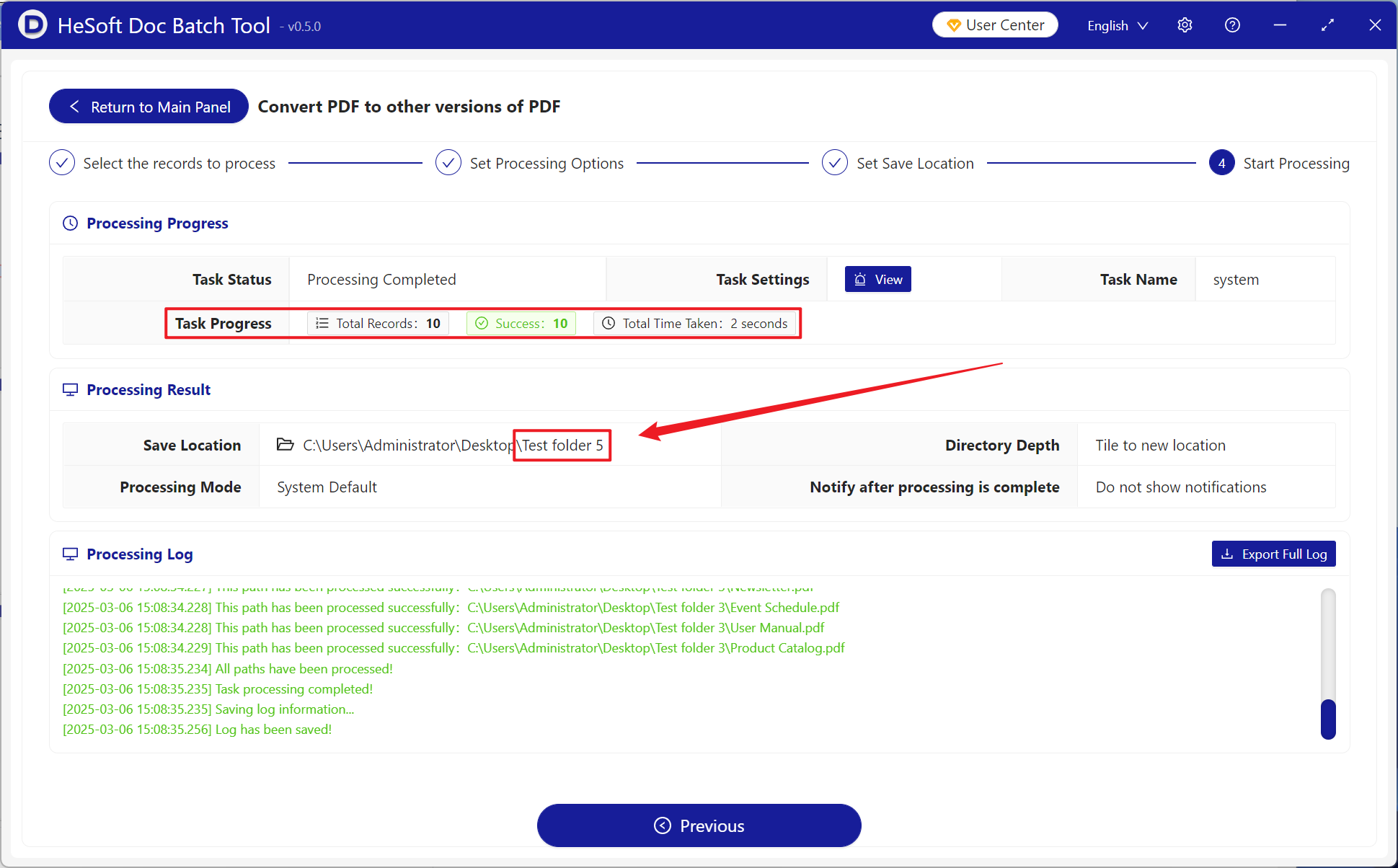
After processing is complete, click the save location to view the successfully converted PDF files.