Quickly batch delete the blank parts at the beginning of the entire content in hundreds of TXT notepad files
Translation:EnglishFrançaisDeutschEspañol日本語한국어,Update Time:2025-06-07 20:22:36
When a TXT plain text file contains blank sections at the beginning, it may affect data processing or formatting standards. This situation is common in data import scenarios, where blank lines at the start of the content can cause parsing errors and also interfere with code logic execution during script processing. Removing the blanks at the beginning of the document can also highlight the key information of the file and enhance the formality of official documents. The following introduces how to uniformly and batch delete blank content at the beginning of a large number of TXT plain text files, supporting multiple text formats including TXT, JSON, HTML, XML, SRT, and CSV.
1. Usage Scenarios
When multiple TXT text files contain a large amount of blank content at the beginning, and you need to import them into Excel or Python to prevent parsing errors or standardize the professionalism and readability of the document, we can batch delete the blanks at the start of the entire content of these text files to ensure the first line of data is correctly recognized.
2. Effect Preview
Before processing:

After processing:

3. Operation Steps
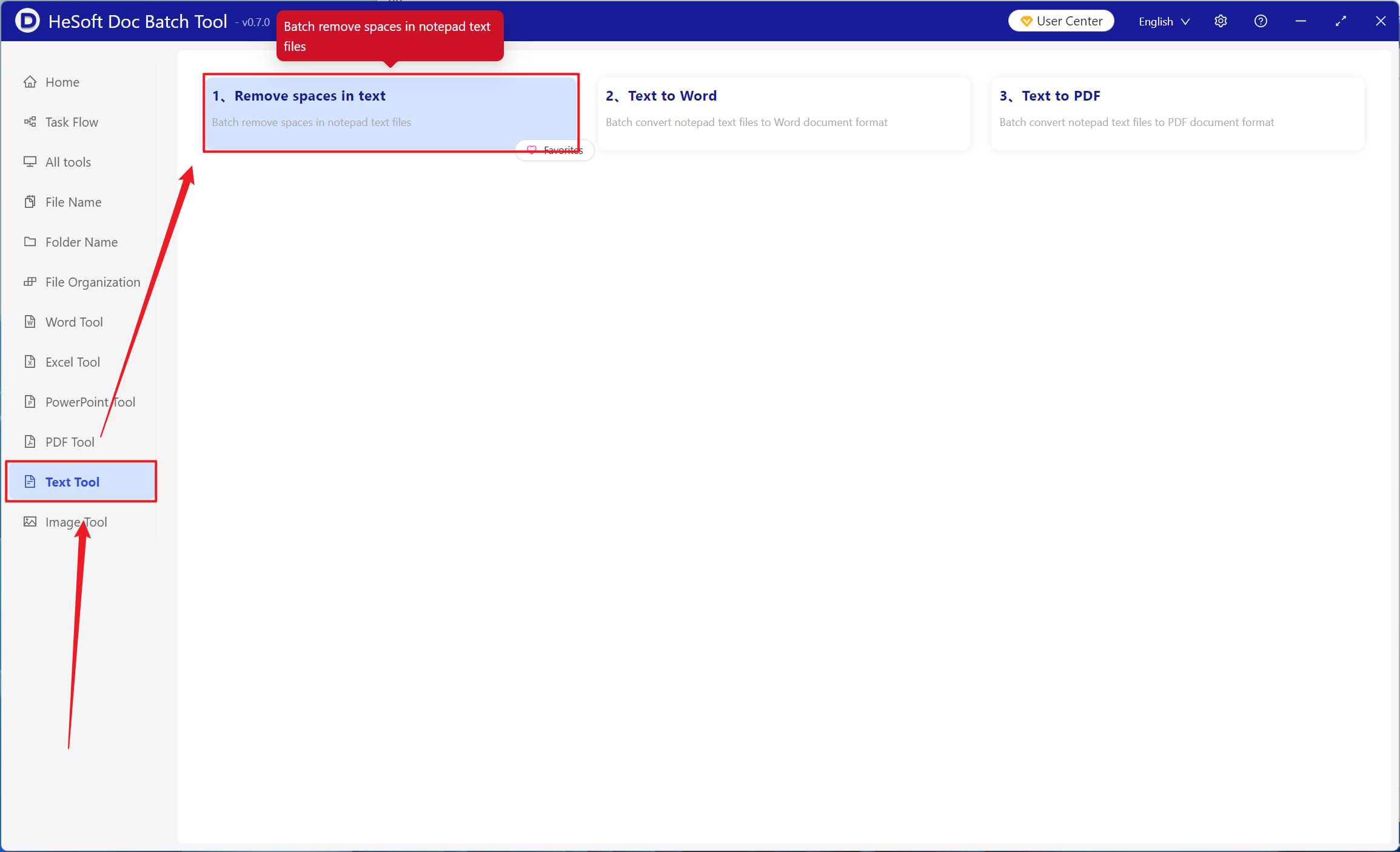
Open 【 HeSoft Doc Batch Tool 】, select 【Text Tools】-【Delete Blanks in Text】.
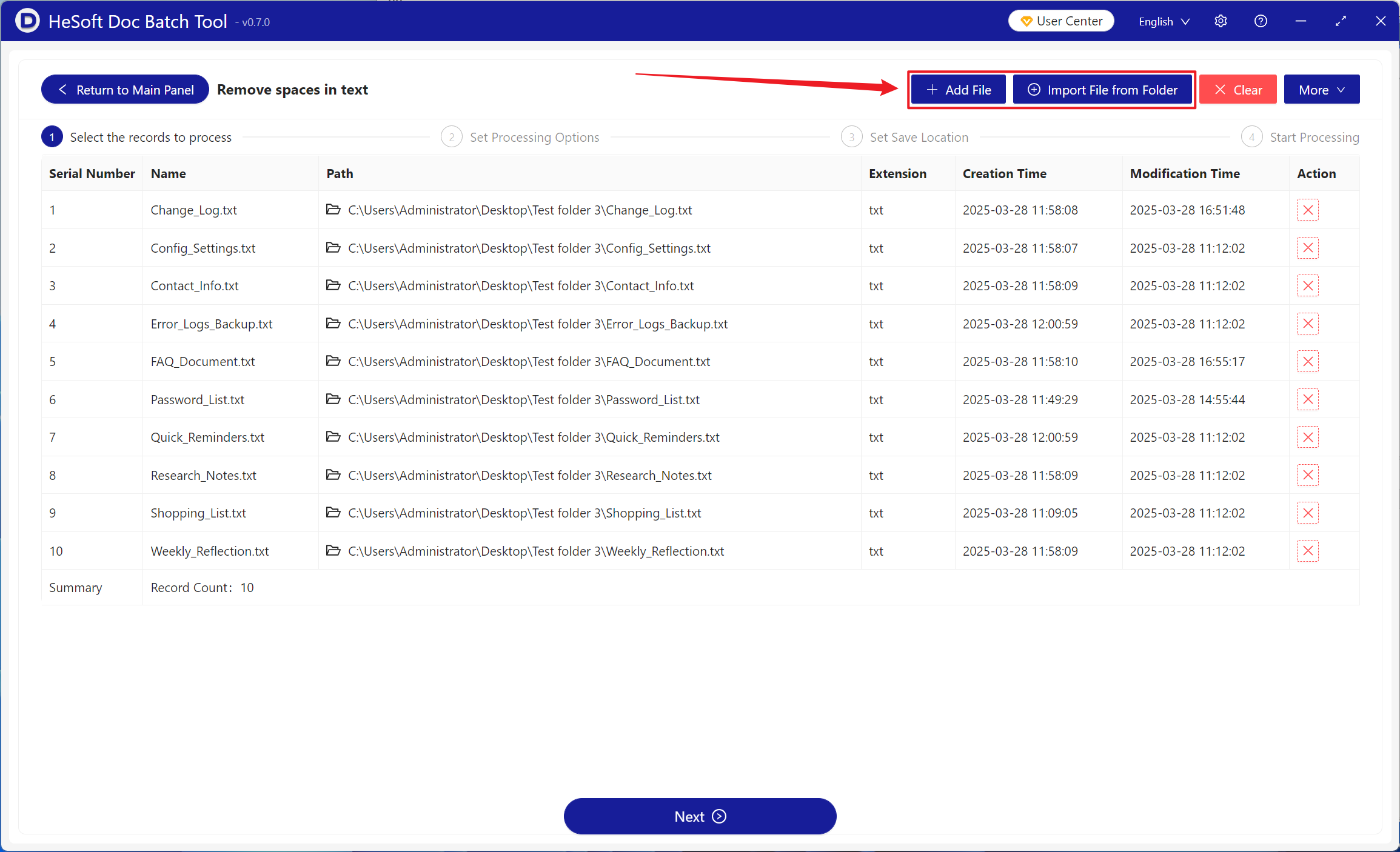
【Add Files】Add single or multiple TXT plain text files that need to have the blank parts at the beginning of the content deleted.
【Import Files from Folder】Import all TXT plain text files from the selected folder.
You can view the imported files below.
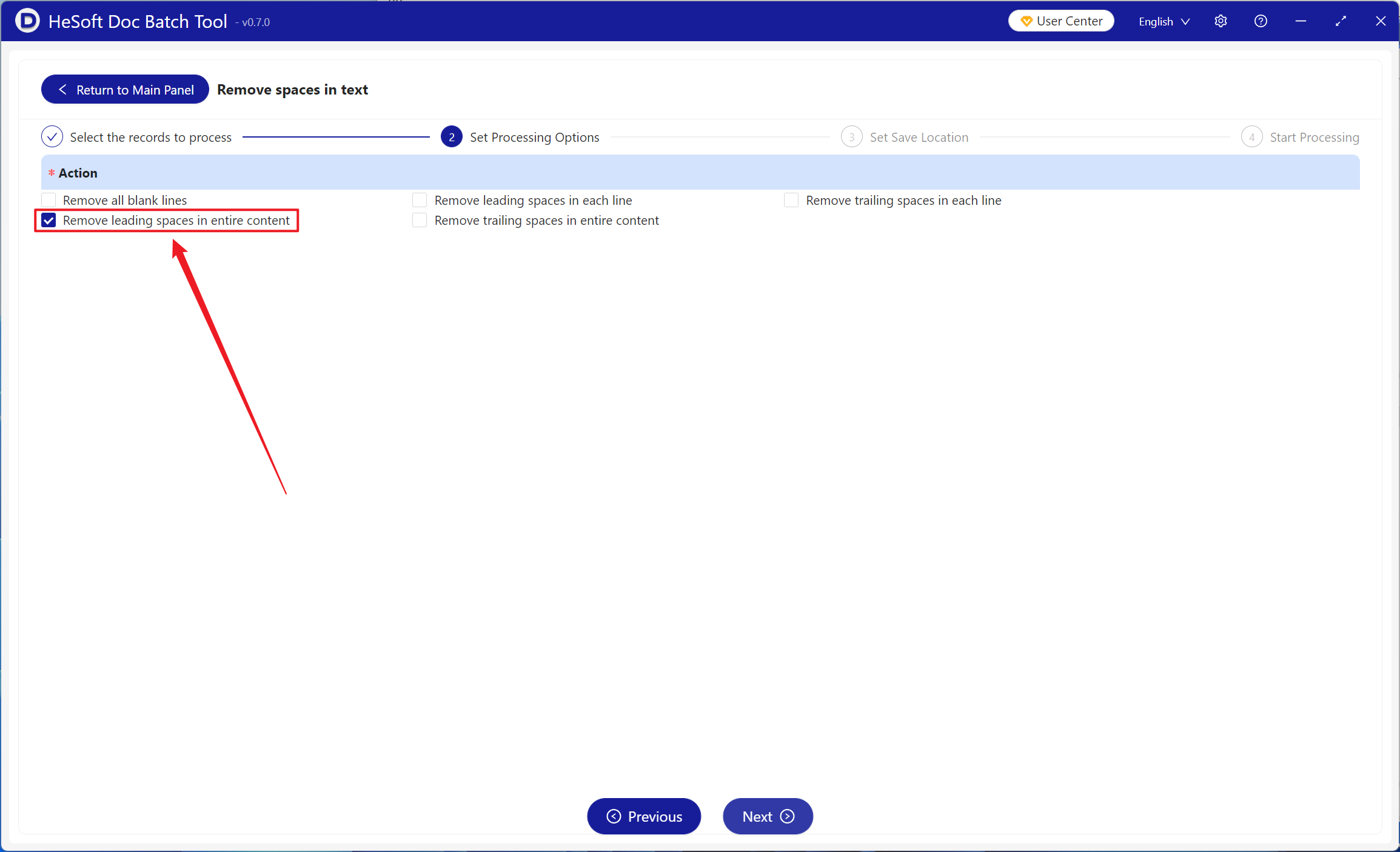
【Operation】Check "Delete blanks at the beginning of the entire content" below.
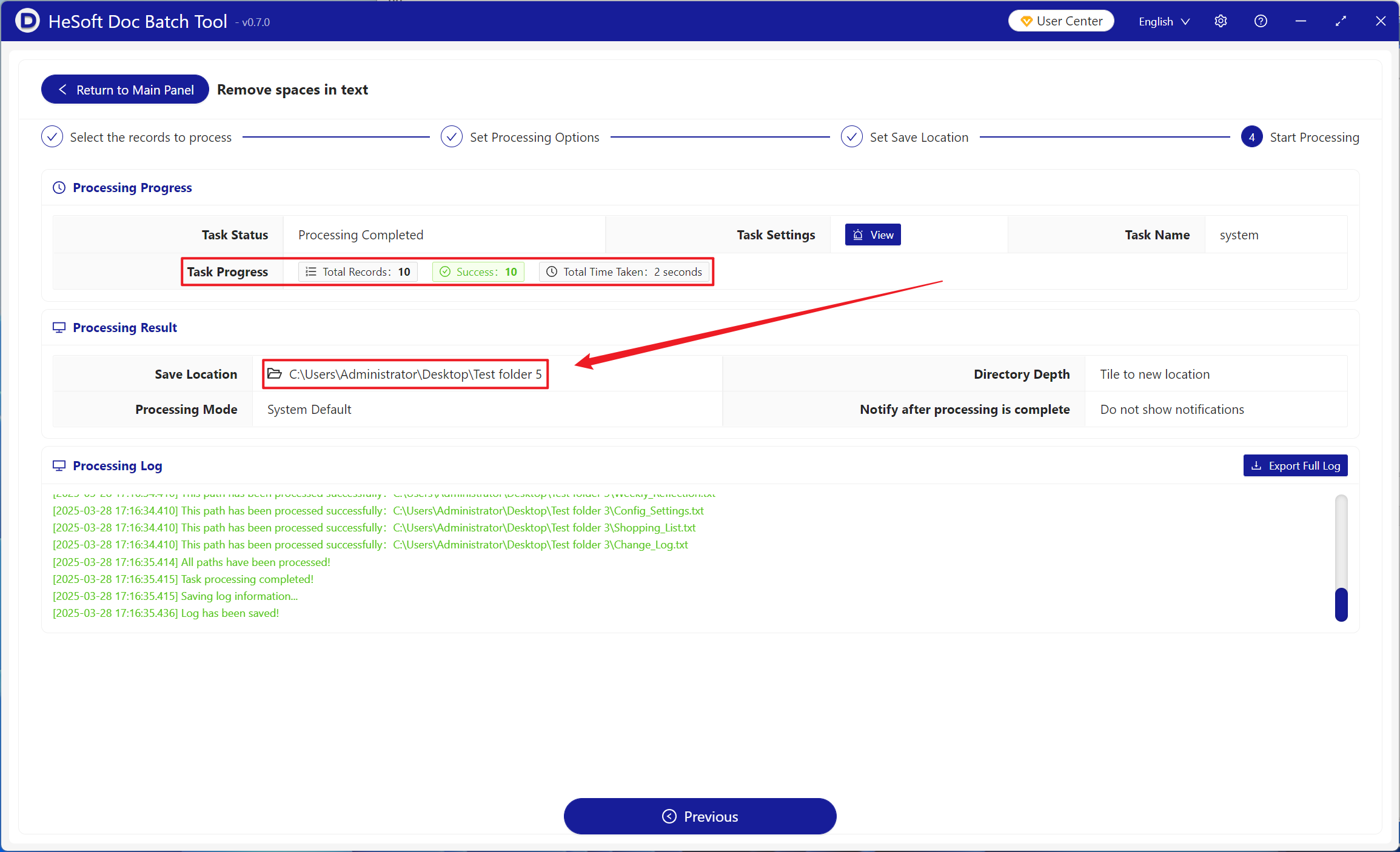
After processing is complete, click the save location to view the TXT Notepad file where the blank content at the beginning of the file has been successfully deleted.