Batch conversion of docx and dotx format files in multiple Word documents to macro-enabled dotm format files
Translation:EnglishFrançaisDeutschEspañol日本語한국어,Update Time:2025-06-07 20:22:00
The docx and dotx files are the primary file formats based on Office Word documents. docx supports freely editable document content, while dotx supports creating reusable fixed template content. If you need to use macros (VBA) in templates of docx and dotx format files to achieve automation, dynamic templates, event triggering, and other functions, you need to convert them into dotm extension format files. Next, we will introduce how to batch convert files in Word documents into dotm format files with macro functionality enabled, supporting files with doc, docx, dot, dotx, and docm extensions.
1. Use Cases
Batch convert all formatted files in Office Word documents to the macro-enabled dotm format.
2. Effect Preview
Before processing:

After processing:

3. Operation Steps
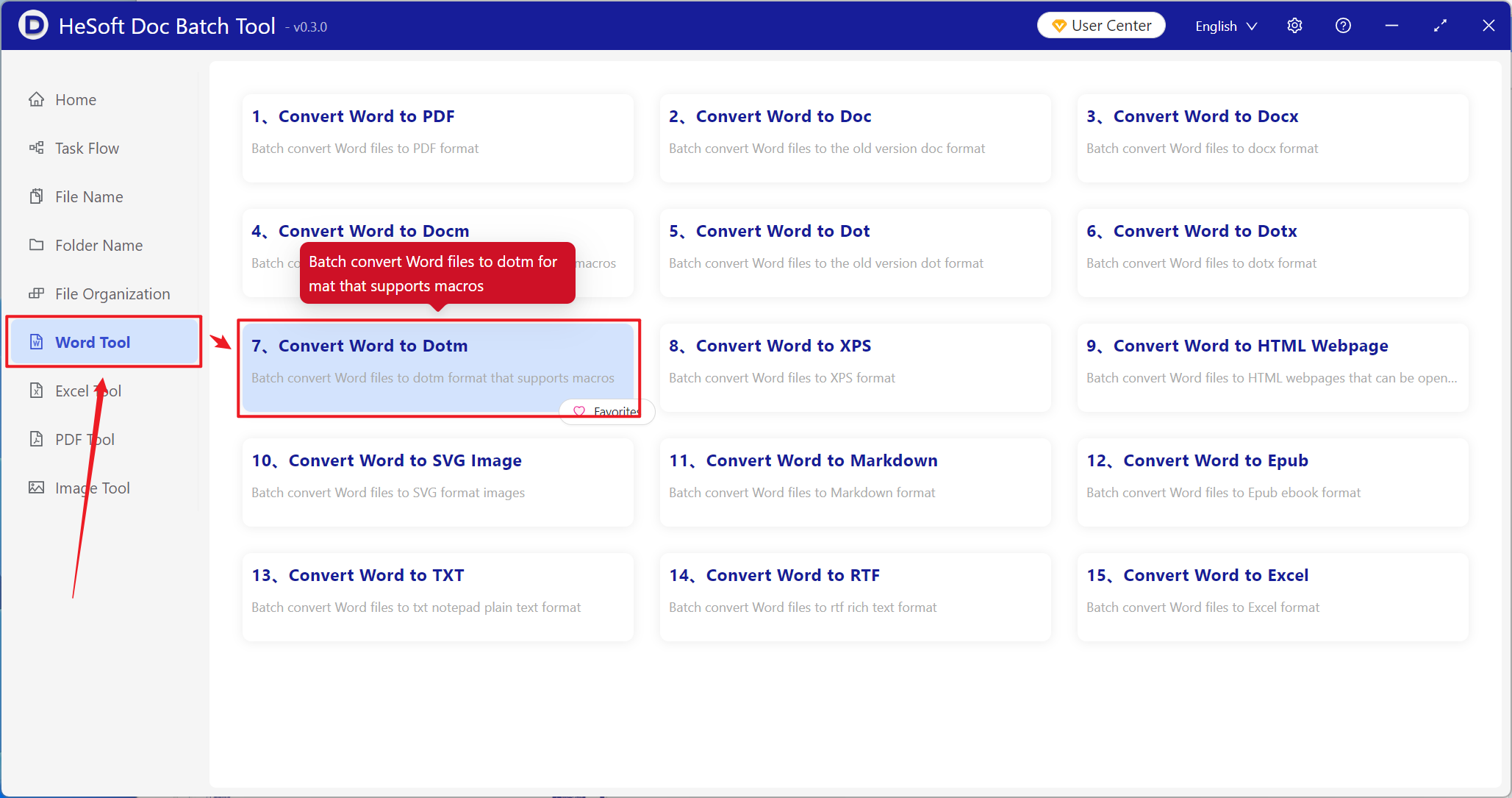
Open【 HeSoft Doc Batch Tool 】, select【Word Tools】-【Convert Word to Dotm】.
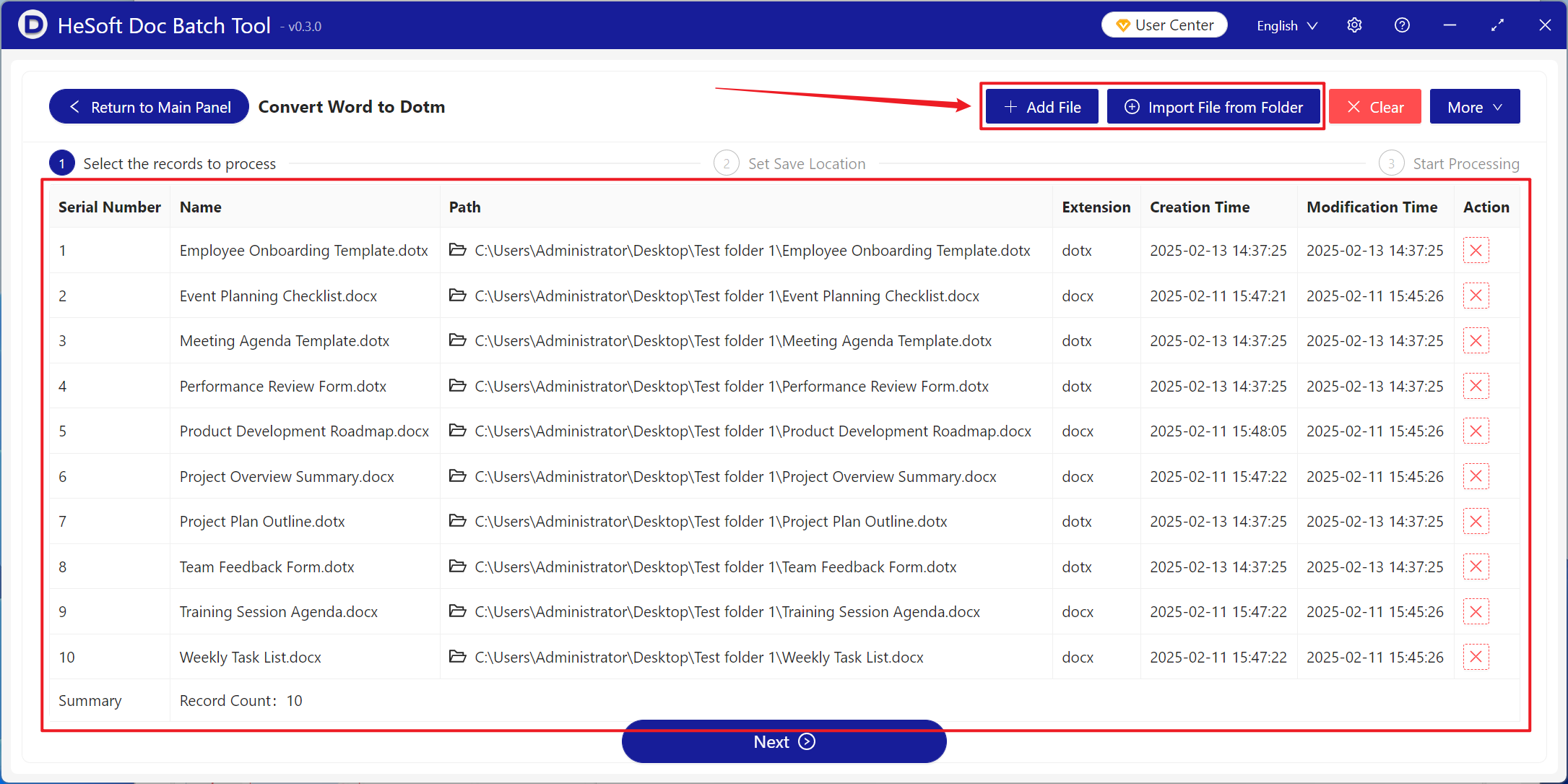
【Add Files】Add one or more Word documents that need to be converted to dotm format.
【Import Files from Folder】Add an entire folder containing Word documents that need to be converted to dotm format.
The files successfully imported are shown in the red box below.
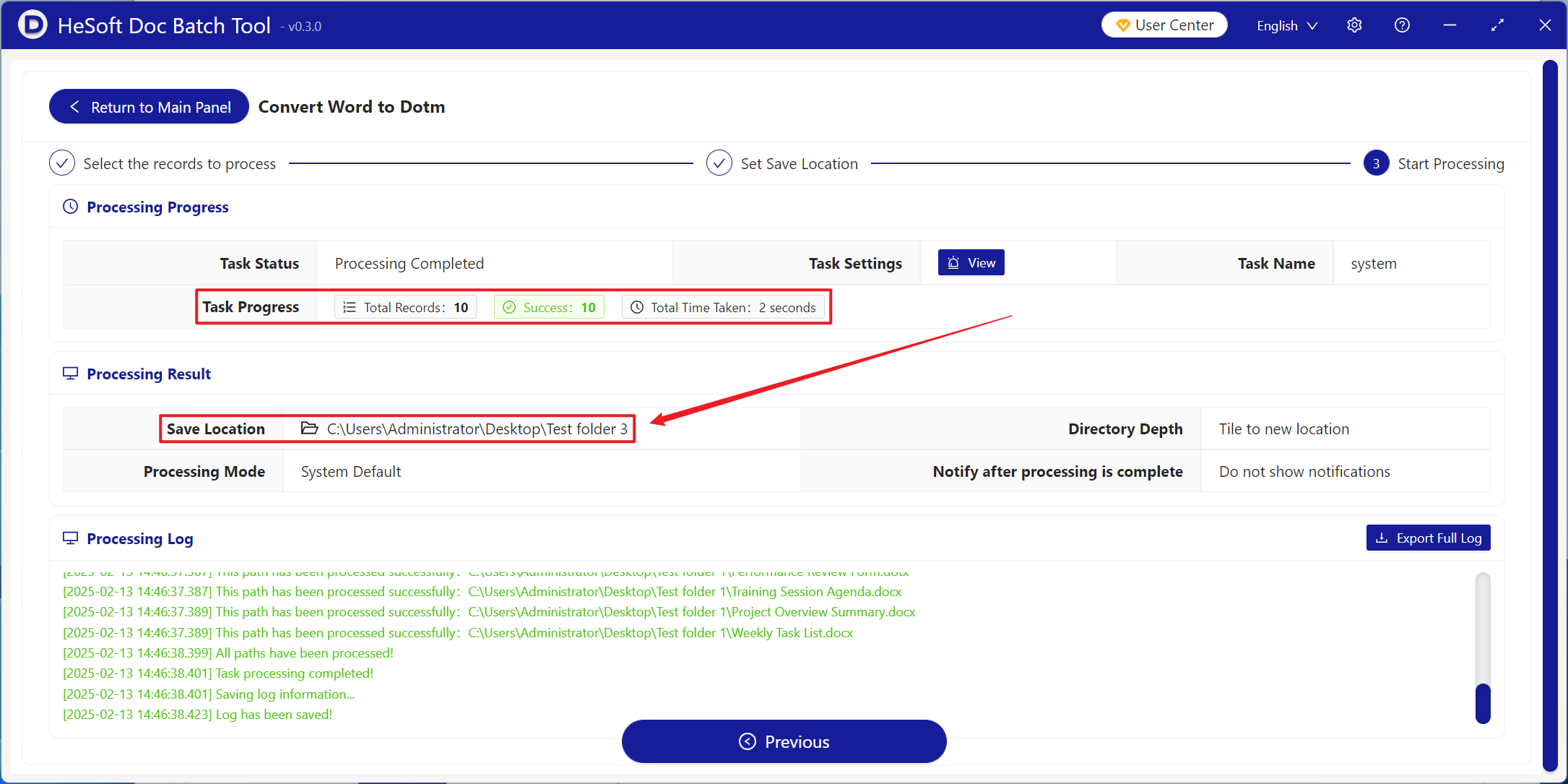
Wait for processing to complete, then click the save location to view the converted files.