Quick batch conversion of thousands of Doc and Docx formats to Markdown format
Translation:EnglishFrançaisDeutschEspañol日本語한국어,Update Time:2025-06-07 20:22:16
Markdown has a simple syntax, making it ideal for writing technical documents, blogs, or Readme files. Its format is highly compatible and can be converted to various formats like HTML and PDF for cross-platform publishing. For developers or technical writers, Markdown, as a lightweight plain text file, is small in size and easy to edit, making it suitable for frequent modifications. Its code block support and syntax highlighting features are also very practical. Below is an introduction on how to batch convert a large number of Office Word documents into Markdown format files in a short time, supporting all formats including Doc, Docx, Dot, Dotx, Docm, and Dotm.
1. Use Cases
When you need to write technical documentation, blogs, or publish across platforms for multiple files in formats like Doc and Docx, you can batch convert them directly into Markdown format to improve flexibility and editing efficiency.
2. Preview
Before Processing:

After Processing:

3. Steps
Open HeSoft Doc Batch Tool , select [Word Tools] - [Word to Markdown].

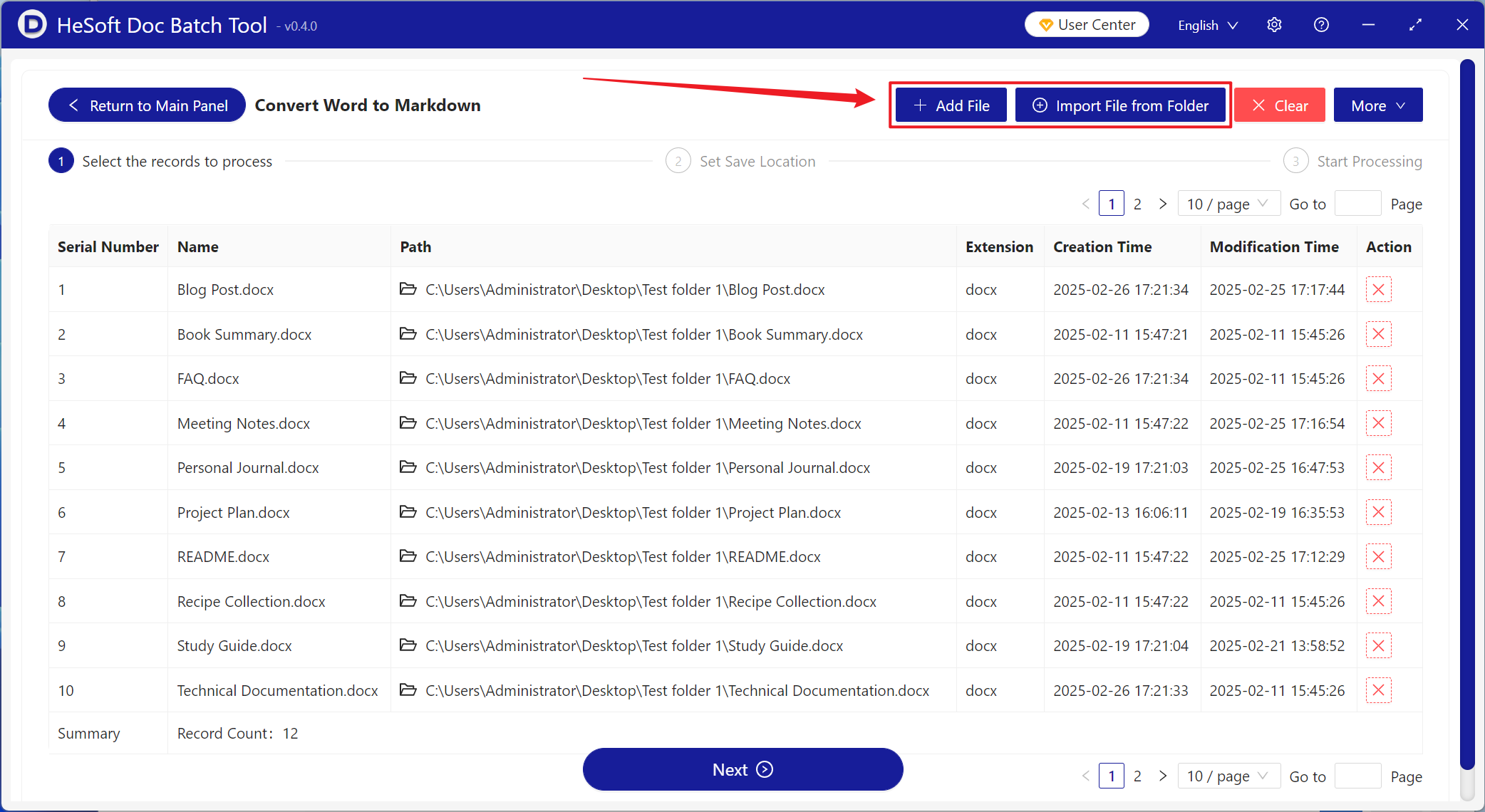
[Add Files] Add single or multiple Doc, Docx, and other format files to be converted to markdown format.
[Import Files from Folder] Add the entire folder containing Doc, Docx, and other format files to be converted to markdown format.
You can view the imported files below.
After processing is complete, click save location to view the converted markdown files.
