Convert hundreds of PDF files to PPTX slide format files in one batch
Translation:EnglishFrançaisDeutschEspañol日本語한국어,Update Time:2025-06-07 20:21:04
When creating PowerPoint slides or searching for materials, you may sometimes download PDF files containing slide content from the web. However, downloaded PDF files are typically fixed and cannot be modified, making it impossible to extract the needed content or rearrange the layout. In such cases, you can convert these PDF files into PPTX slide files, allowing you to easily extract and reorganize content while greatly improving efficiency. This guide will show you how to quickly batch convert a large number of PDF files into PPTX slide files.
1. Usage Scenarios
When you have multiple PDF textbooks or resource files that need to be displayed page by page in a presentation or used for lecture-style teaching via slides, you can batch convert them into PPTX slide files to enhance the presentation effect.
2. Effect Preview
Before processing:

After processing:

3. Operation Steps
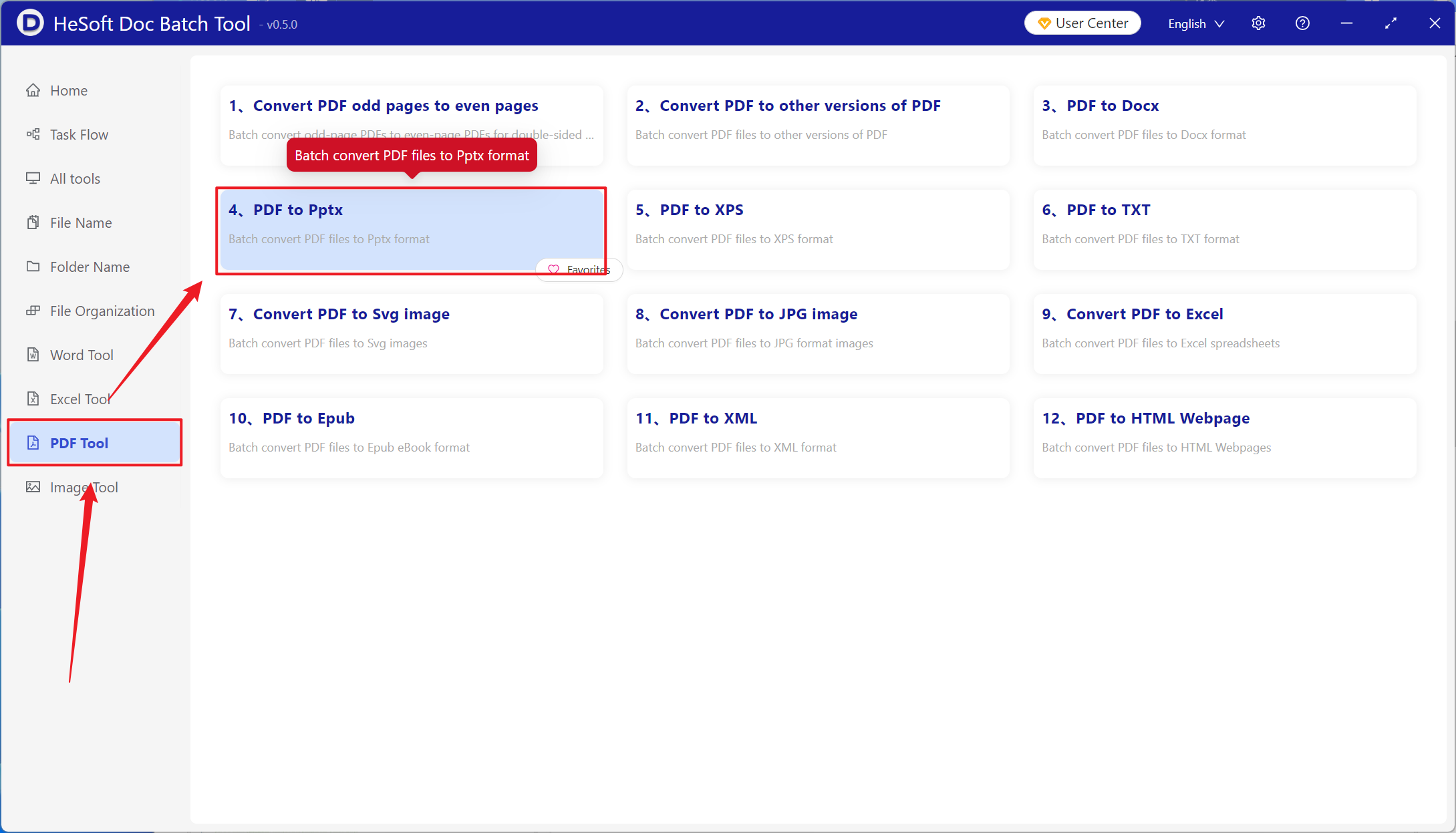
Open【 HeSoft Doc Batch Tool 】, and select【PDF Tools】-【PDF to PPTX】.
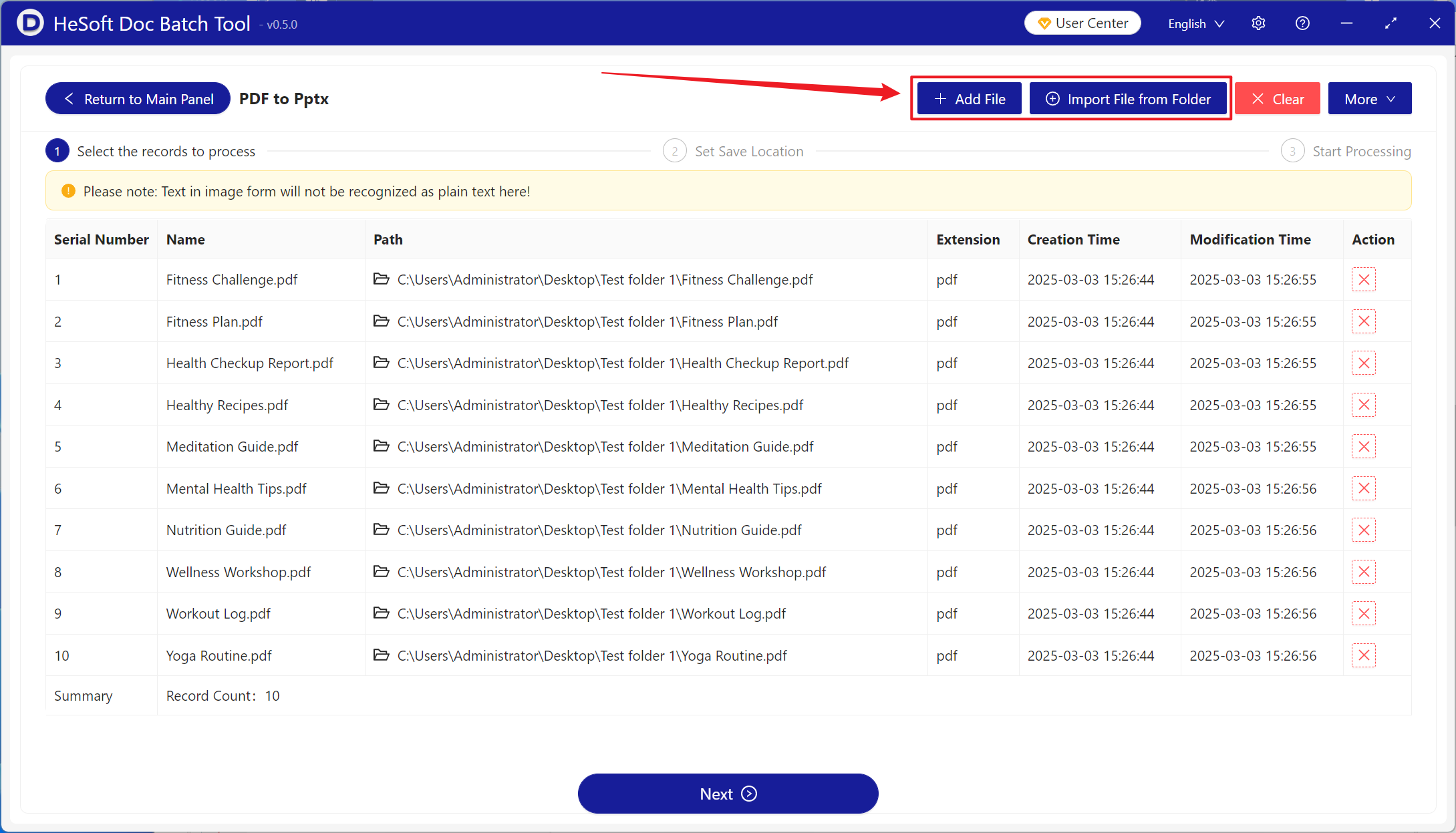
【Add Files】add single or multiple PDF files that need to be converted to PPTX slides.
【Import Files from Folder】import all PDF files within the selected folder.
You can view the imported files in the area below.
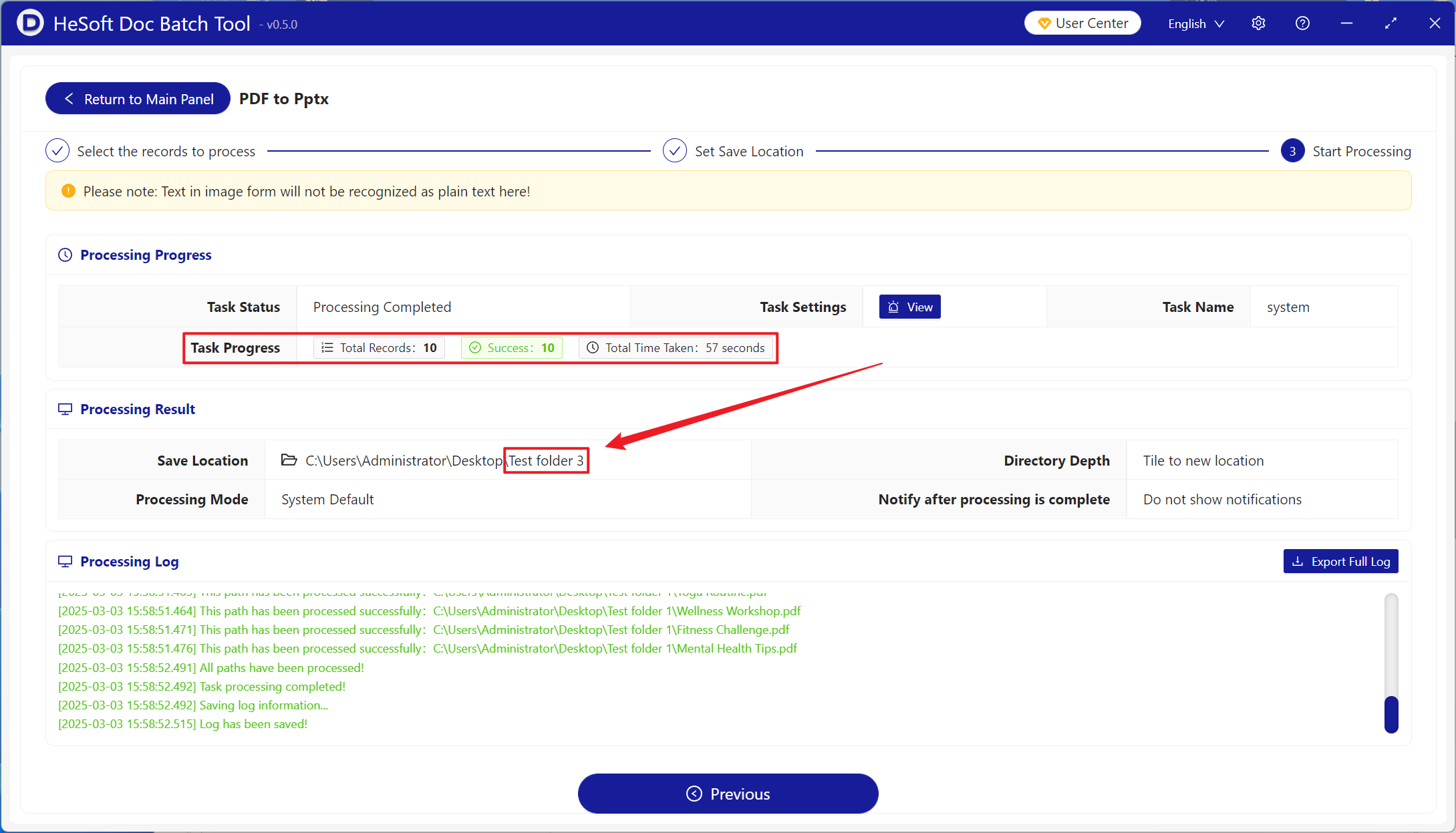
After the processing is complete, click the save location to view the successfully converted PPTX slide files.