Quickly and batch convert many Excel worksheets into HTML web pages
Translation:EnglishFrançaisDeutschEspañol日本語한국어,Update Time:2025-06-07 20:20:24
When data needs to be published or shared online, HTML web pages can be directly embedded into websites or blogs, allowing users to view them through a browser without downloading files. If files in formats like Xls or Xlsx contain charts or tables, converting them to HTML web pages can display the data more intuitively, while also enabling cross-platform viewing and sharing across different devices and operating systems, thereby improving the readability and interactivity of Excel spreadsheet content.
1. Usage Scenarios
When hundreds of Excel spreadsheets need to have their data content sent as email bodies or embedded into websites, these Excel files can be uniformly batch converted to HTML web pages, enabling online publishing and data sharing.
2. Effect Preview
Before processing:

After processing:

3. Operating Steps
Open【 HeSoft Doc Batch Tool 】, select【Excel Tools】-【Convert Excel to HTML Web Page】.

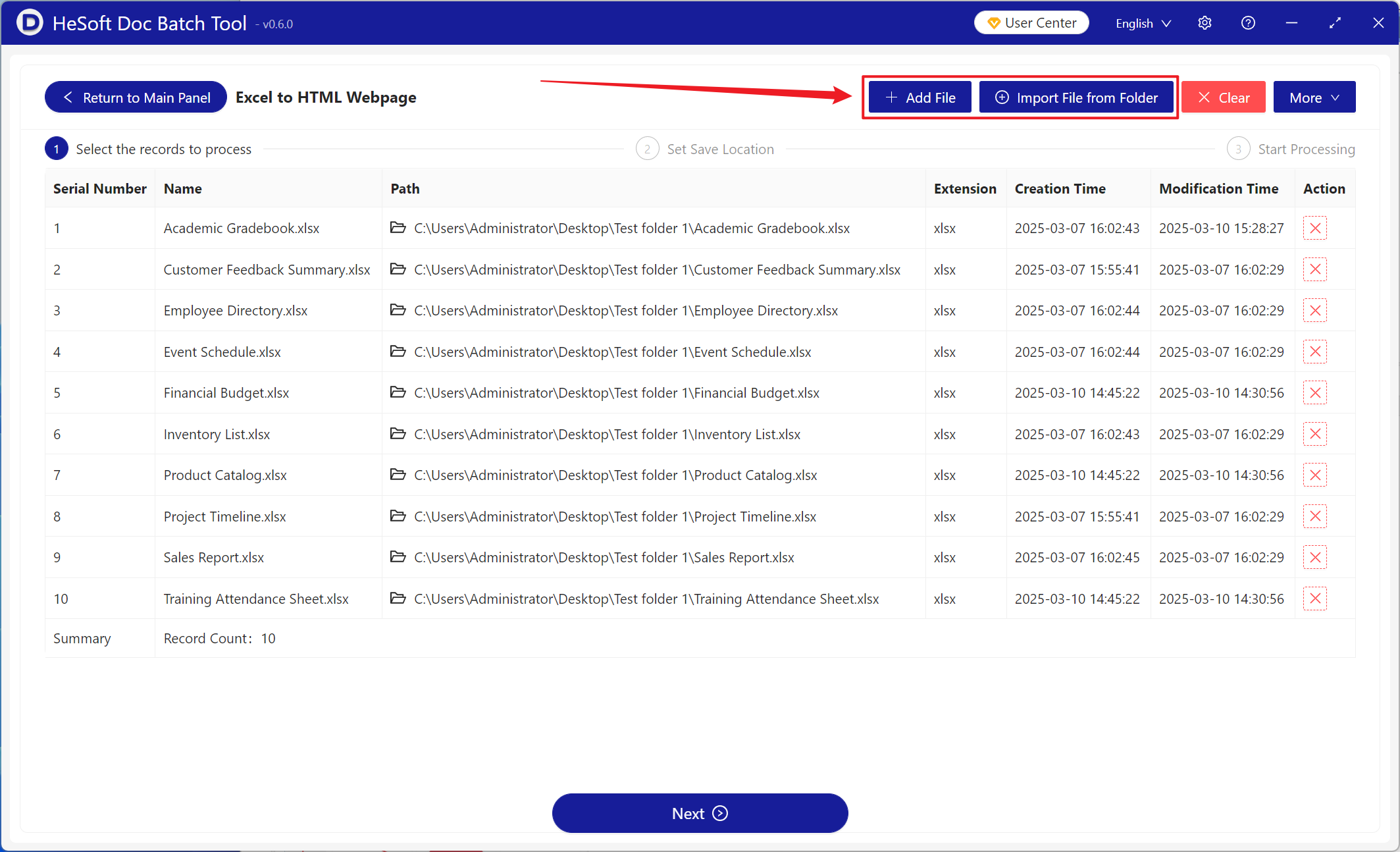
【Add Files】Add one or more Excel files to be converted to HTML web pages.
【Import Files from Folder】Import all Excel files from a selected folder.
You can view the imported files below.
After processing is complete, click the save location to view the successfully converted HTML files.
