Batch conversion of a large number of Excel tables to Json format
Translation:EnglishFrançaisDeutschEspañol日本語한국어,Update Time:2025-06-07 20:20:30
Json is a lightweight data exchange format that can be directly parsed and used by most programming languages and platforms when interacting with web applications. In the development of separated front-end and back-end, Json is also the standard format for data transmission between the front-end and back-end, used to store and transmit structured data. When multiple Xls, Xlsx, and other format files need to be converted for web development, data interaction, or cross-platform data processing, batch conversion to Json format can improve efficiency in various aspects.
1. Use Cases
When you need to store, migrate, or transfer structured data such as user information and product data from large Excel worksheets, you can batch convert them into JSON format files, making file backup and processing more efficient.
2. Effect Preview
Before processing:

After processing:

3. Steps
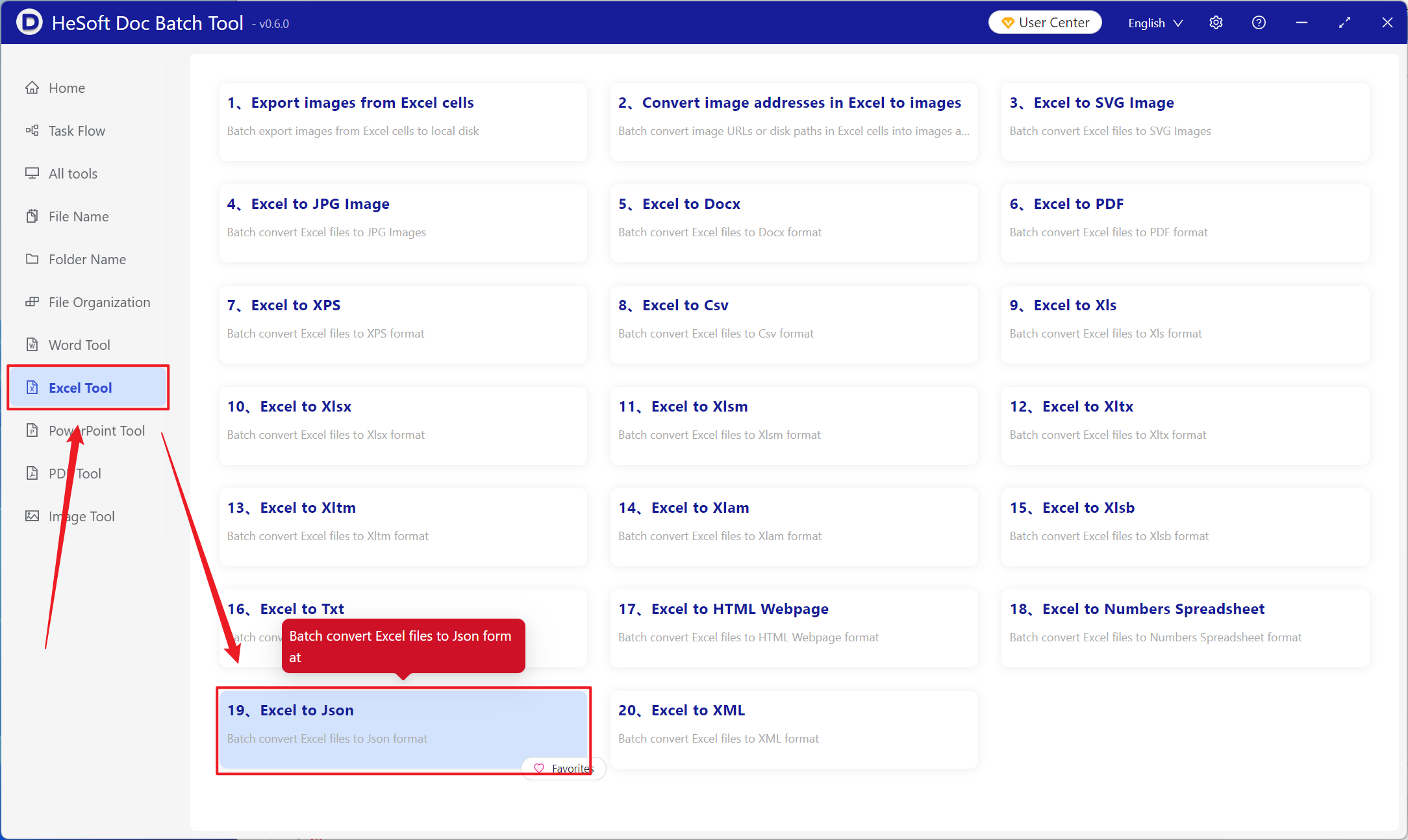
Open【 HeSoft Doc Batch Tool 】, select【Excel Tools】>【Excel to Json】.
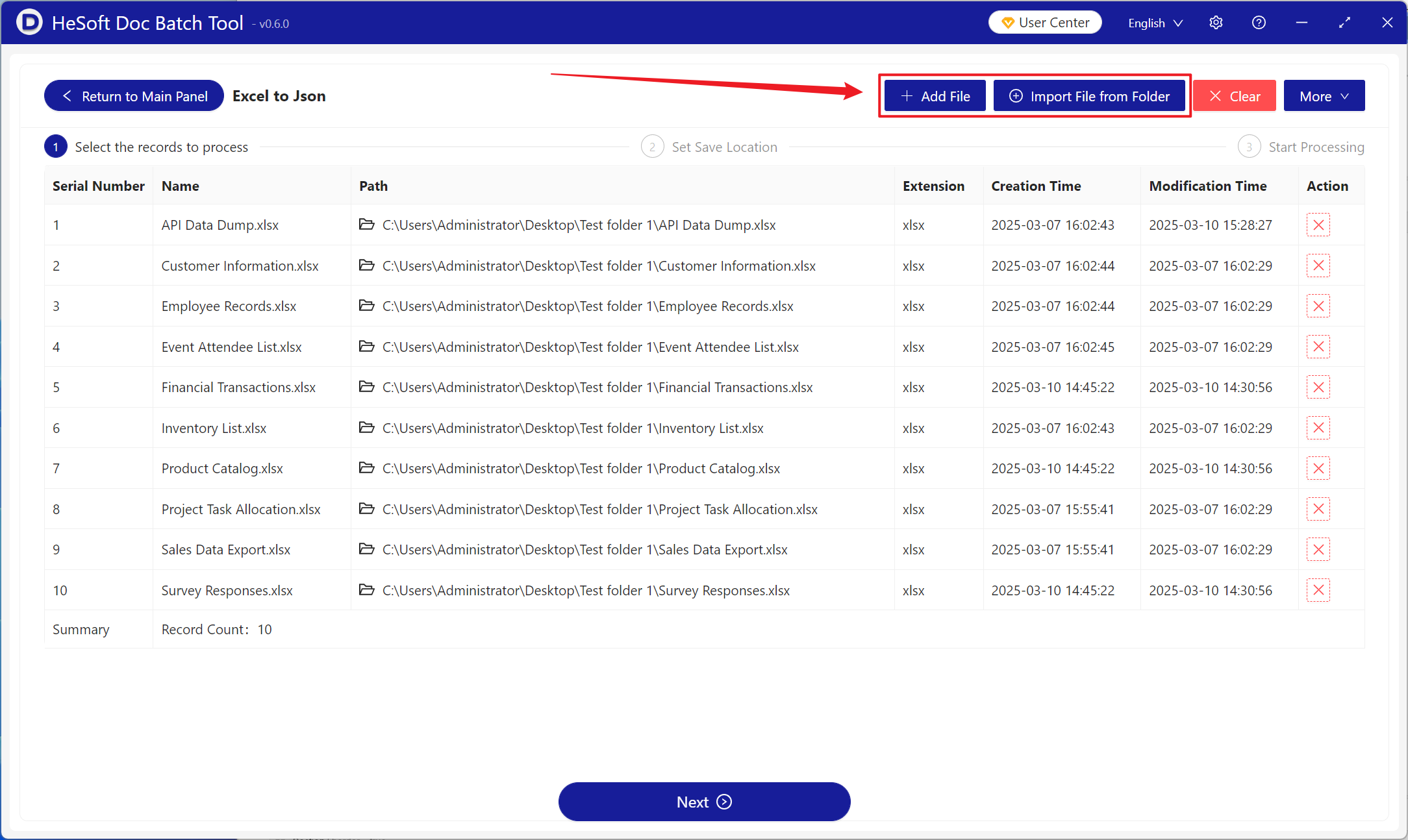
【Add Files】Add one or more Excel files to be converted to JSON format.
【Import Files from Folder】Import all Excel files from the selected folder.
You can view the imported files below.
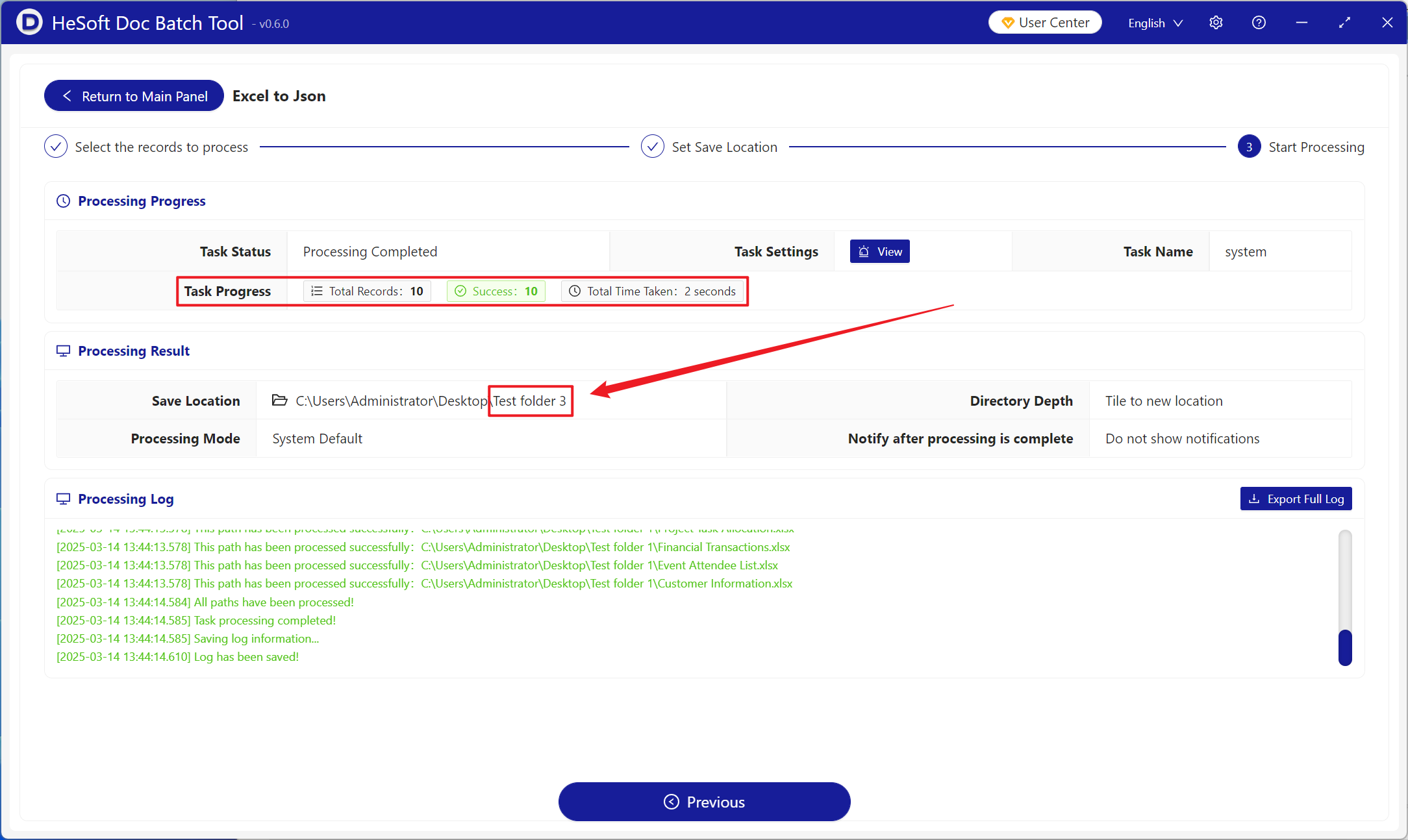
Once processing is complete, click the save location to view the successfully converted JSON files.