Many PPT slides are directly converted into POTX template format
Translation:EnglishFrançaisDeutschEspañol日本語한국어,Update Time:2025-06-07 20:21:40
In enterprise office settings, improving the efficiency of team PPT creation is particularly important. Converting PPT to POTX template format is the best choice for establishing a standardized corporate visual identity. As a professional PowerPoint template format, POTX perfectly preserves all design elements of the original PPT, including layout, color schemes, font styles, and master slide settings. It is indispensable for medium to large enterprises, educational institutions, or design teams that require a unified brand image. The following explains how to batch convert large numbers of PPT slide files into the POTX template format, supporting multiple formats such as PPT, PPTX, PPS, PPSX, and POTX.
1. Usage Scenario
When a company has a large number of excellent PowerPoint presentations, we can batch convert them all into a unified template, ensuring that every employee can quickly create presentation files that comply with corporate standards while maintaining consistent brand style and layout.
2. Effect Preview
Before processing:

After processing:

3. Operation Steps
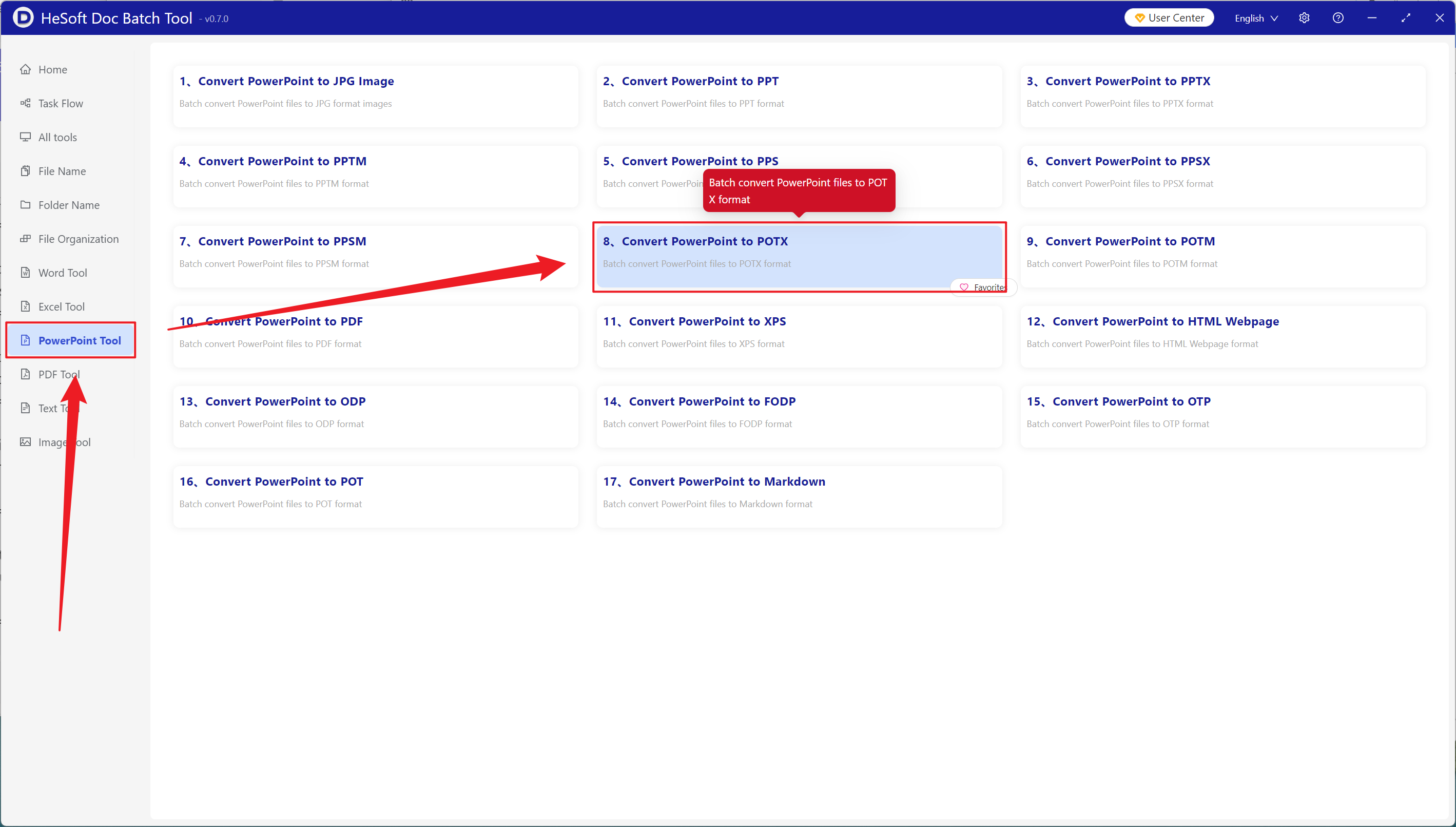
Open【 HeSoft Doc Batch Tool 】, select【PowerPoint Tools】-【Convert PowerPoint to POTX】.
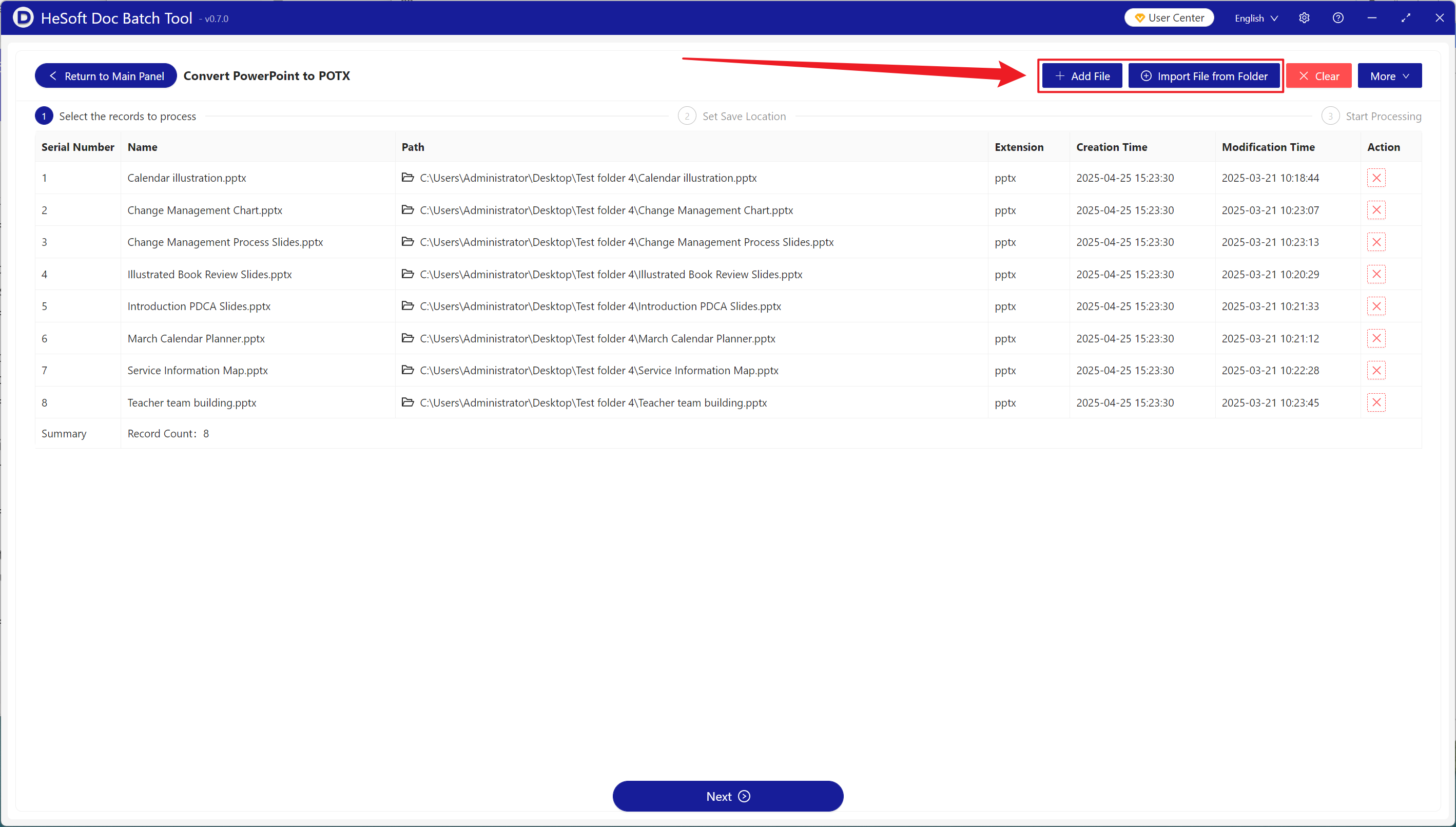
【Add Files】: Manually select and add the PPT slides you wish to convert.
【Import Files from Folder】: Import all PowerPoint files from an entire folder.
View the imported files below.
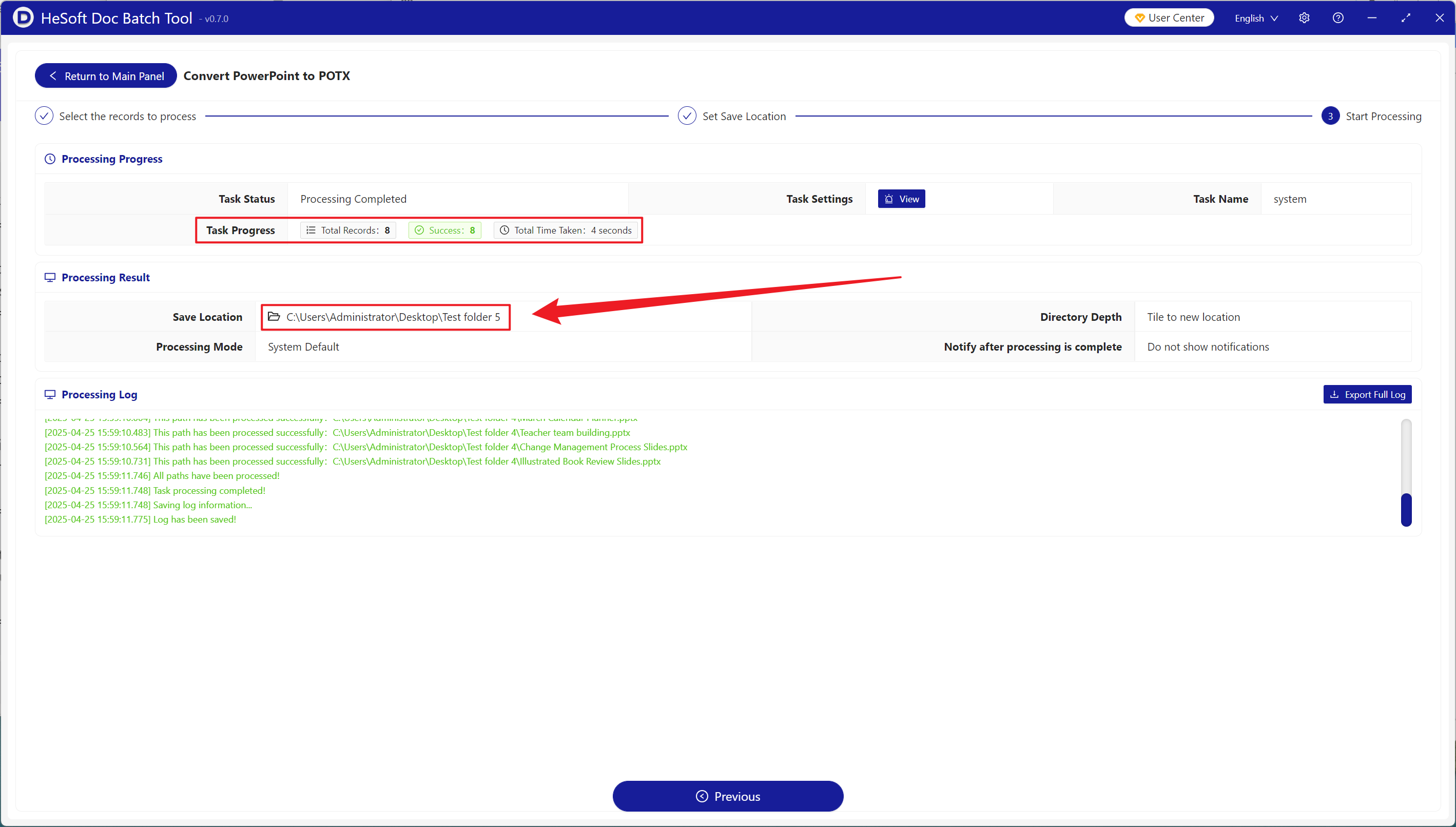
After the process is complete, click on the path to the save location to view the converted PPT files.