Batch convert many PNG images to JPEG format at once
Translation:EnglishFrançaisDeutschEspañol日本語한국어,Update Time:2025-06-07 20:22:49
In the field of digital image processing, batch converting PNG format to JPEG format is an important technical solution for improving storage efficiency and optimization, primarily aimed at scenarios requiring a balance between image quality and file size. Through JPEG's lossy compression, file size can be significantly reduced while controlling visual quality loss, effectively solving the problems of high storage costs and low transmission efficiency associated with PNG format. In web development, it can shorten image loading times and improve SEO rankings; in the photography industry, it can save cloud storage space; in advertising and printing, it can also ensure device compatibility. From a business value perspective, converting PNG to JPEG can assist content creators in optimizing social media materials and provide embedded system developers with more efficient image resource solutions. So how can we batch convert hundreds or even thousands of PNG images to JPEG format uniformly? The following shares a method that requires only three steps to achieve quick conversion, while also supporting JPG, BMP, TIF, WEBP, SVG and various other image formats.
1. Usage Scenarios
When storing a large number of high-resolution images, although PNG can preserve details, the large file size will take up too much storage space. Batch conversion to JPEG can save hard drive or cloud storage costs while maintaining acceptable image quality.
2. Effect Preview
Before processing:

After processing:

3. Operation Steps
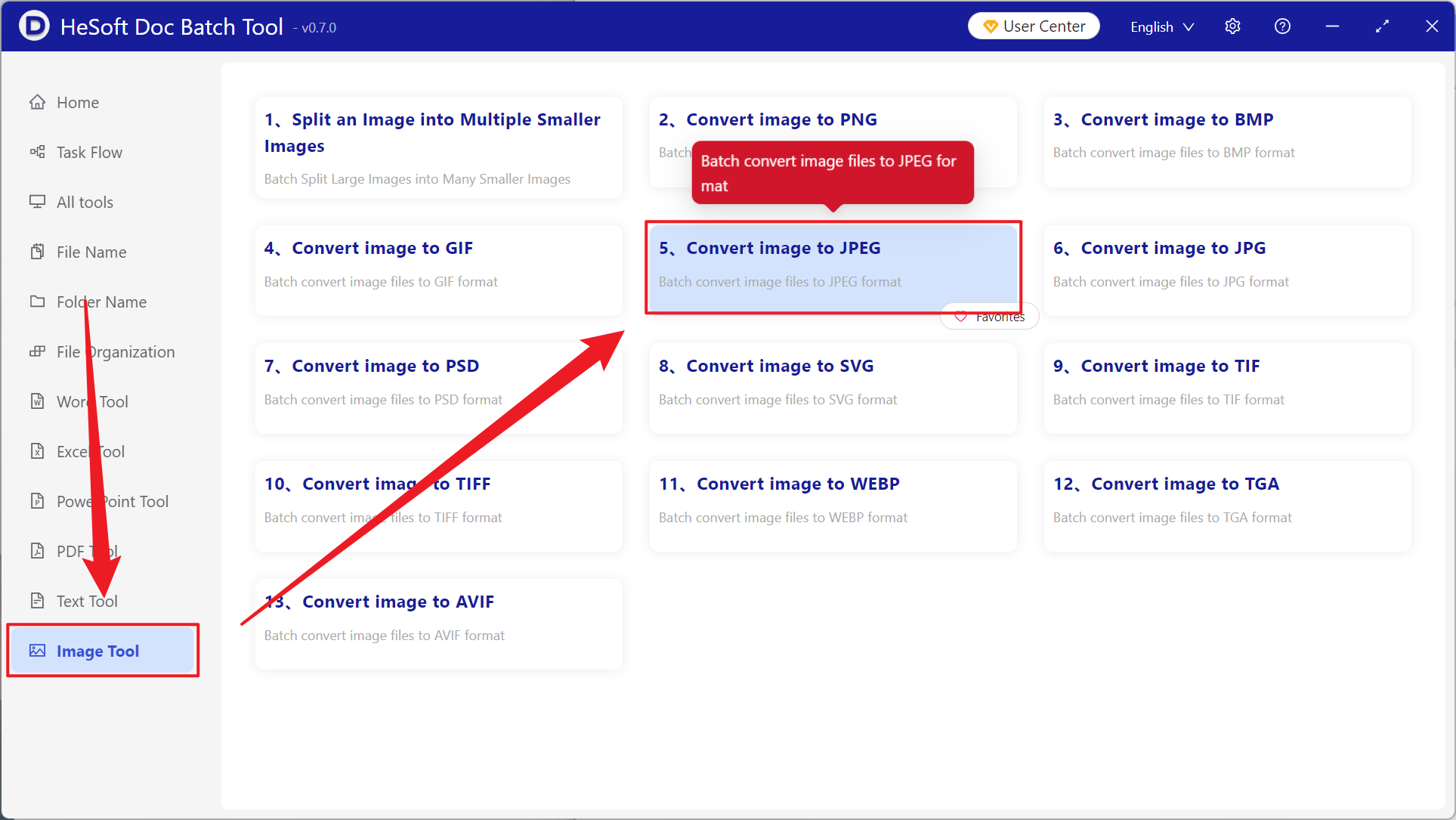
Open 【 HeSoft Doc Batch Tool 】, select 【Image Tools】-【Convert Image to JPEG】.
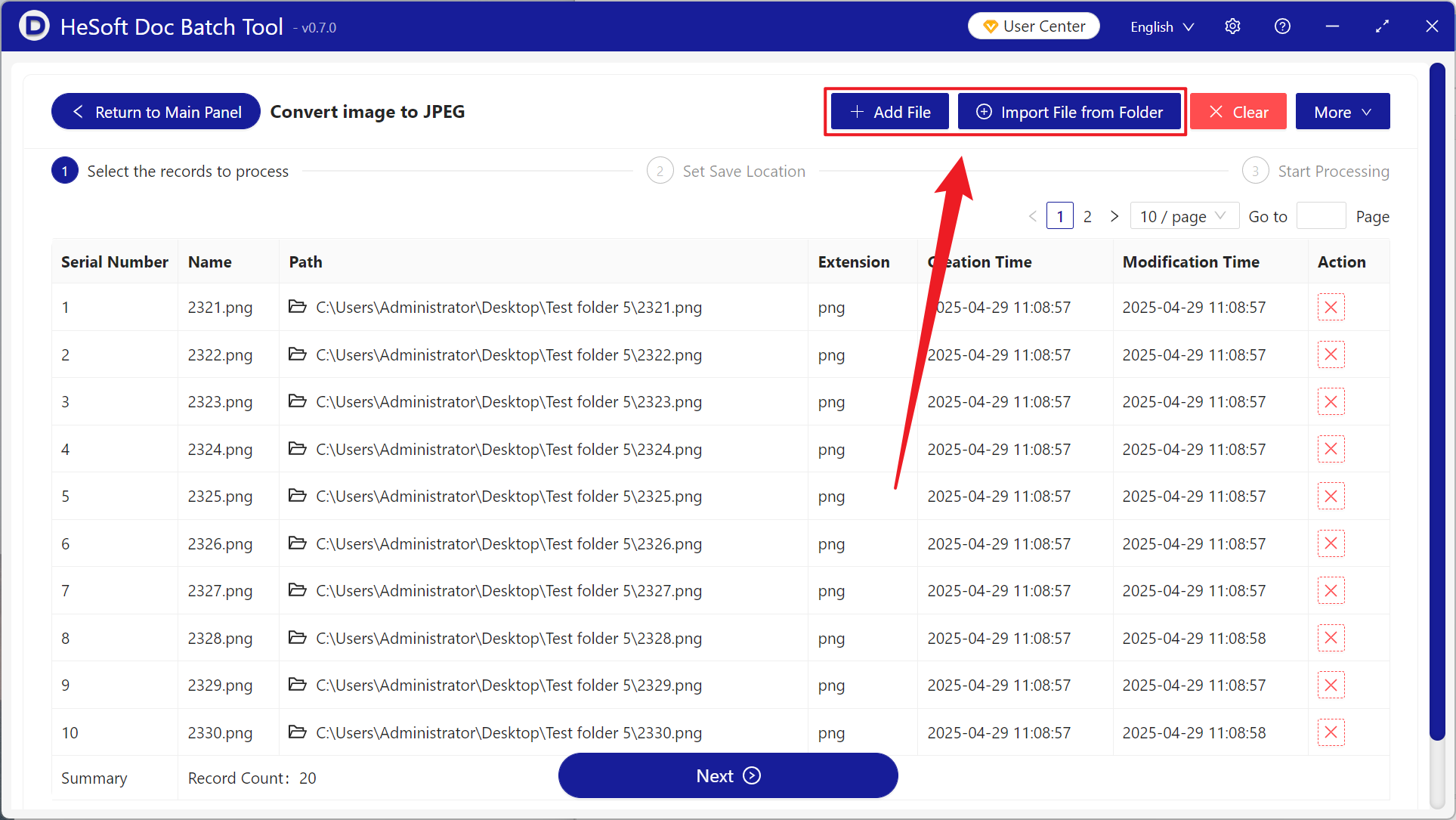
【Add Files】 allows you to manually select PNG and other image format files that need conversion.
【Import Files from Folder】 imports all images from the selected folder.
View the imported files below.
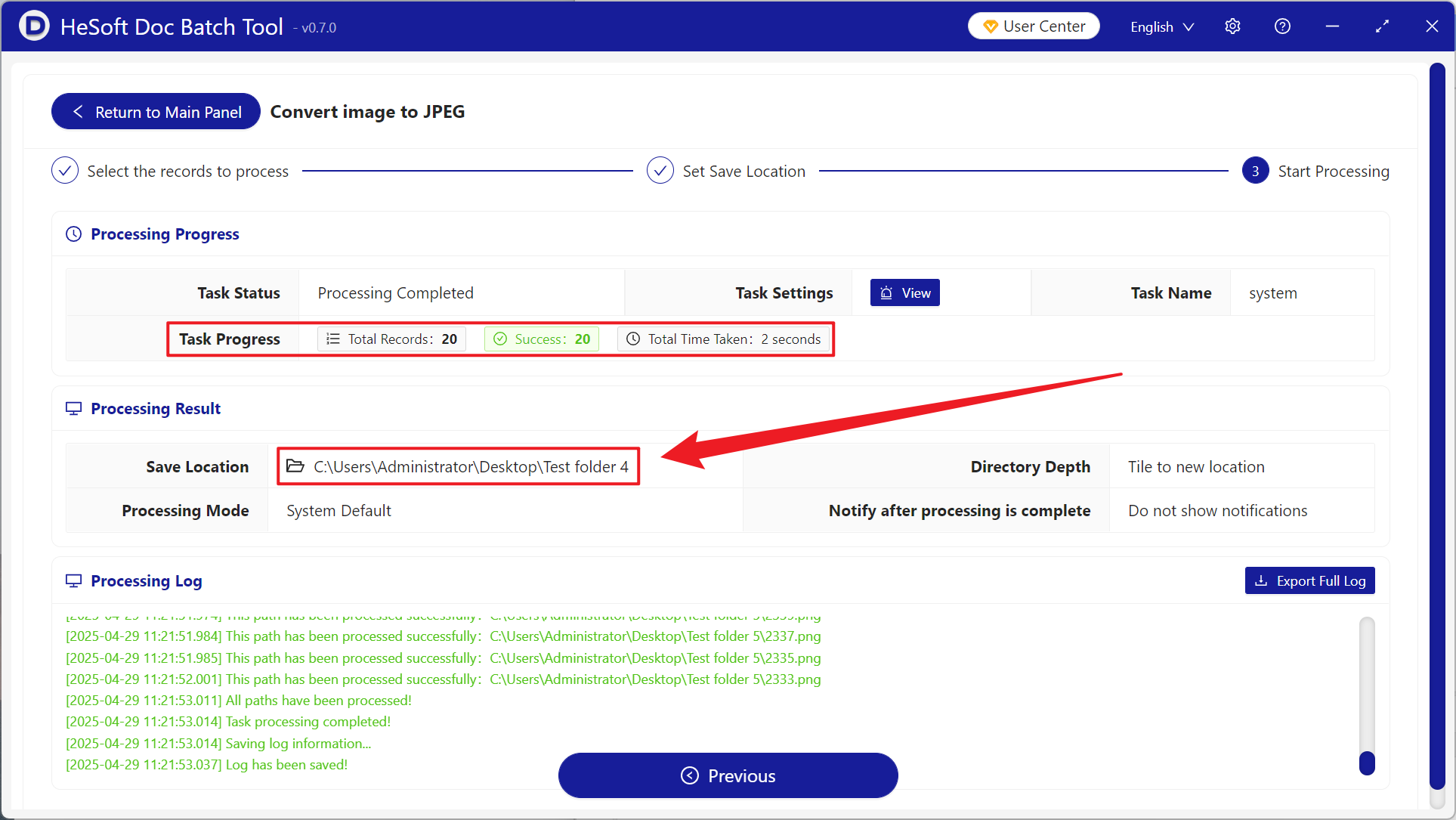
After processing is complete, click the path behind the save location to view the converted images.