How to batch convert image links in Excel tables into images?
Translation:EnglishFrançaisDeutschEspañol日本語한국어,Update Time:2025-08-04 11:49:12
We operate xlsx files to store a large number of image URL links in multiple columns of cells. Later, in order to obtain information more intuitively and quickly from the table and improve interactivity in the table, it is necessary to convert these image URL links into JPG, PNG, and other format image previews in the worksheet. When there are URL links in multiple columns of an Excel table, but we only need to extract the URL links from a specific column, how do we perform the separate extraction and conversion operation? The following describes how to separately convert the image URL links in a specific column of multiple xlsx file cells into image form.
1. Use Cases
In an xlsx file where many columns contain image URL links, extract a fixed column separately and convert them sequentially into images in formats such as jpg and png.
For example: In an Excel spreadsheet, both column A and column B contain HTTP URL links. Convert those in column B into image form. After conversion, the image URL links in column A remain unchanged, while those in column B have been converted into images corresponding to the links.
2. Effect Preview
Before Processing:

After Processing:

3. Operation Steps
Open【 HeSoft Doc Batch Tool 】, select【Excel Tools】-【Convert Image URLs to Images in Excel】.

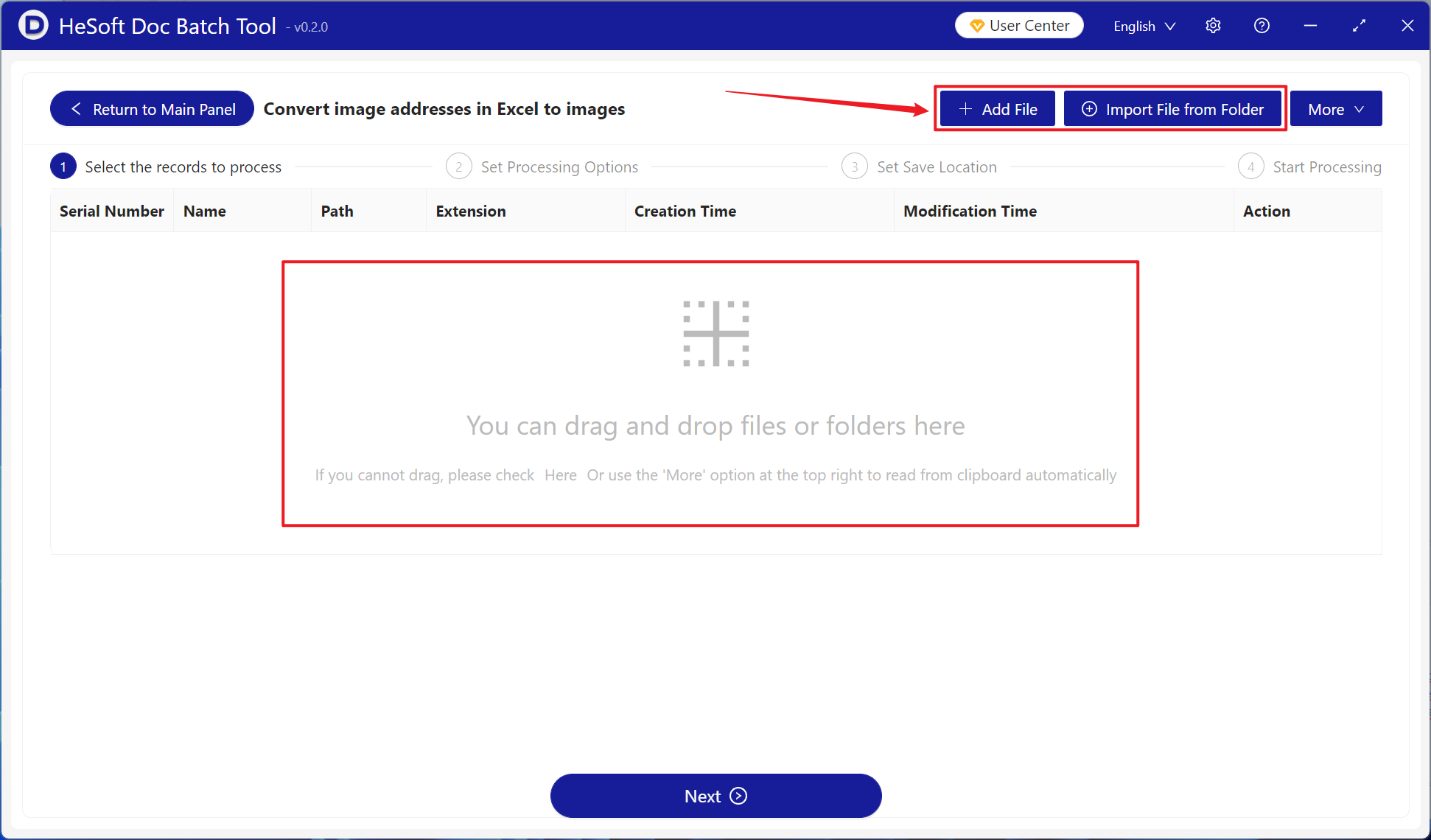
【Add Files】Add single or multiple xlsx files that require link-to-image conversion.
【Import Files from Folder】Import a folder containing a large number of xlsx files that require link-to-image conversion.
You can also drag and drop files directly into the area below.
【Processing Range】Select a fixed column, then choose the column whose HTTP URL links need to be converted into images under the column name.
【Image Save Location】Select to overwrite the cell.
【Fixed Image Cell Width and Height】Enter the desired image width and height according to your requirements.

After processing is complete, click the save location to view the 20 converted Excel spreadsheet files.
