Convert hundreds of PDF files uniformly into legacy XPS files
Translation:EnglishFrançaisDeutschEspañol日本語한국어,Update Time:2025-06-07 20:21:11
XPS has native support on Microsoft Windows systems and can ensure consistent document display across different devices, further guaranteeing file security and compatibility. For PDF, XPS can also fix the document layout to prevent content tampering. If older systems or software do not support or lack Adobe, converting PDFs to older version XPS format files allows previewing the file content. So how can a large number of PDF files be batch-converted to XPS format that can also be viewed on older devices and software? The following provides a detailed step-by-step guide.
1. Use Case
When many PDF files are transferred on older Microsoft system devices that don't support preview, you can convert them to XPS format for direct opening and viewing.
2. Preview
Before processing:

After processing:

3. Steps
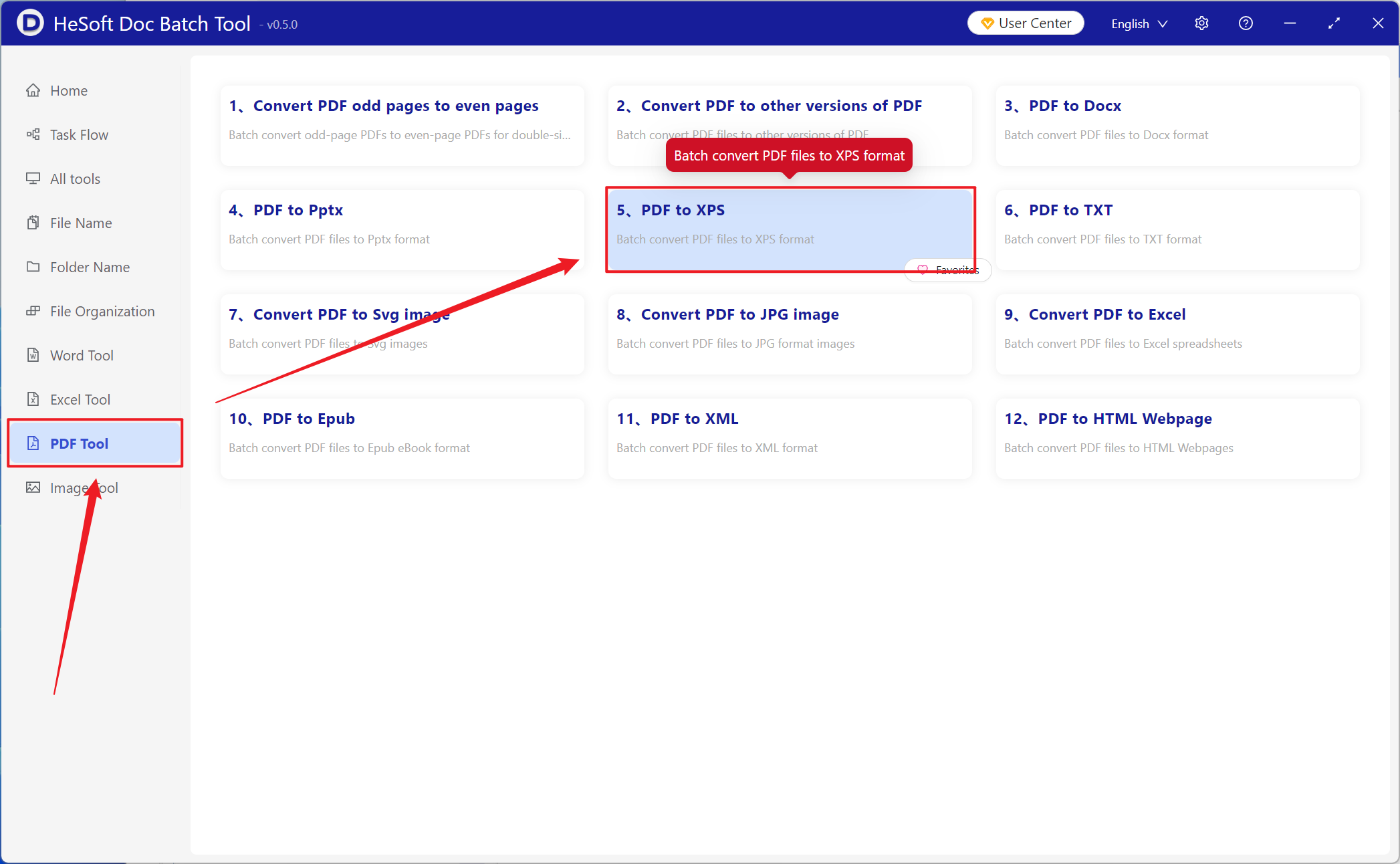
Open【 HeSoft Doc Batch Tool 】, select【PDF Tools】-【PDF to XPS】.
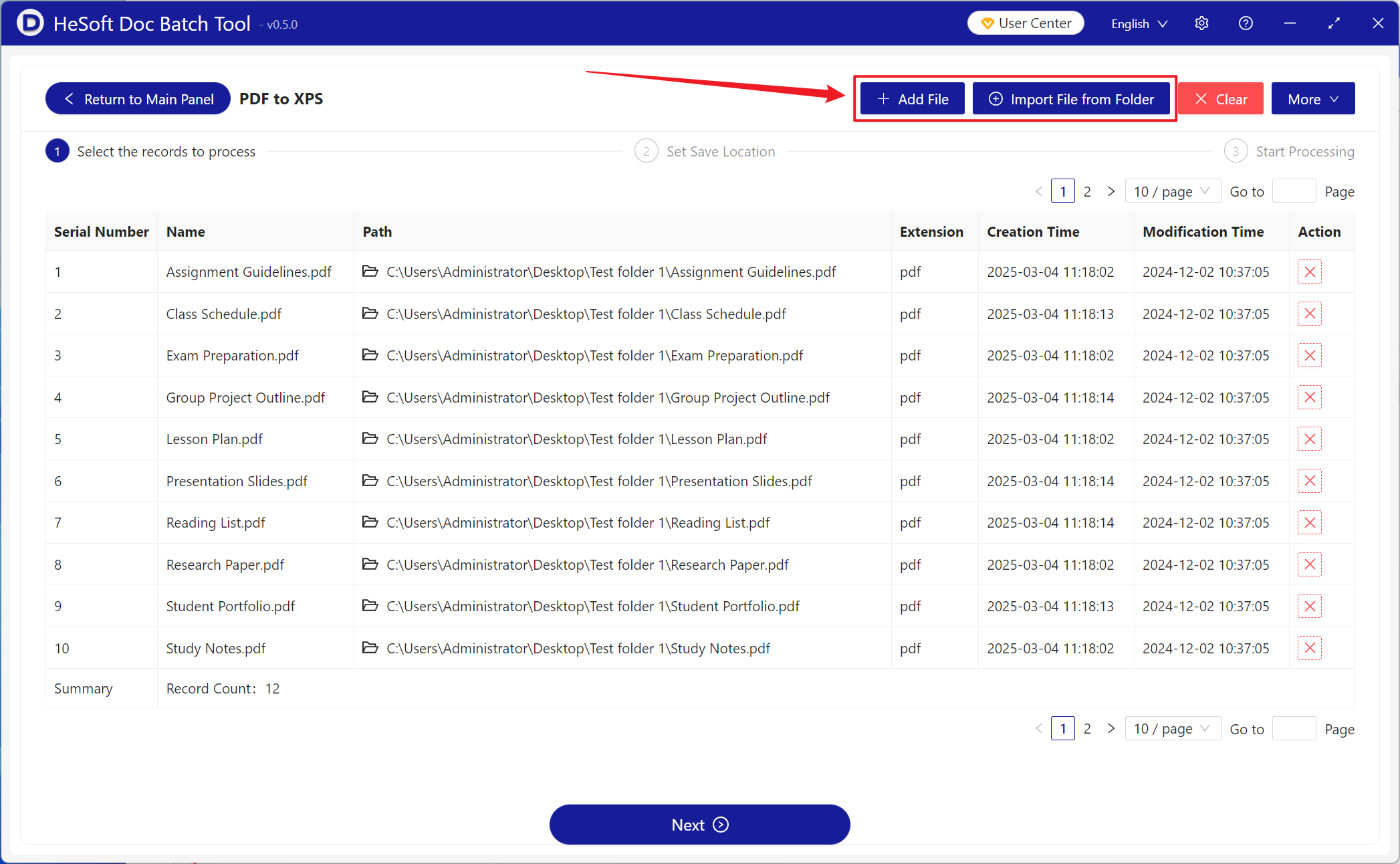
【Add File】Add single or multiple PDF files that need to be converted to XPS format.
【Import from Folder】Import all PDF files from the selected folder.
You can view the imported files below.
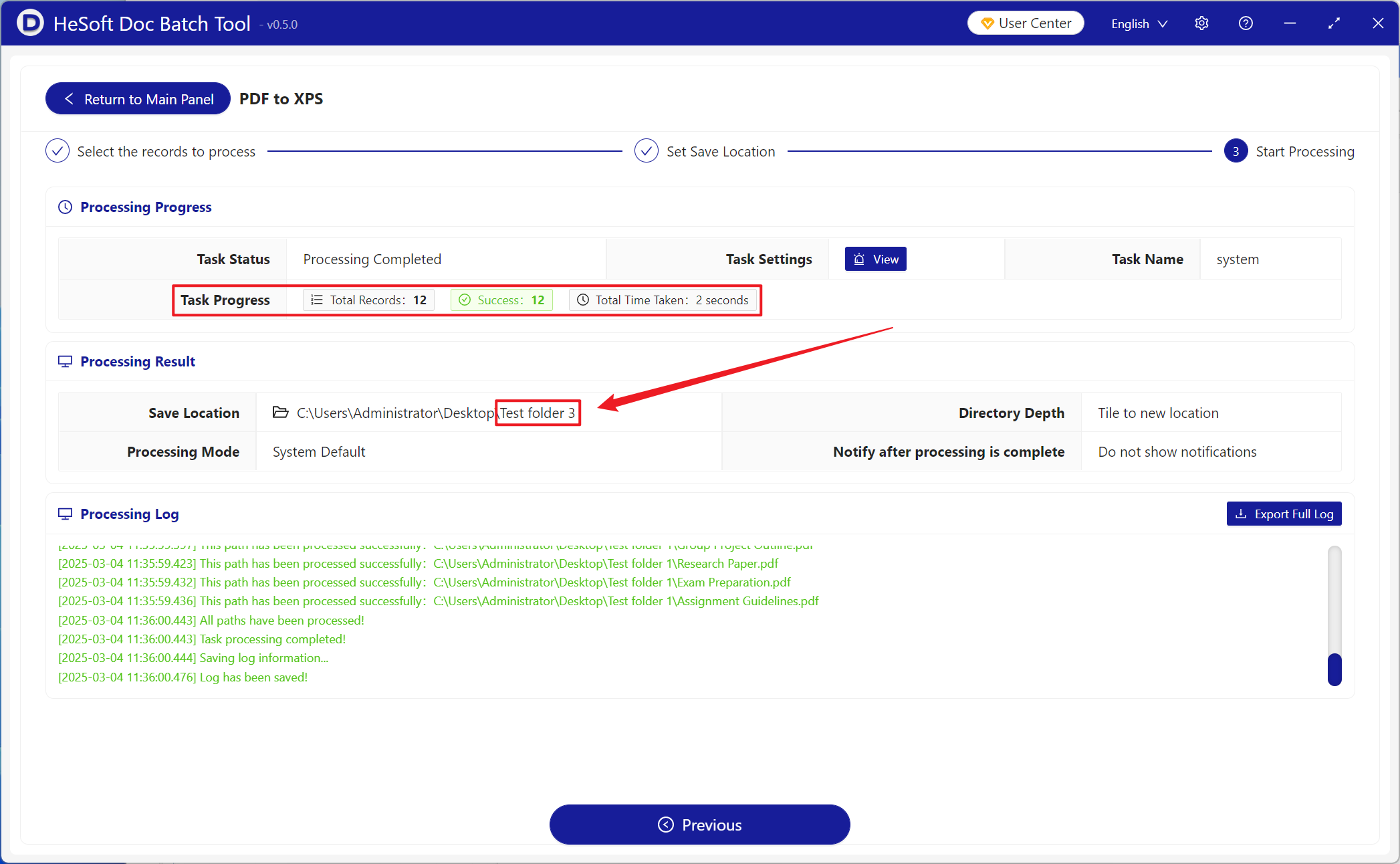
After processing is complete, click the save location to view the successfully converted XPS files.