Quickly convert a large number of PDF files into TXT plain text format
Translation:EnglishFrançaisDeutschEspañol日本語한국어,Update Time:2025-06-07 20:21:08
When working with PDF files, you may occasionally need to extract or modify the plain text content within a PDF. However, as a highly secure file format, PDFs are difficult to edit and modify. In such cases, converting them to TXT Notepad files can achieve the goal of text extraction and modification. Additionally, TXT text files offer cross-platform compatibility and are unaffected by software versions, allowing them to be opened, viewed, and preserved for the long term on virtually any device and operating system. The following introduces how to batch convert hundreds or thousands of PDF files into TXT plain text format at once.
1. Usage Scenarios
There are a large number of PDF files that need to be sent to members in text form. To avoid formatting issues that may occur when opening PDF files on older devices or software, we can batch convert them to TXT files, removing the formatting and images while also preventing layout problems.
2. Preview
Before processing:

After processing:

3. Steps
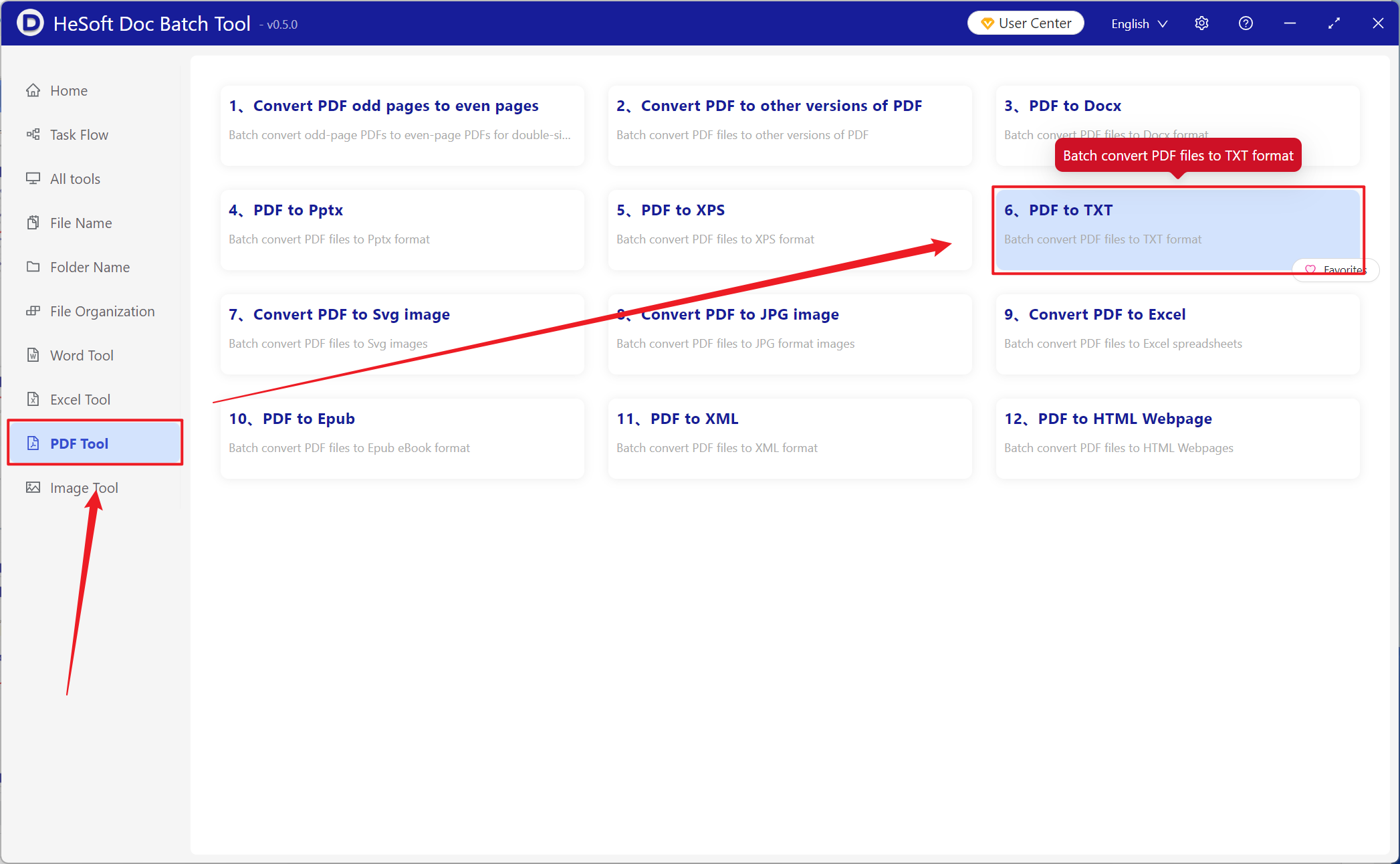
Open【 HeSoft Doc Batch Tool 】, select 【PDF Tools】-【PDF to TXT】.
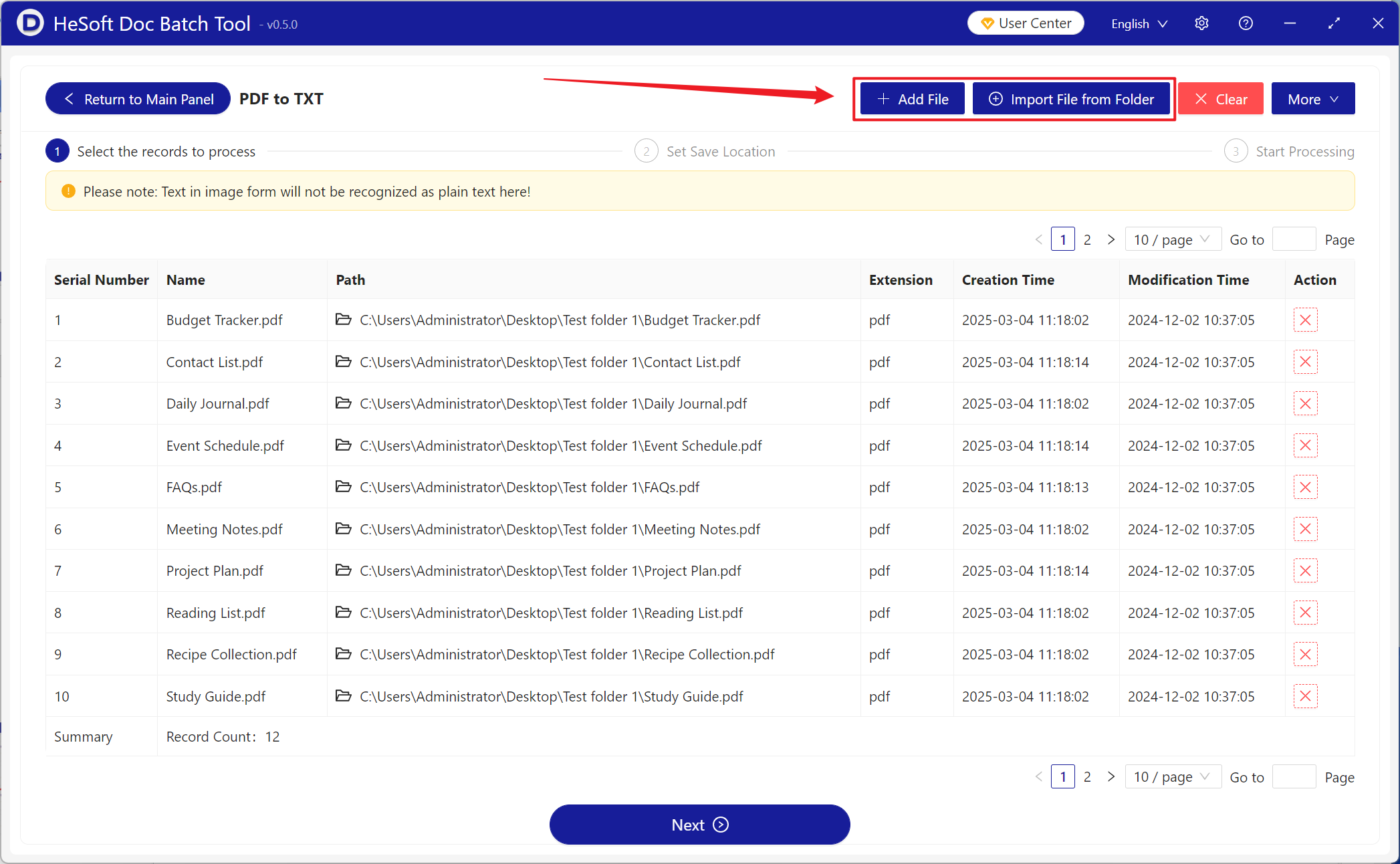
【Add Files】Add single or multiple PDF files to be converted to plain TXT text.
【Import Files from Folder】Import all PDF files from the selected folder.
You can view the imported files below.
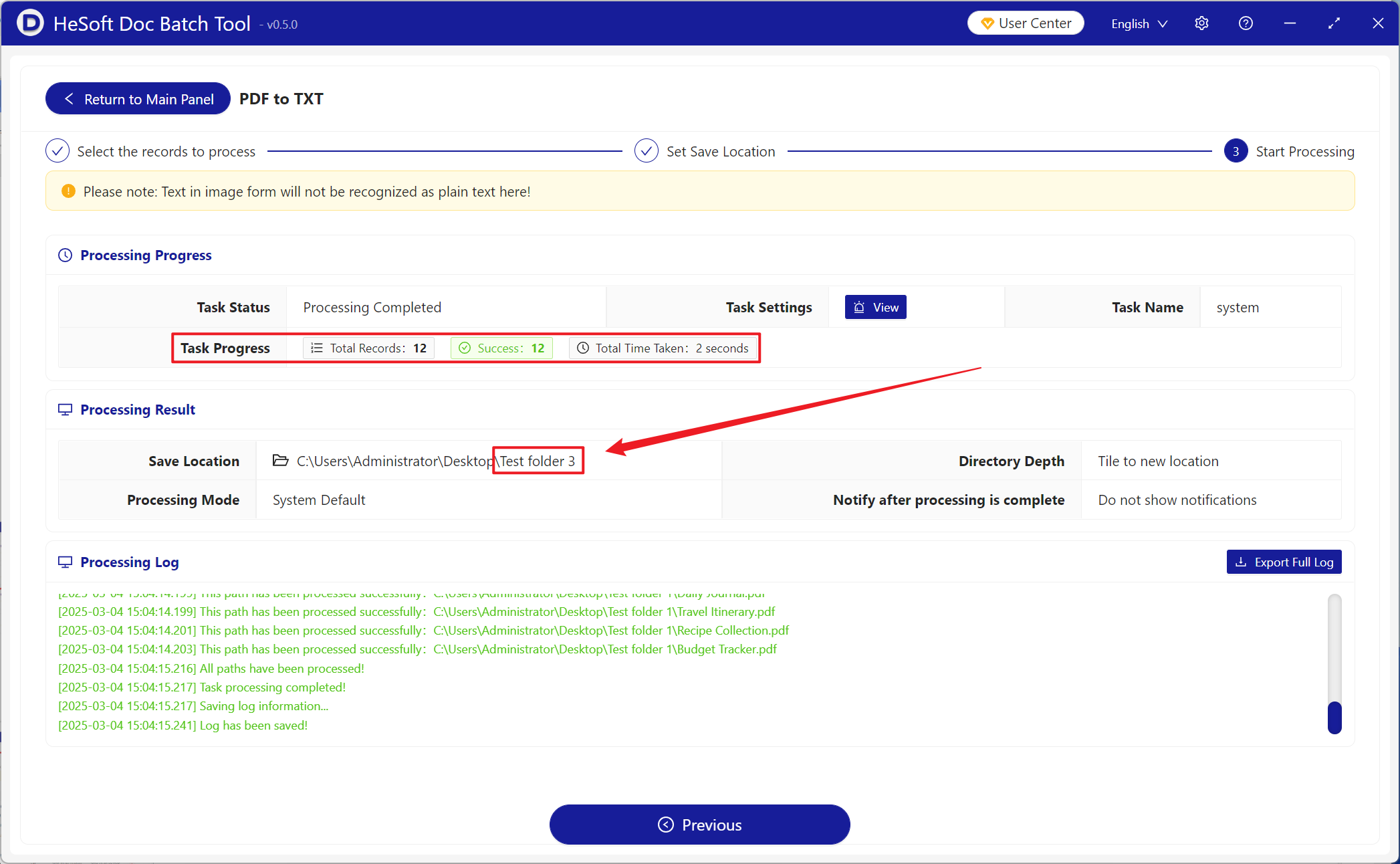
After processing is complete, click the save location to view the successfully converted TXT files.