Uniformly batch convert dozens of Excel spreadsheets in different formats to the new 2007 XLSX format
Translation:EnglishFrançaisDeutschEspañol日本語한국어,Update Time:2025-06-07 20:20:42
Xlsx is the default format for Excel 2007 and later versions. Compared to the Xls format, it supports larger data volumes and richer features, can handle more complex data, and Xlsx files use an XML structure, resulting in smaller file sizes that are less prone to corruption, making them convenient for long-term storage and efficient transmission. When you need to use the features of newer Excel versions, process larger data volumes, or improve file security and compatibility, you can batch convert the older 2003 Xls format or other Excel spreadsheet formats to the 2007 Xlsx new format.
1. Use Cases
When you receive or download multiple Excel worksheets in older versions or other spreadsheet formats, and need to process larger data volumes in the files or use the new features of the 2007 version, you can choose to batch convert them to Xlsx format, helping you process and analyze data more efficiently.
2. Effect Preview
Before processing:

After processing:

3. Steps
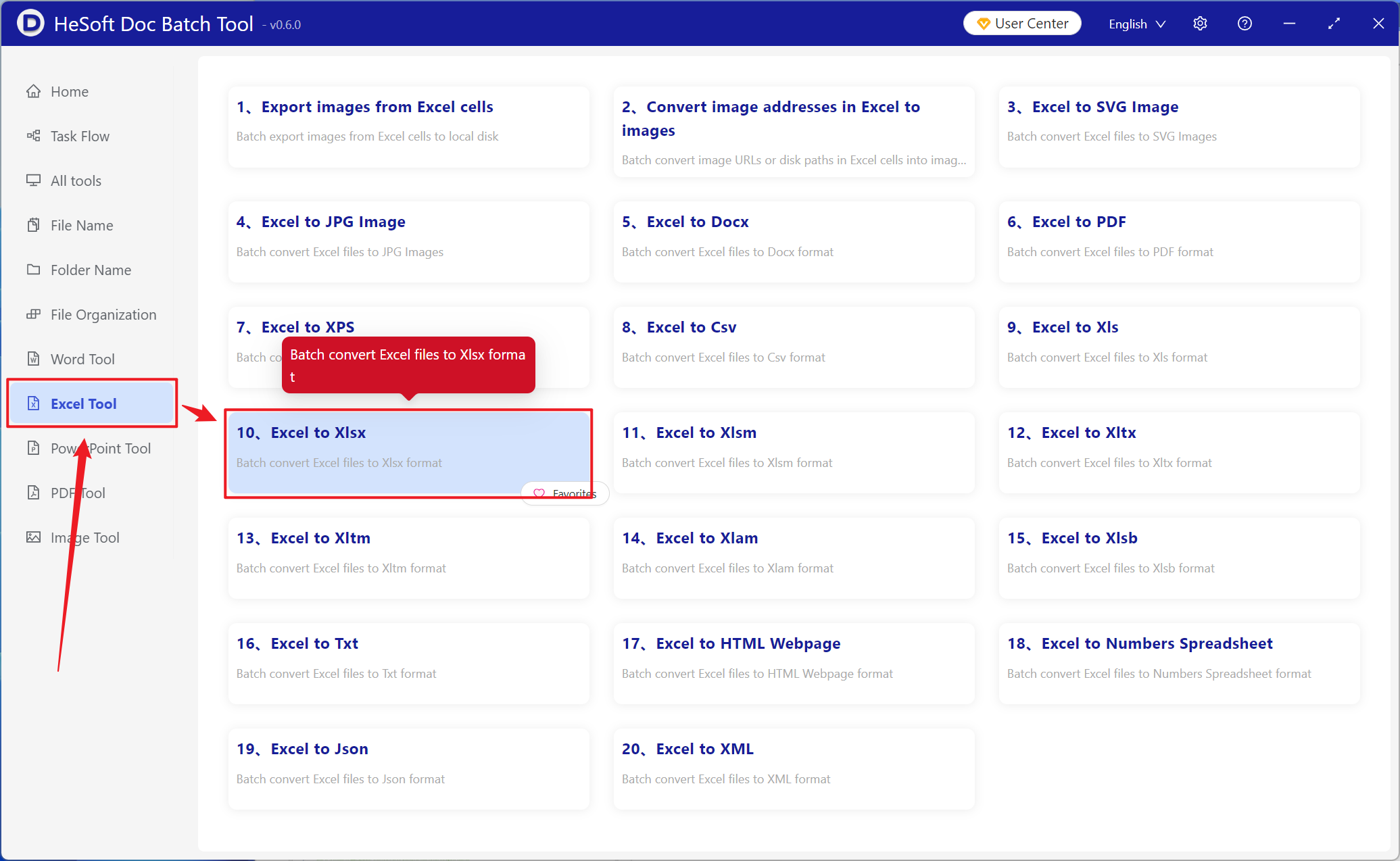
Open 【 HeSoft Doc Batch Tool 】, select 【Excel Tools】-【Convert Excel to Xlsx】.
【Add Files】Add single or multiple Excel files to be converted to Xlsx format.
【Import Files from Folder】Import all Excel files from the selected folder.
Imported files can be viewed below.

After processing is complete, click the save location to view the successfully converted Xlsx files.
