Batch convert over 1000 PPT and PPTX presentations to complete JPG long images
Translation:EnglishFrançaisDeutschEspañol日本語한국어,Update Time:2025-06-07 20:21:26
In today's society where information dissemination is highly efficient, converting PowerPoint presentations into complete JPG long images has become an important technical means to improve dissemination efficiency. Unlike ordinary images, long images can maintain the integrity of the presentation content, avoid page-by-page viewing, and adapt to the special needs of various dissemination scenarios. For example, when sharing a PPTX-format product introduction on social media platforms or blogs, sending the file directly requires downloading the entire PPTX file to view it. However, after converting it into a JPG long image, you only need to click and scroll down to preview all the content. If there is no computer nearby or the software version is incompatible and cannot open the PowerPoint presentation, simply making it into a long image allows it to be displayed directly on various mobile devices such as phones and tablets, eliminating the worry about software incompatibility. Simply put, whenever there is a need for mobile sharing, preventing modifications, quick display, or long-term preservation, converting PPT slides into a complete JPG long image is a good solution. It not only retains the original layout effect but also allows easy use in various settings. So, how should we batch convert a large number of PowerPoint slides into complete JPG long images?
1. Use Cases
When many PPT slides containing introductory content need to be distributed to a large number of mobile device users for viewing, to avoid the inconvenience of downloading and page-by-page viewing caused by PPTX, we can batch convert these presentations into a complete JPG long image, allowing users a seamless scrolling and browsing experience, significantly enhancing content dissemination.
2. Effect Preview
Before processing:

After processing:

3. Operation Steps
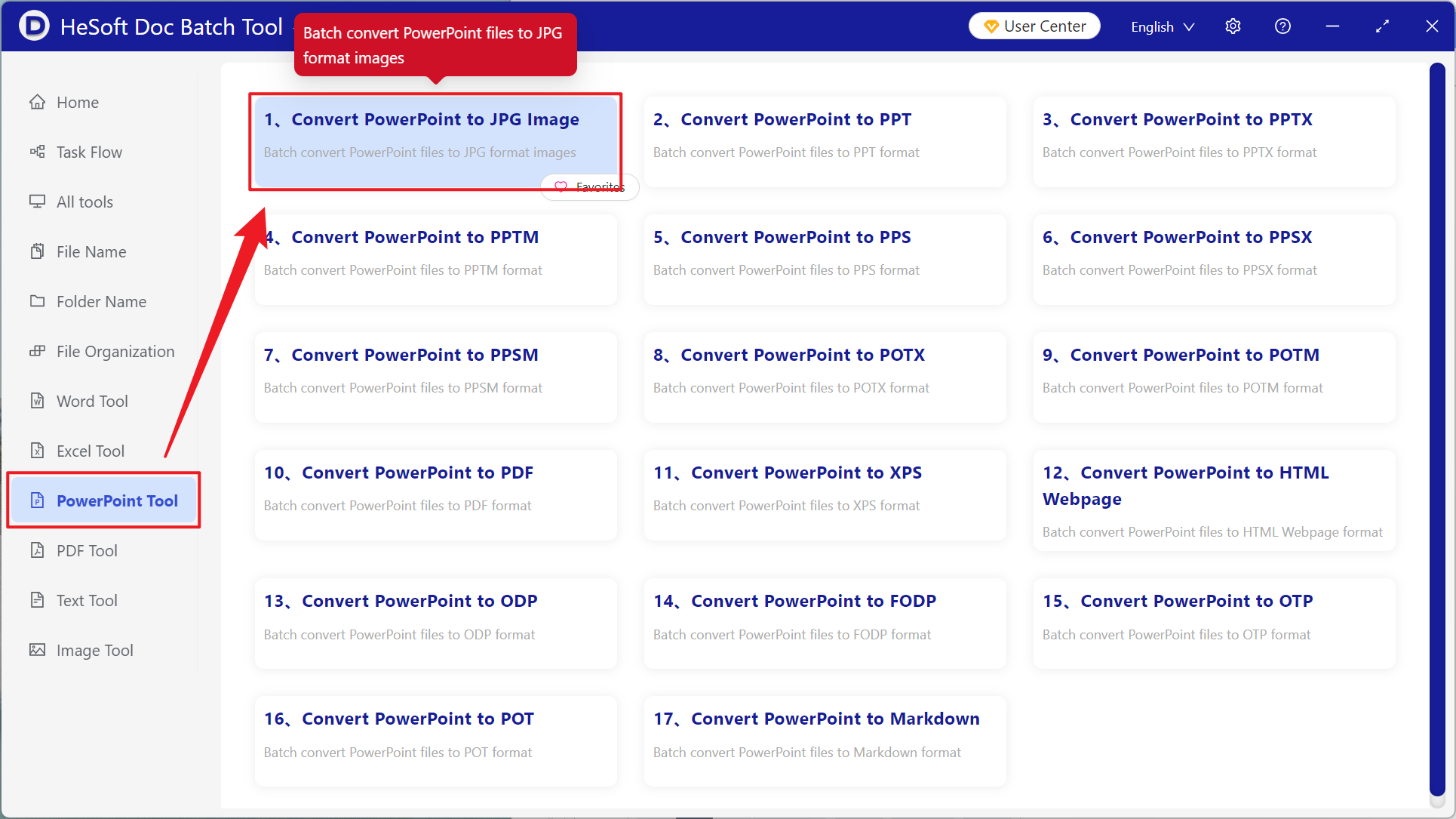
Open【 HeSoft Doc Batch Tool 】, select【PowerPoint Tools】-【Convert PowerPoint to JPG Images】.
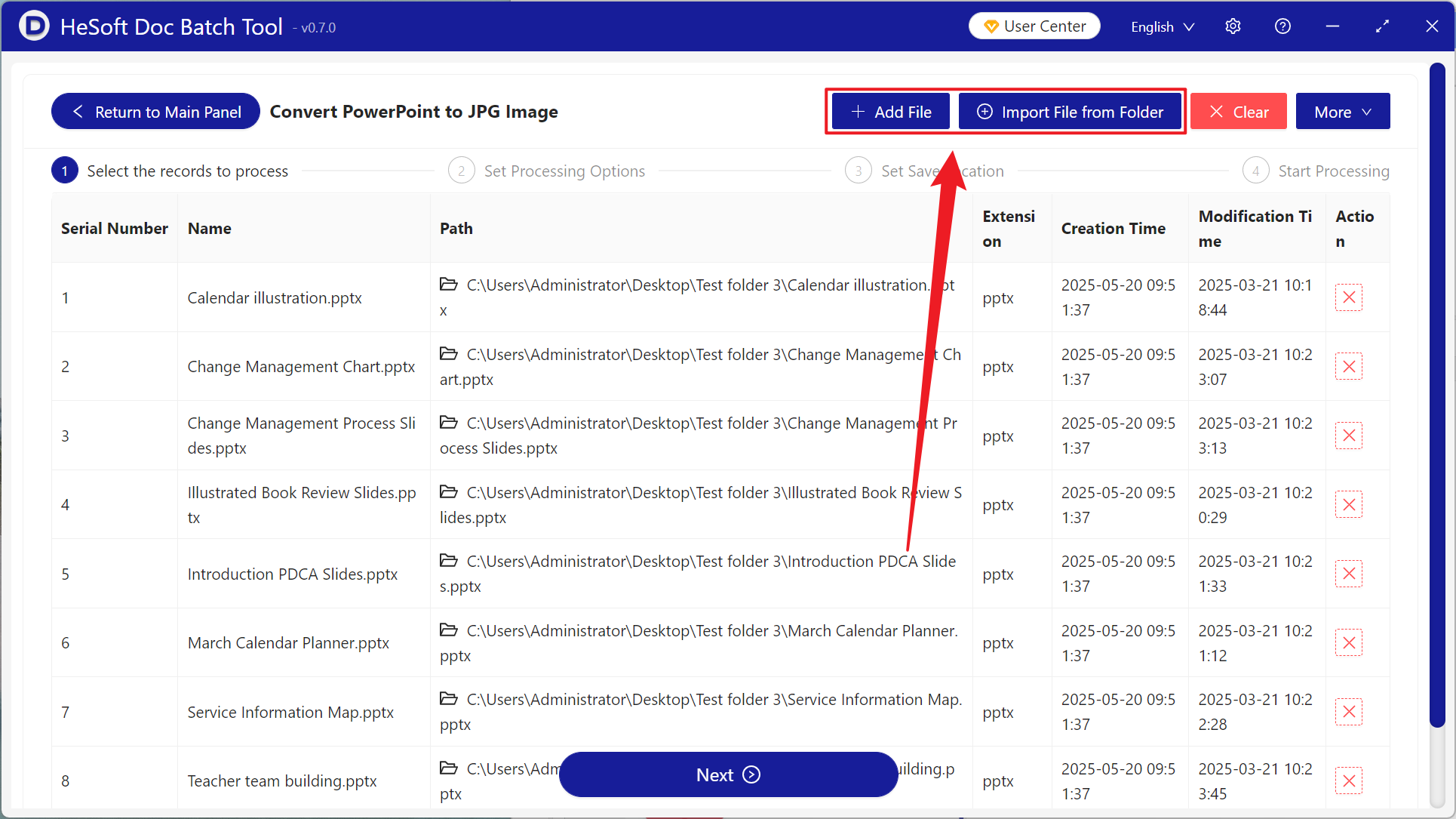
【Add Files】manually add the required PowerPoint presentations.
【Import Files from Folder】imports all PowerPoint slides from the folder.
You can view the imported files below.
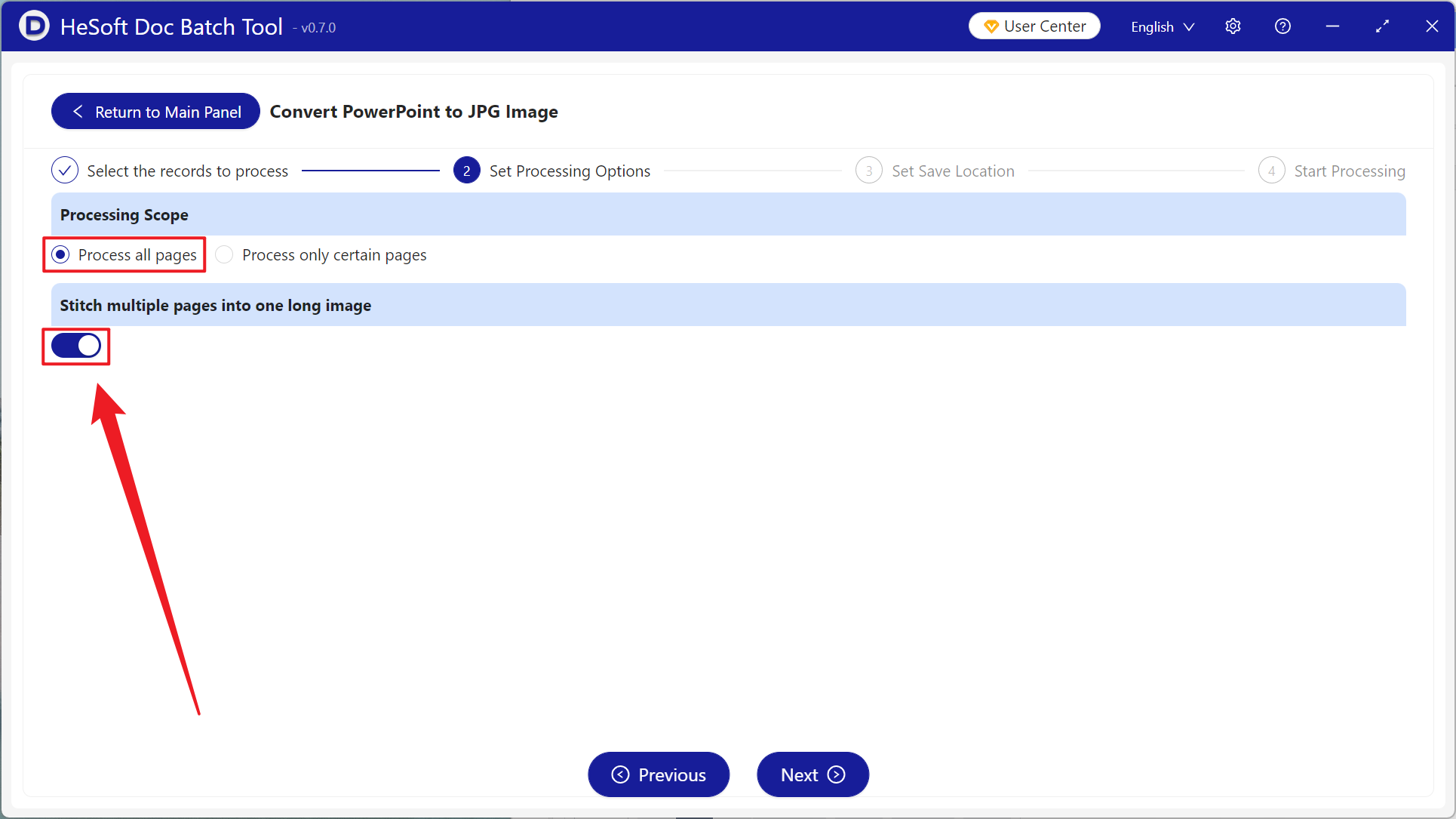
【Processing Range】select to process all pages, turn on【Stitch multiple pages into one very long image】, and then click next step.
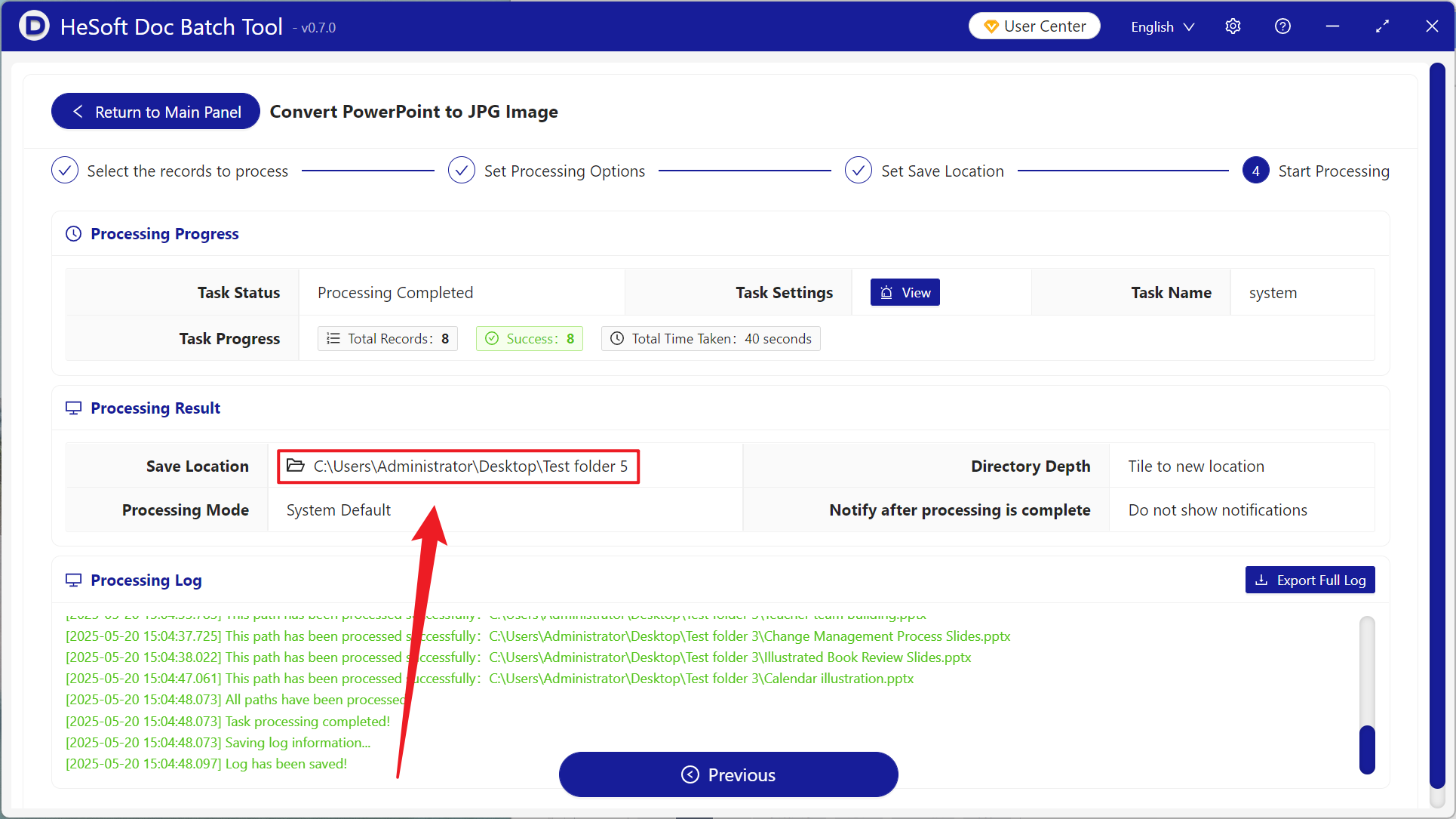
After processing is complete, click the save location to view the successfully converted JPG long image.
Keyword:Batch Convert PowerPoint to JPG Long Images , How to Convert PPTX to Pictures , Slides to Images