Batch conversion of links from any column in dozens of Excel worksheets into jpg images
Translation:EnglishFrançaisDeutschEspañol日本語한국어,Update Time:2025-08-04 11:55:02
In multiple xls and xlsx spreadsheet files on the computer, there are numerous local image paths, and many columns contain cells with local file paths. It is necessary to convert all the image paths in a certain column into jpg images to enhance the visualization of the spreadsheet content, while retaining the original path content in the cells, and overlaying the generated images on the corresponding left-side cells. How can this be done? The following describes how to batch convert the path content of any column of cells in dozens of Excel workbook files into image format, overlay and delete the left-side cells, while preserving the local image paths.
1. Use Cases
Convert the local disk paths in a selected column of xls or xlsx spreadsheet files into images, overwrite and remove the contents of corresponding cells to the left, and preserve the local image paths in that column.
2. Effect Preview
Before processing:

After processing:

3. Operation Steps
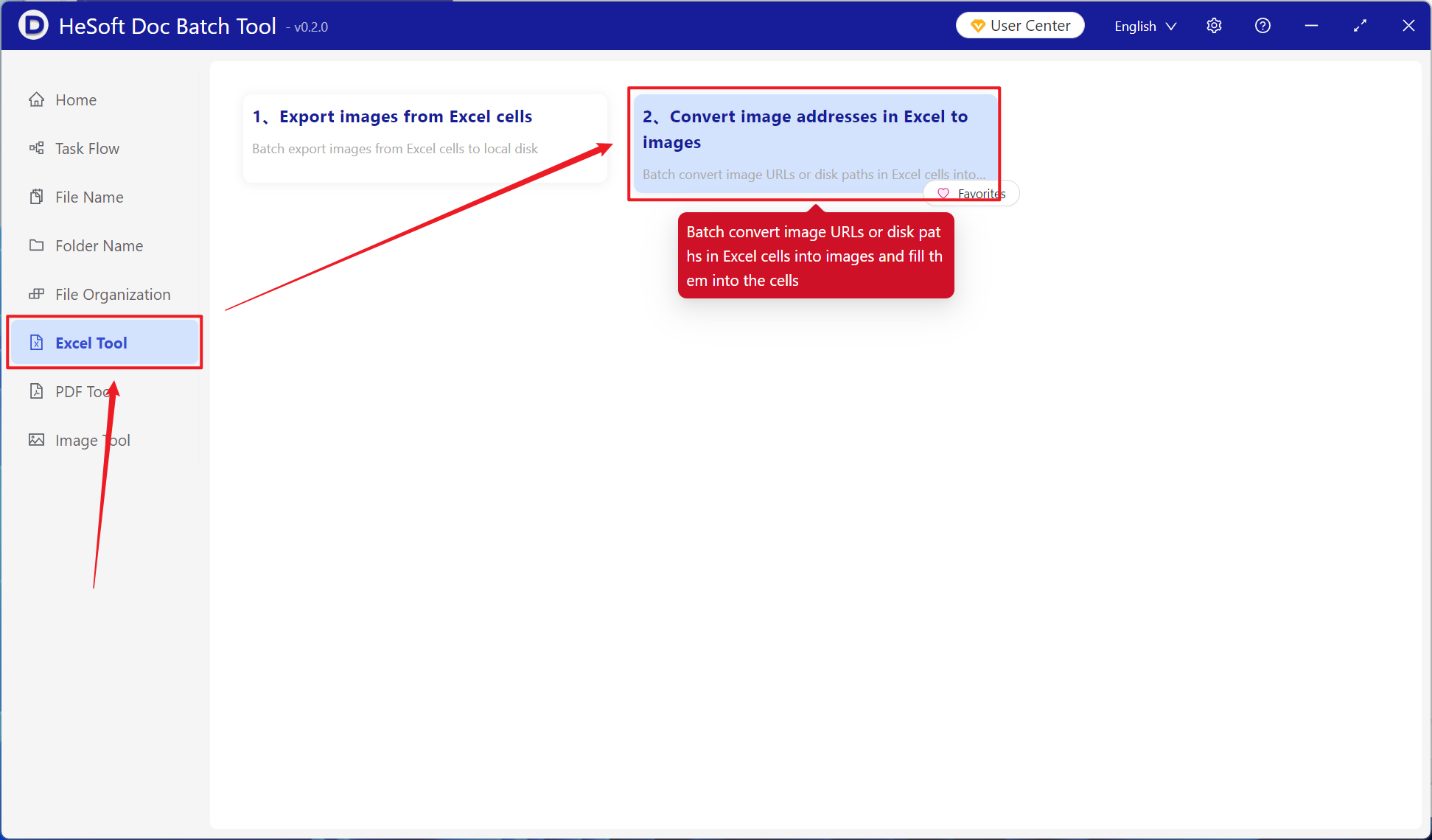
Open 【 HeSoft Doc Batch Tool 】, select 【Excel Tool】-【Convert Image Addresses in Excel to Images】.
【Add File】Add one or more xlsx files from your local computer whose local disk paths need to be converted to images.
【Import Files from Folder】Import a folder containing a large number of xlsx files whose local disk paths need to be converted to images.
You can also directly drag and drop files into the area below.

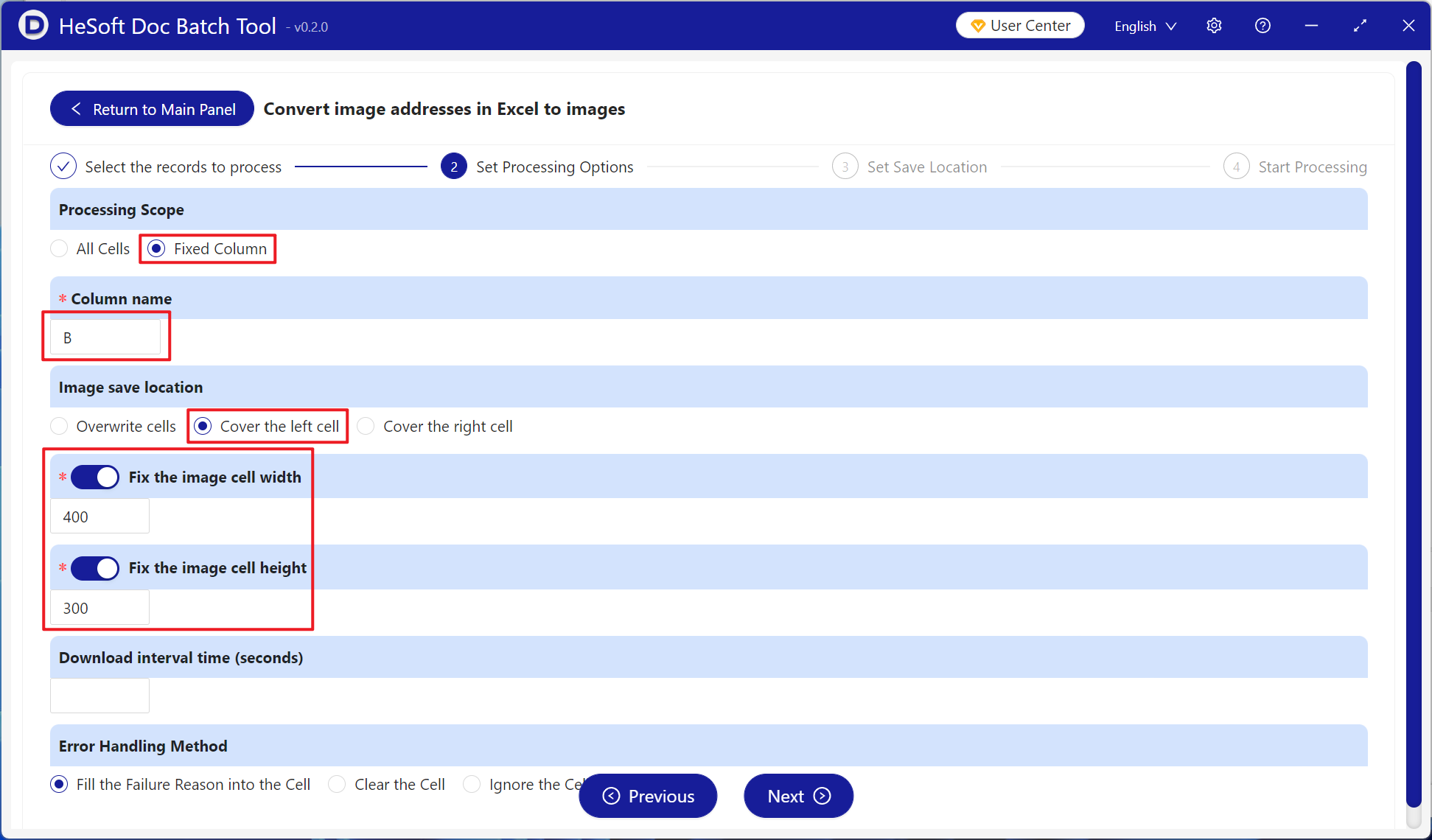
【Processing Range】Select a fixed column. Under 【Column Name】, choose the column to be converted to images.
【Image Save Position】Choose to overwrite the image from the local image path to the left or right cell according to your needs.
【Fixed Image Cell Width and Height】Enter the width and height for the images as needed.
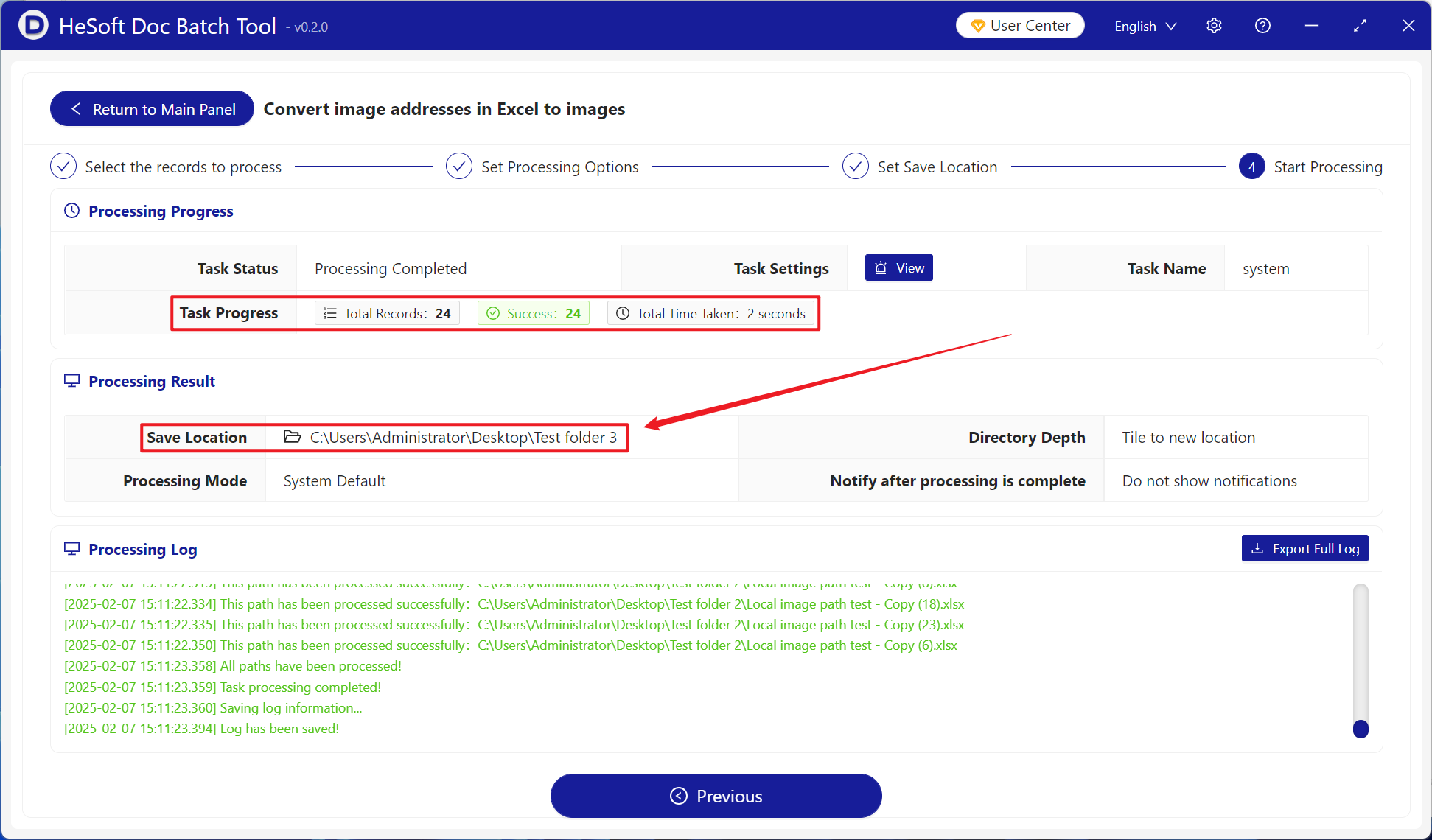
After the processing is complete, click the save location to view the dozens of converted Excel spreadsheet files.