Batch convert doc and docx format files from many Word documents into Excel spreadsheet files
Translation:EnglishFrançaisDeutschEspañol日本語한국어,Update Time:2025-06-07 20:22:05
Converting doc and docx files to xlsx format is often needed when extracting content such as tables and lists from documents (e.g., product inventories, financial data), batch processing data from multiple docx files, or aggregating document content. When doc or docx files contain structured data like tables, lists, and repeated fields that need to be recorded in an Excel spreadsheet, how can you convert them to xlsx format? The following describes how to quickly batch convert a large number of Word documents into Excel worksheets.
1. Usage Scenario
Batch convert doc and docx format files into xlsx format files at once.
2. Effect Preview
Before processing:

After processing:

3. Operation Steps
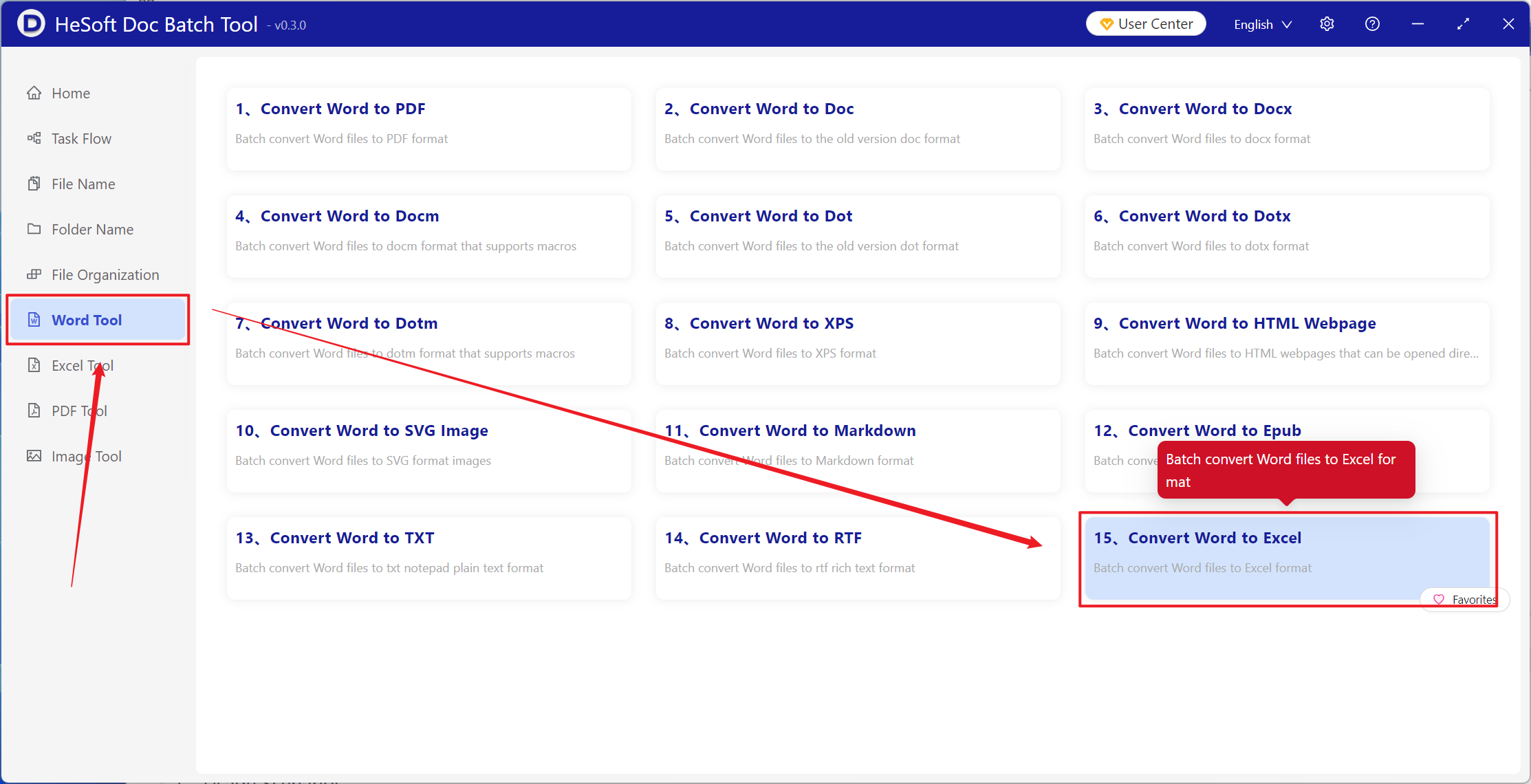
Open 【 HeSoft Doc Batch Tool 】, select 【Word Tools】-【Word to Excel】.
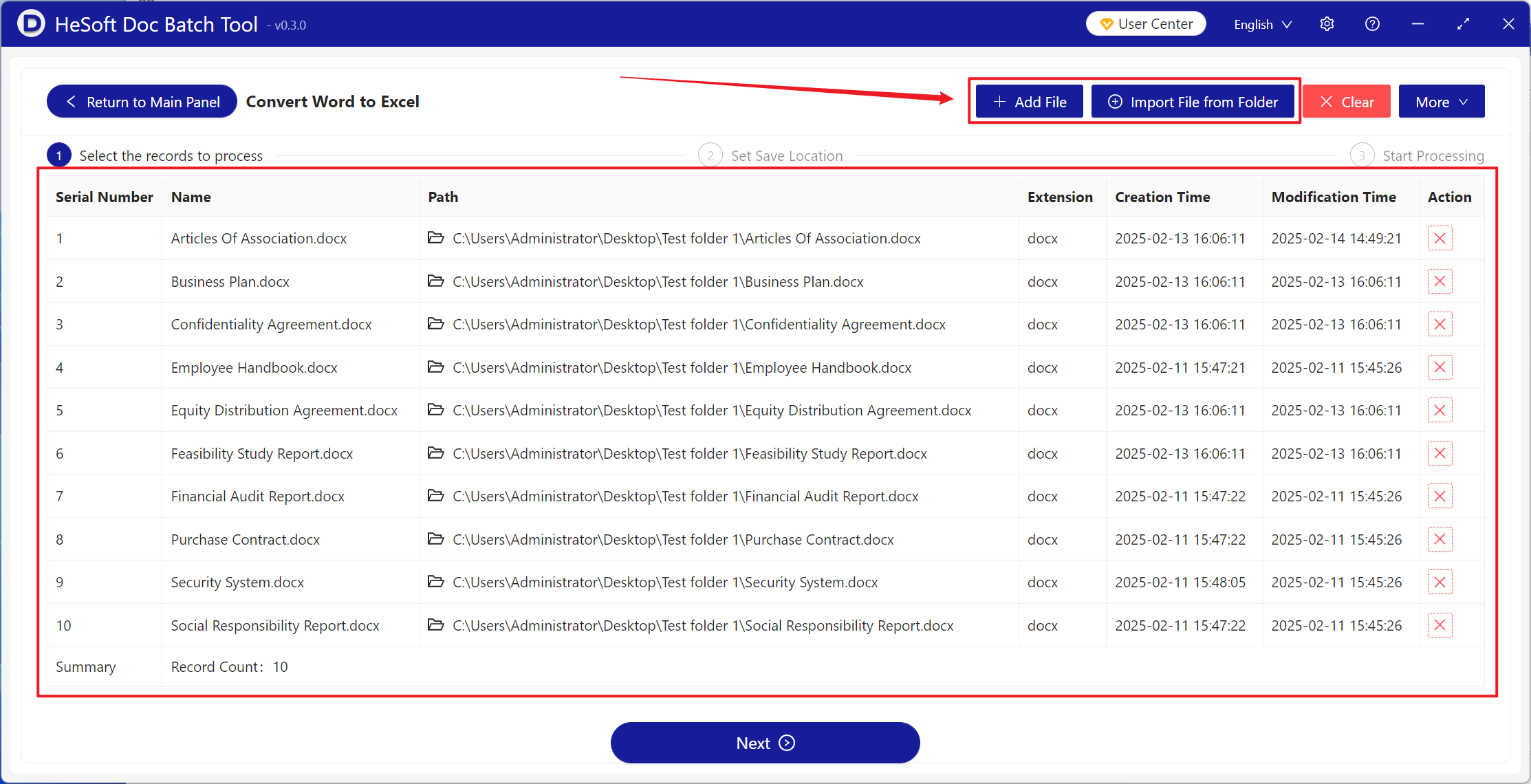
【Add Files】Add single or multiple docx files that need to be converted to xlsx format.
【Import Files from Folder】Add an entire folder containing docx files that need to be converted to xlsx format.
You can also drag and drop files or folders directly into the area below.
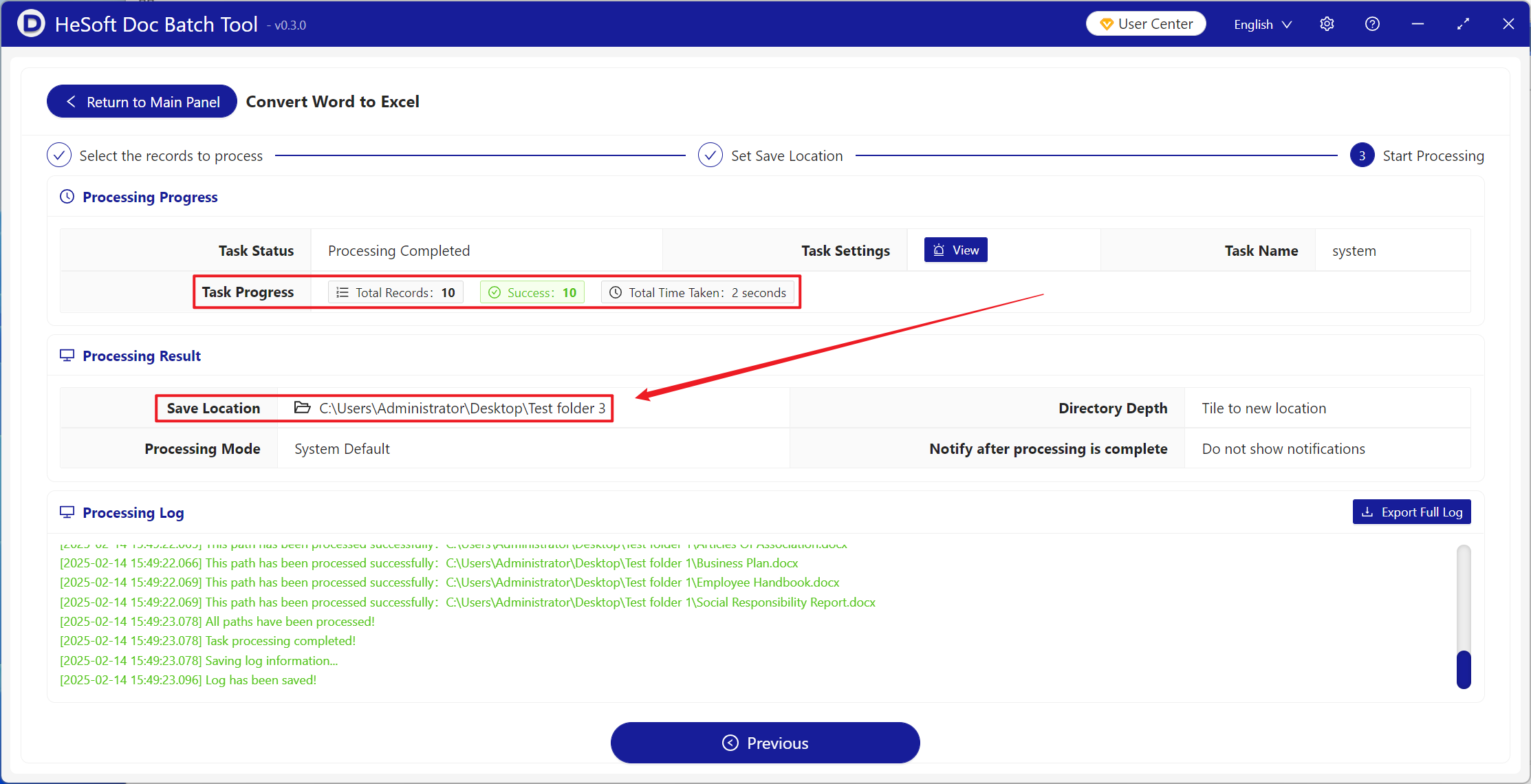
After processing is complete, click the save location to view the converted Excel spreadsheet files.