Merge and splice all pages of a single file in a large number of Office Word documents into one very long JPG image
Translation:EnglishFrançaisDeutschEspañol日本語한국어,Update Time:2025-06-07 20:22:09
A long image containing rich content, easy to share and view on web pages, social media, or mobile devices. Without flipping pages, you can browse all content simply by scrolling. In Docx format files, there is fixed layout and formatting. If you need to retain this layout for quickly sharing and displaying the full content of a document, to avoid format inconsistencies caused by different software or devices, you can convert it into a long JPG image. This greatly improves the document's compatibility, security, and ease of use. Below we will operate how to convert a large number of Docx files based on individual files, uniformly and quickly batch export them into a single JPG long image.
1. Use Cases
Docx files often contain many pages, but if you need to preserve their formatting when publishing to web pages, social media, etc., we can solve this problem by individually batch-stitching each Word document into a single long JPG image to display all the content.
2. Effect Preview
Before processing:


After processing:


3. Operation Steps
Open 【 HeSoft Doc Batch Tool 】, select 【Word Tools】 - 【Word to JPG Image】.
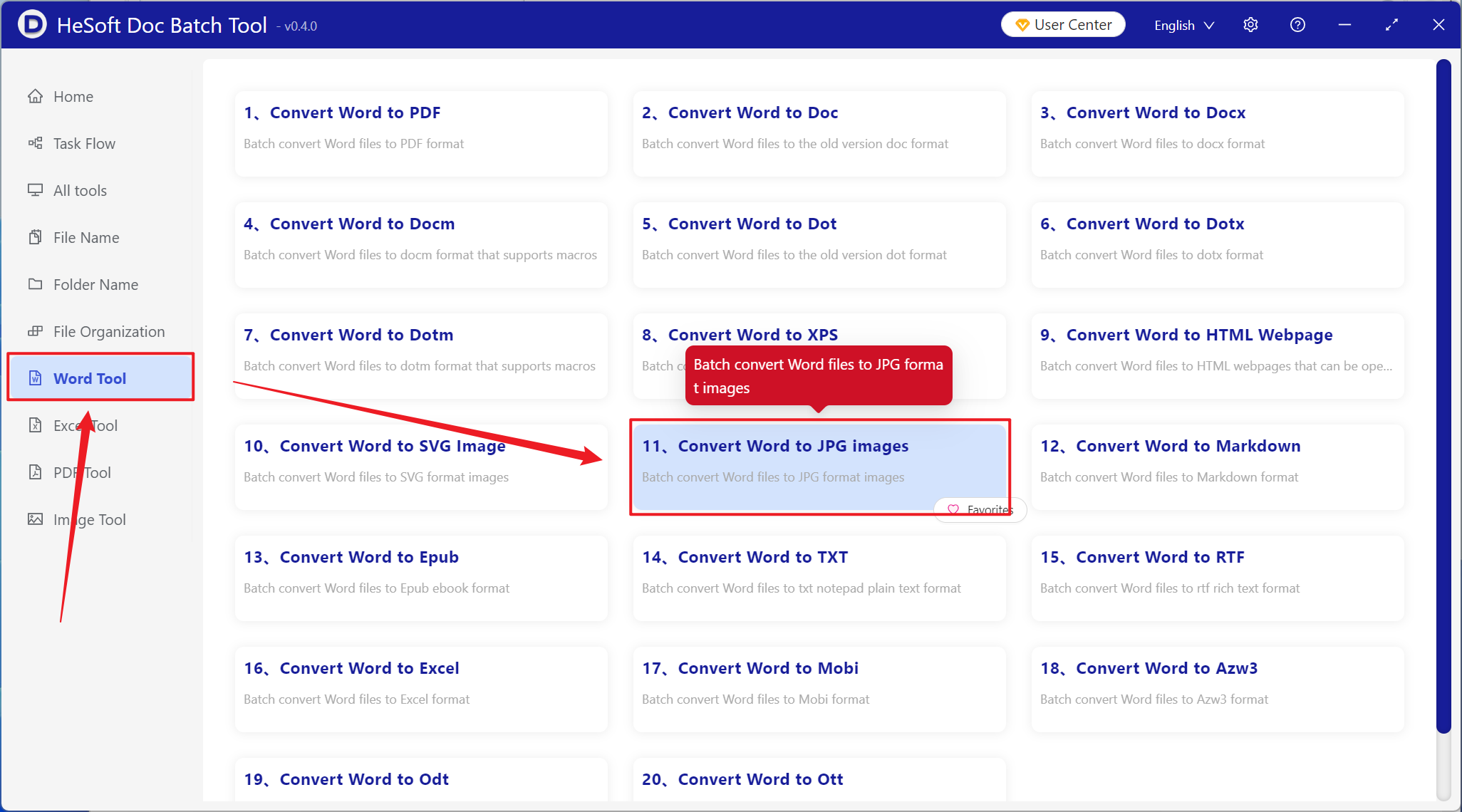
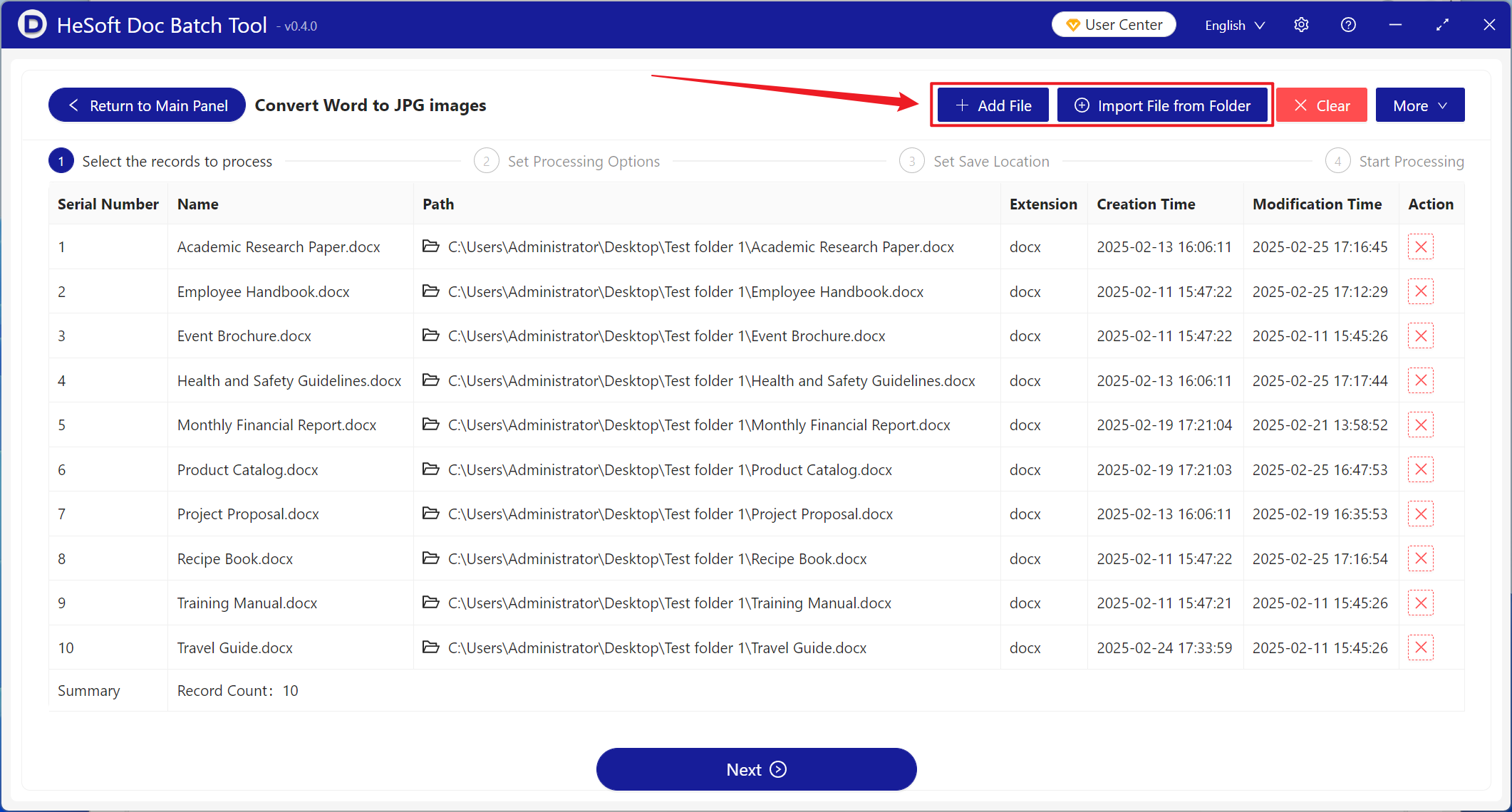
【Add Files】Add one or more Word documents that need all pages converted into a single long JPG image.
【Import Files from Folder】Add an entire folder of Word documents that need all pages converted into a single long JPG image.
You can view the imported files in the red box below.
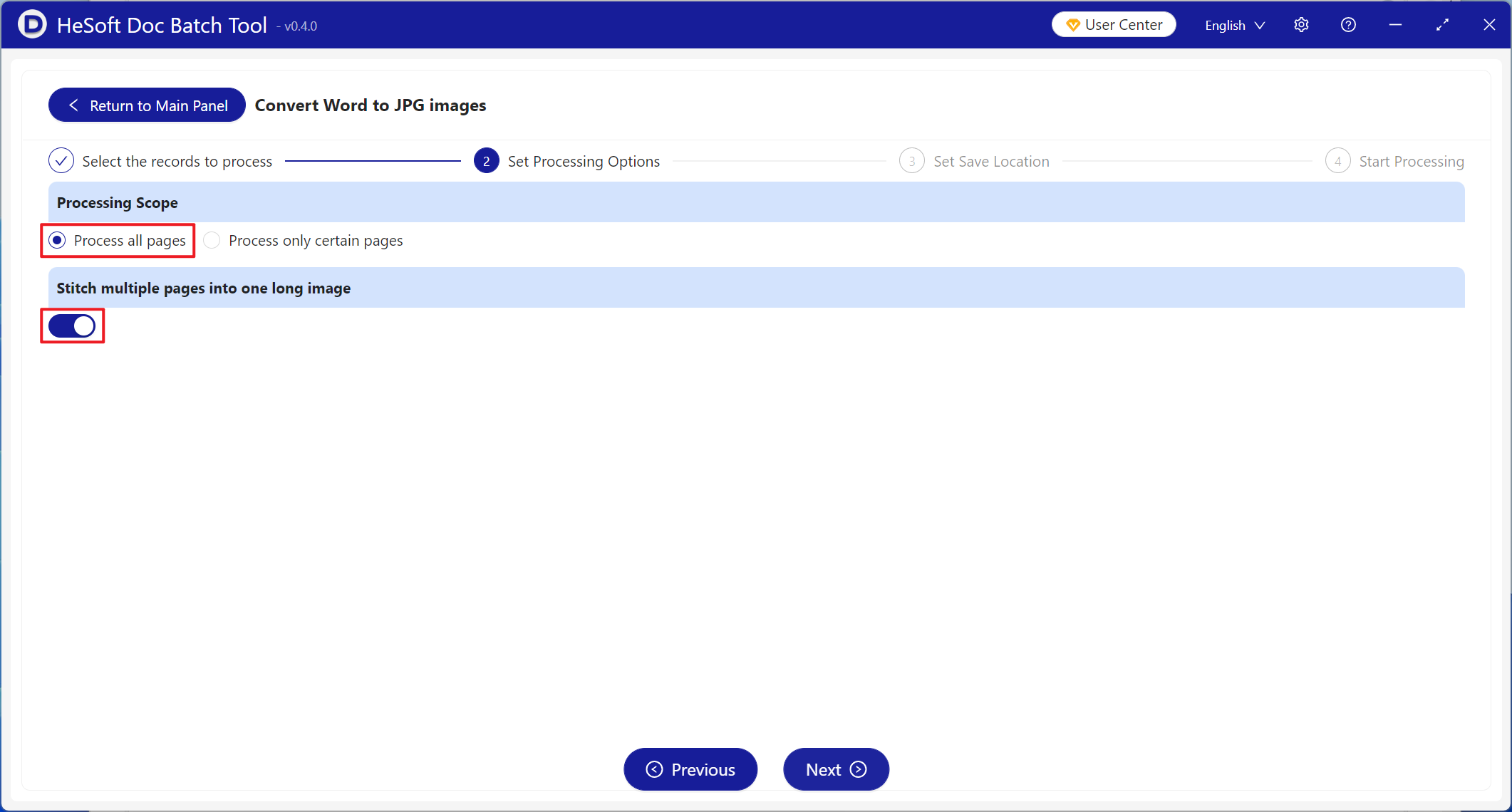
【Processing Range】Select to process all pages, enable 【Stitch multiple pages into one long image】, then click Next.
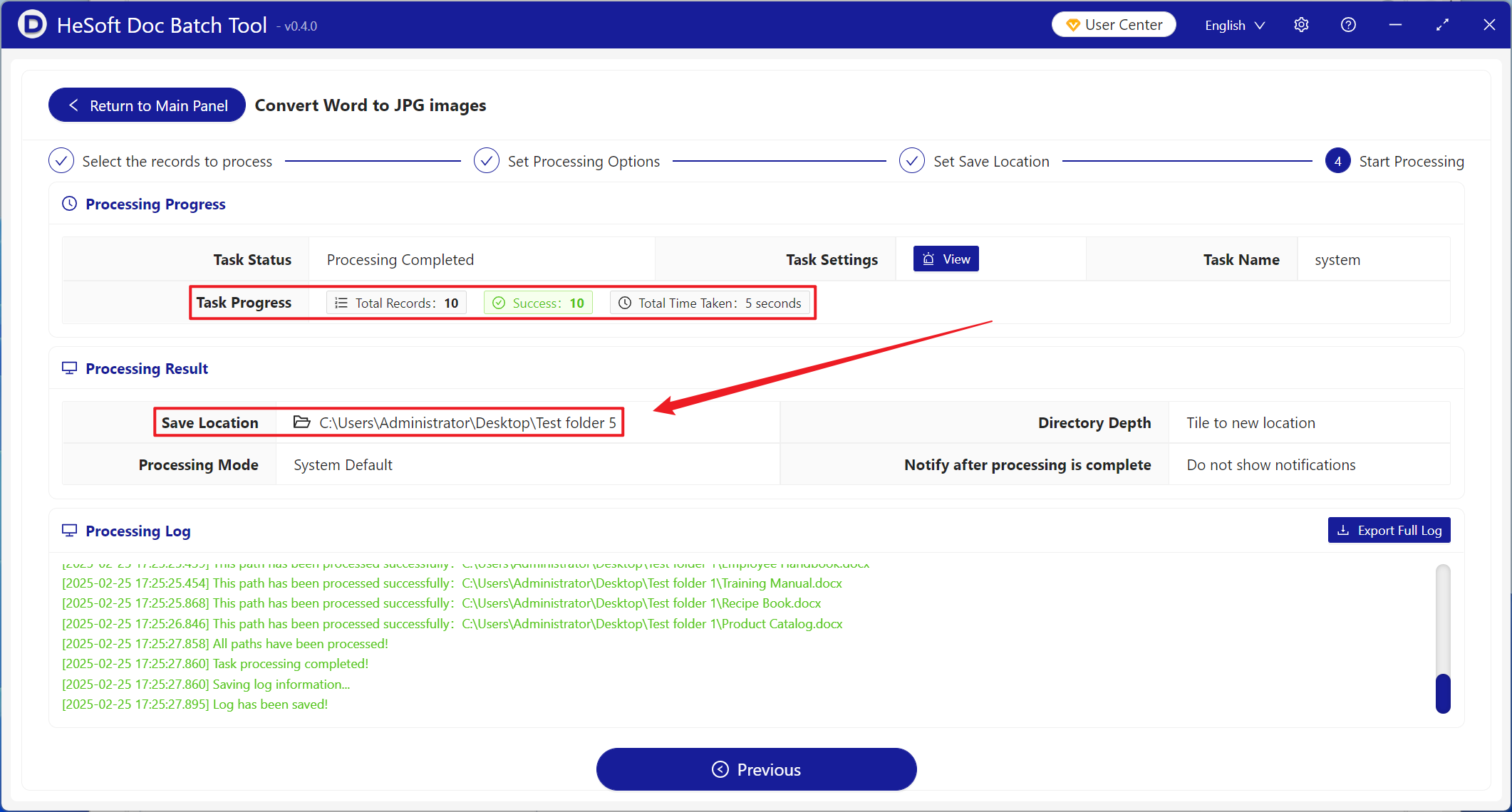
After processing is complete, click the save location to view the JPG file where the Word document was successfully converted to an image.