Convert thousands of PDF files into SVG vector graphics format that can be previewed in a browser at once
Translation:EnglishFrançaisDeutschEspañol日本語한국어,Update Time:2025-06-07 20:21:06
As a vector graphic format, SVG can achieve infinite scaling without distortion, enabling high-definition display of content such as charts, diagrams, or design elements. Additionally, the SVG format supports direct embedding into HTML webpage code, making it highly suitable for web development. In cross-platform usage, SVG is also supported by all modern browsers and design software, ensuring consistent display when graphics are opened on different devices. Below is an introduction on how to batch convert a large number of PDF files into SVG images to enhance the clarity and compatibility of images and graphics within PDFs.
1. Use Cases
When multiple PDF files containing graphics, charts, logos, design elements, and other content need to be displayed in high definition or embedded into HTML code for web development, batch conversion to SVG format can improve compatibility and flexibility.
2. Preview
Before:


After:


3. Steps
Open [ HeSoft Doc Batch Tool ]. Select [PDF Tools] - [PDF to SVG].

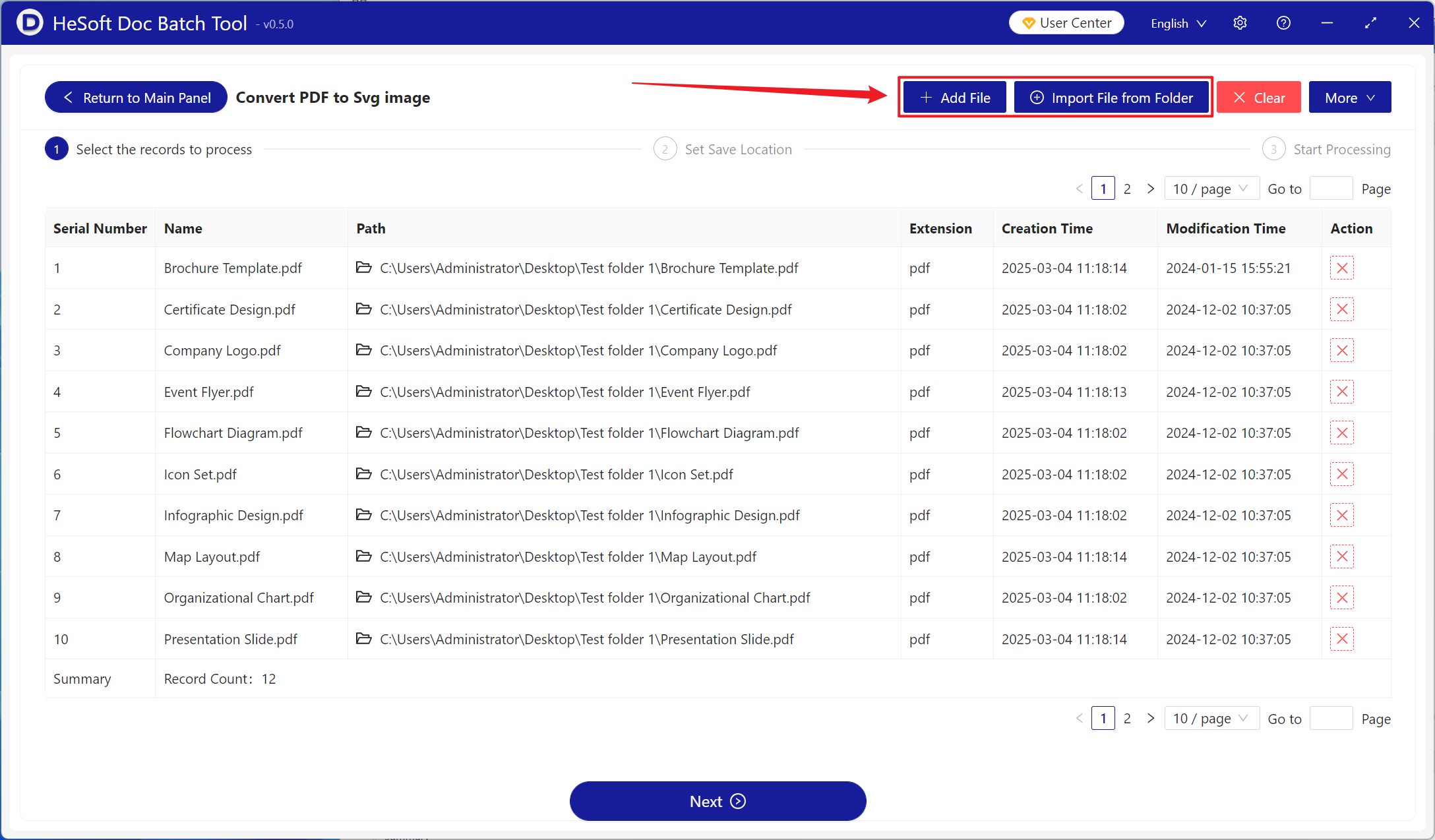
[Add Files] Add one or more PDF files to be converted to SVG images.
[Import Files from Folder] Import all PDF files from the selected folder.
Imported files can be viewed below.
After processing, click the save location to view the successfully converted SVG image files.
