Convert multiple Xls and Xlsx files to Docx format in batch
Translation:EnglishFrançaisDeutschEspañol日本語한국어,Update Time:2025-06-07 20:20:22
When sharing Excel worksheets to present complex data to others, spreadsheet files can be difficult to understand. Converting them to the Docx format in Word documents allows for more intuitive communication of the intended information through text and charts. When drafting formal reports, data in Xls or Xlsx formats can be organized into textual descriptions or embedded into the document to meet the report's formatting requirements. Additionally, certain administrative or business submissions may have specific format requirements, and presenting in Docx format enhances cross-platform compatibility. The following explains how to batch convert multiple Excel spreadsheets into the Docx format at once, supporting various worksheet formats such as Xls, Xlsx, Xlt, and Xltx.
1. Use Cases
In scenarios where there is a large amount of data in numerous Excel spreadsheet files that need to be presented to non-technical personnel or where only key content needs to be extracted for display, converting them in batches to Docx format allows for a more concise and intuitive presentation of the file contents and information.
2. Effect Preview
Before processing:

After processing:

3. Operation Steps
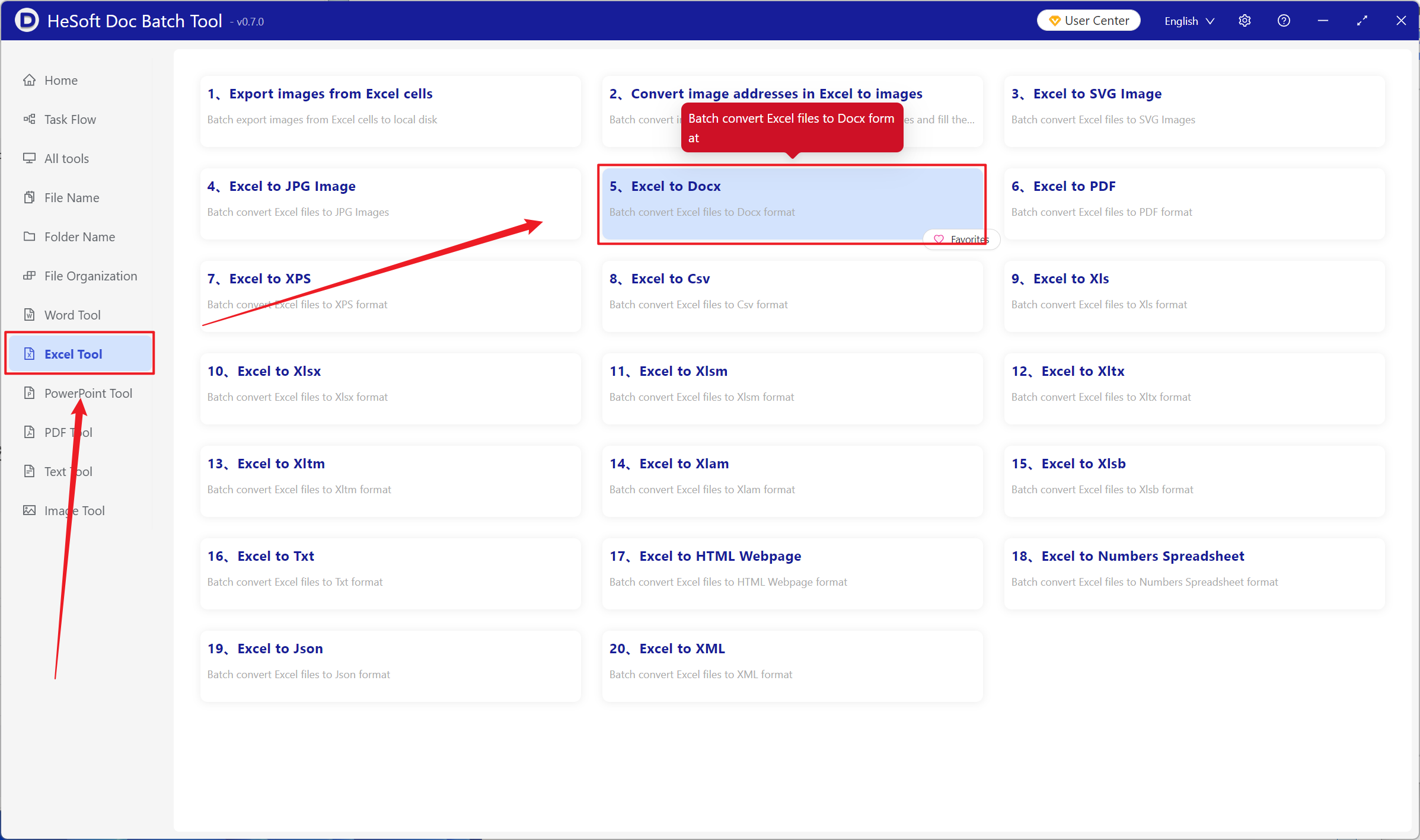
Open【 HeSoft Doc Batch Tool 】, select【Excel Tools】-【Excel to Docx】.
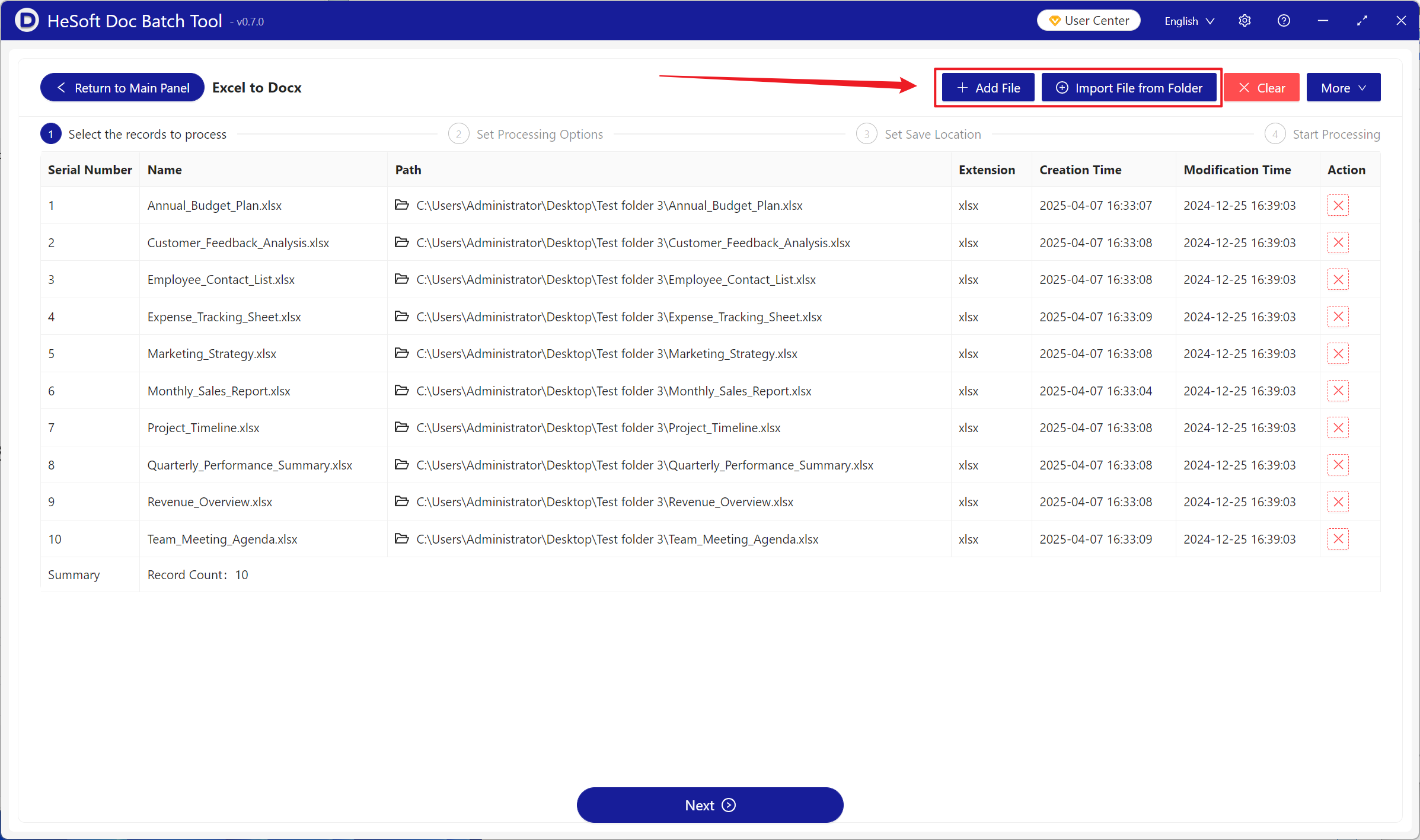
【Add Files】Add one or more Excel spreadsheet files that need to be converted to Docx format.
【Import Files from Folder】Import all Excel spreadsheet files from the selected folder.
The imported files can be viewed below.
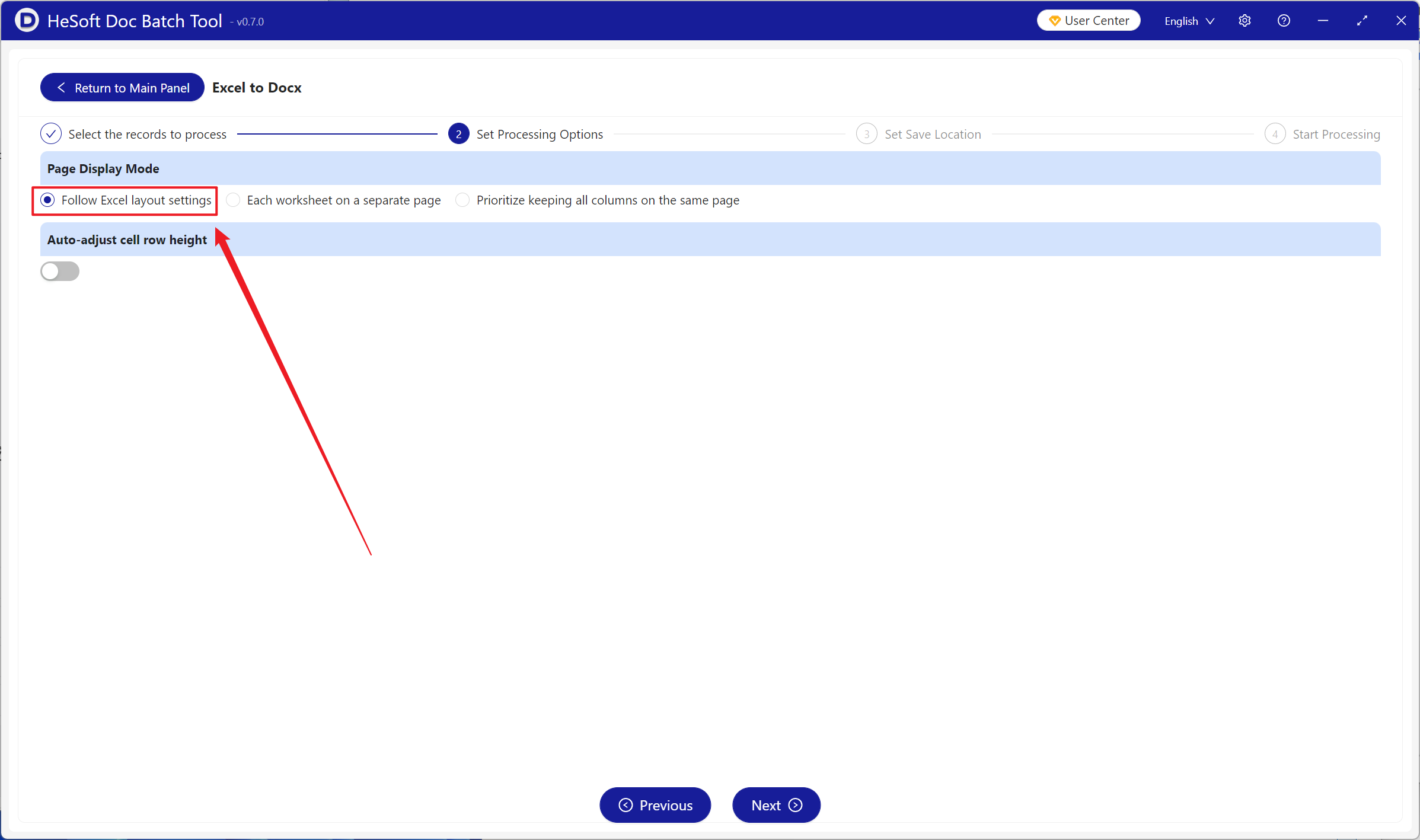
【Page Display Mode】Select based on the Excel layout settings.
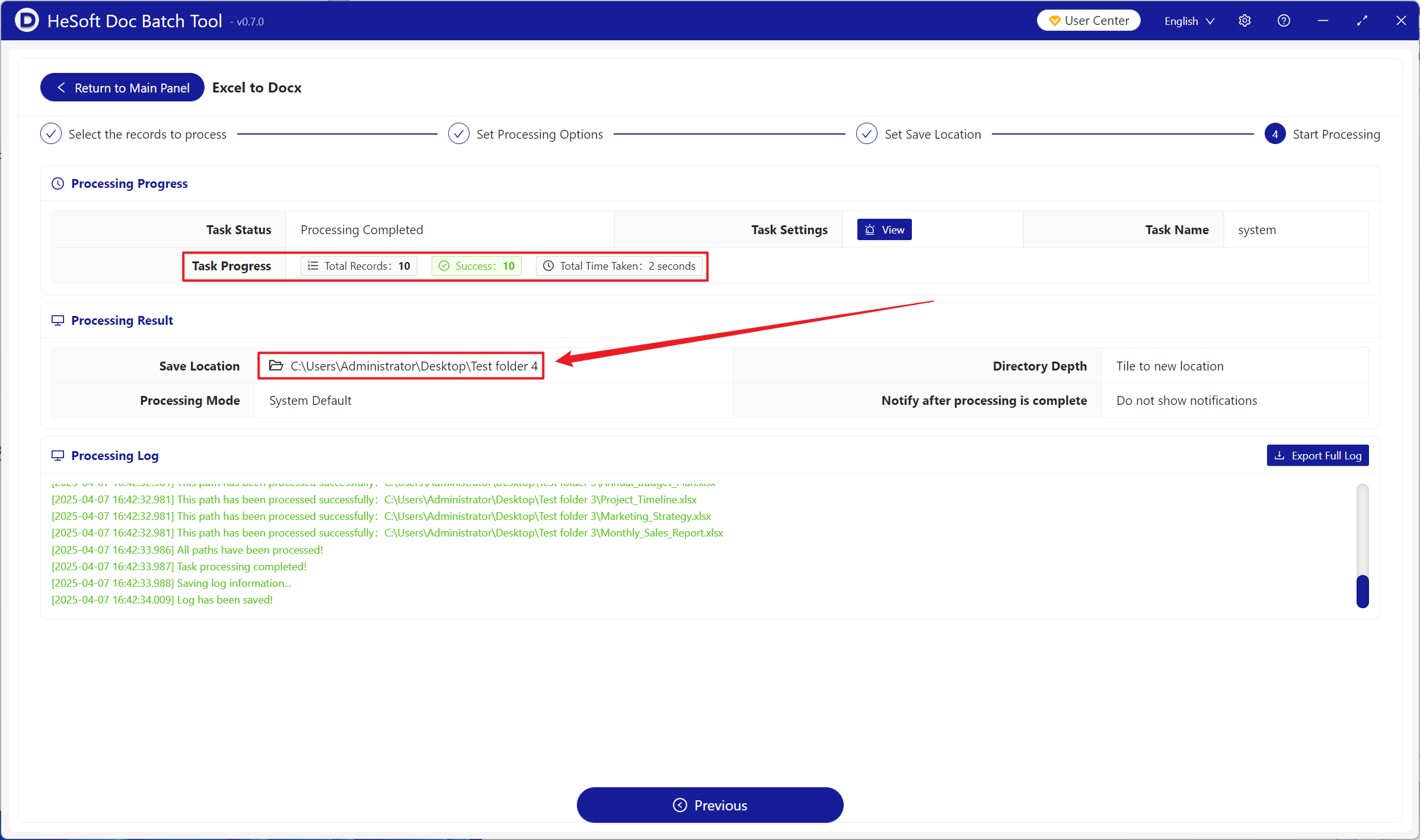
After processing is complete, click the save location to view the successfully converted Docx files.