Batch add personal name suffixes to the file names of thousands of files
Translation:EnglishFrançaisDeutschEspañol日本語한국어,Update Time:2025-06-07 20:23:39
There are numerous files in a computer folder, many of which have different versions and naming conflicts. In an unmanaged environment, they can easily be confused, making it difficult to find the needed file immediately. Therefore, adding a personal name suffix at the far right of the file name can clearly identify the person responsible for the file, enabling quick search and identification of the author within the disk, aiding in classification and archiving, and improving file management efficiency. The following describes how to batch add a personal name suffix to the far right of multiple file names at once, and also supports adding a prefix.
1. Use Cases
Add suffixes such as letters, numbers, text, or symbols to the rightmost part of a file name.
For example: three files named Annual Report.jpg, Financial Summary.xlsx, Marketing Strategy.pptx
You need to add the personal name Emma Richardson to the rightmost part of the file names.
After adding, they become Annual Report Emma Richardson.jpg, Financial Summary Emma Richardson.xlsx, Marketing Strategy Emma Richardson.pptx.
2. Preview
Before processing:

After processing:

3. Steps
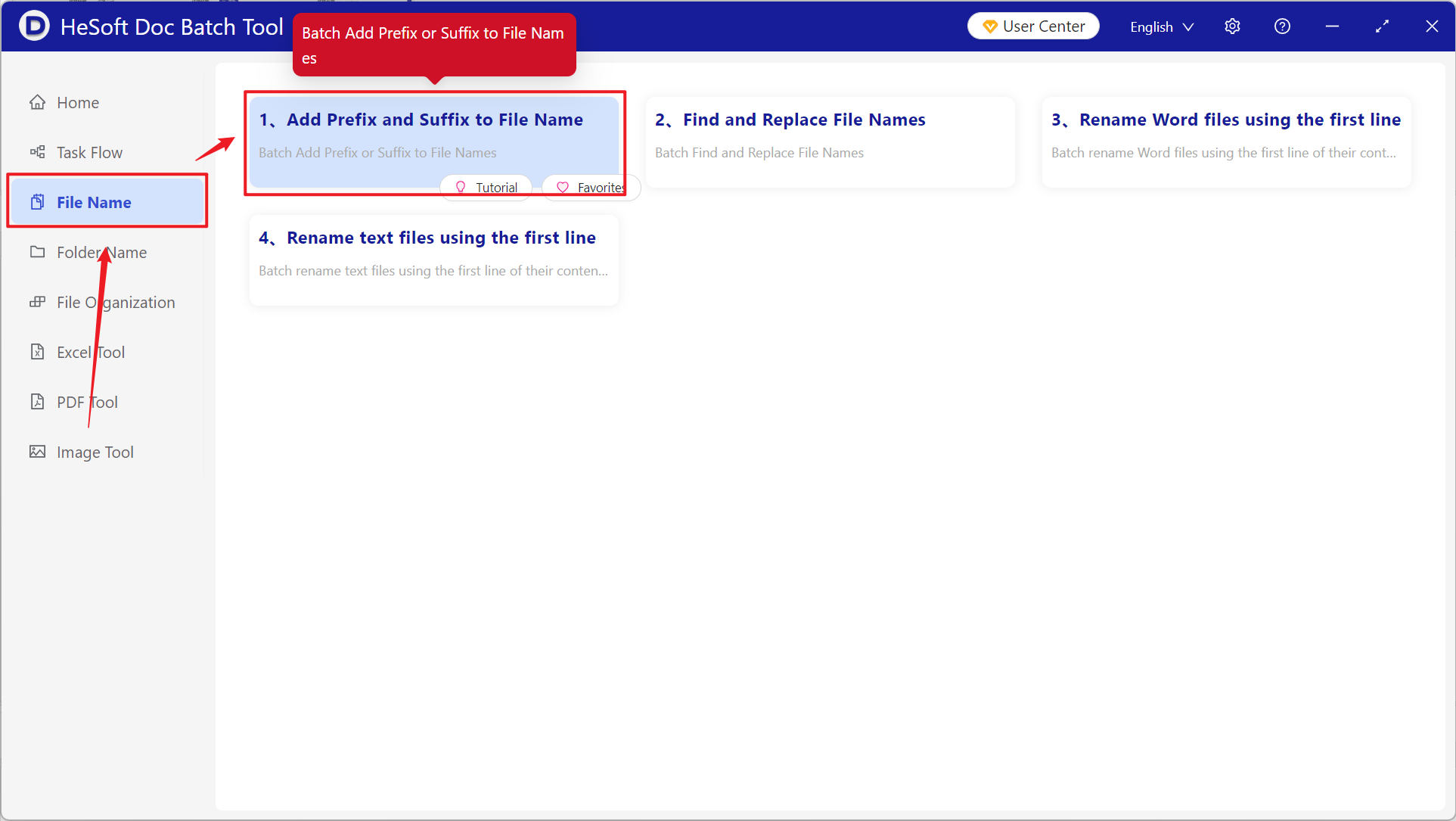
Open 【 HeSoft Doc Batch Tool 】, click 【File Name】-【Add Prefix and Suffix to File Name】.
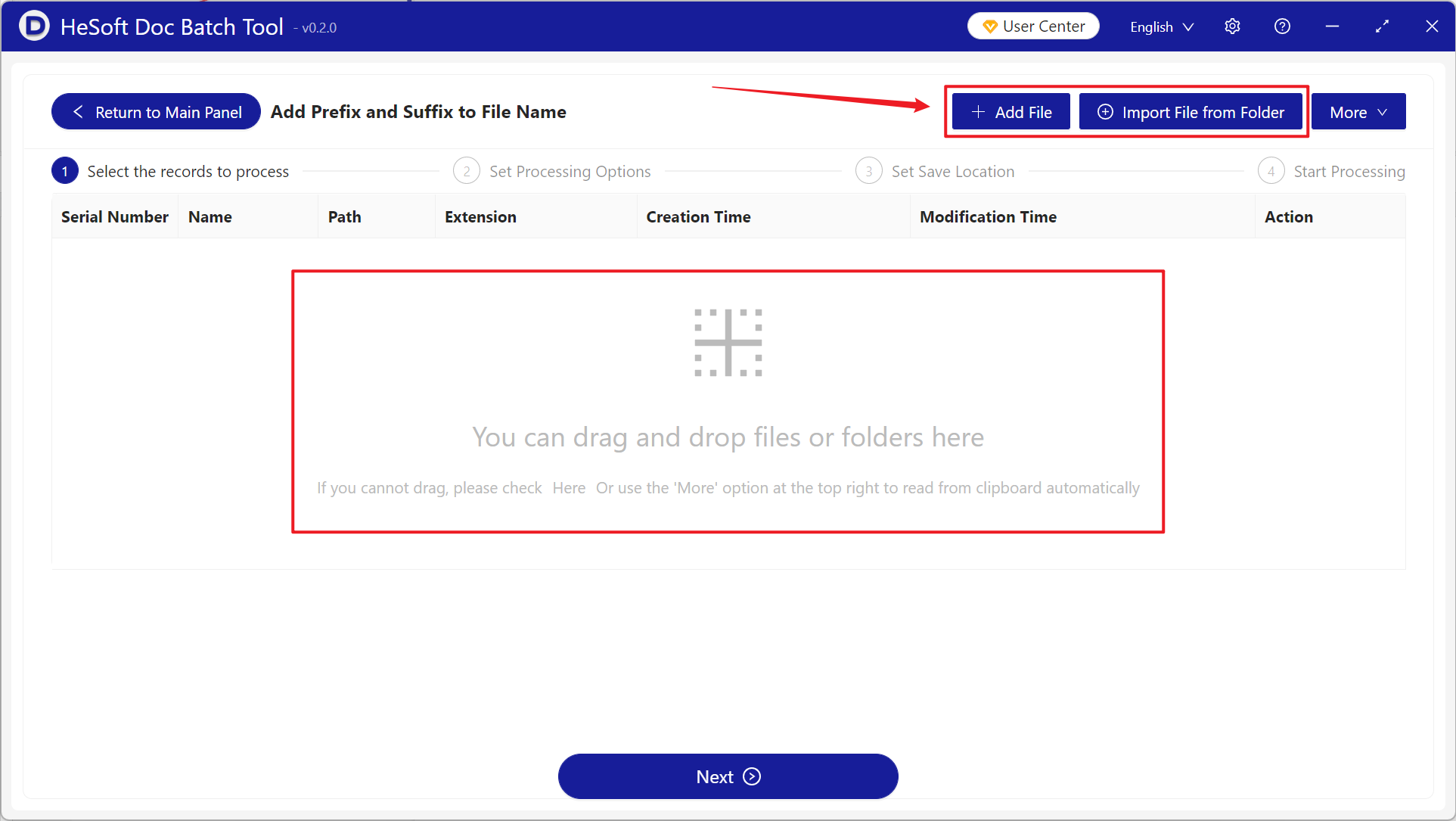
【Add Files】Add one or more files to which you need to add suffixes such as text or numbers to the rightmost part of the file name.
【Import Files from Folder】Import a folder containing a large number of files to which you need to add suffixes such as text or numbers to the rightmost part of the file name.
You can also drag files directly into the area below. Then click Next.
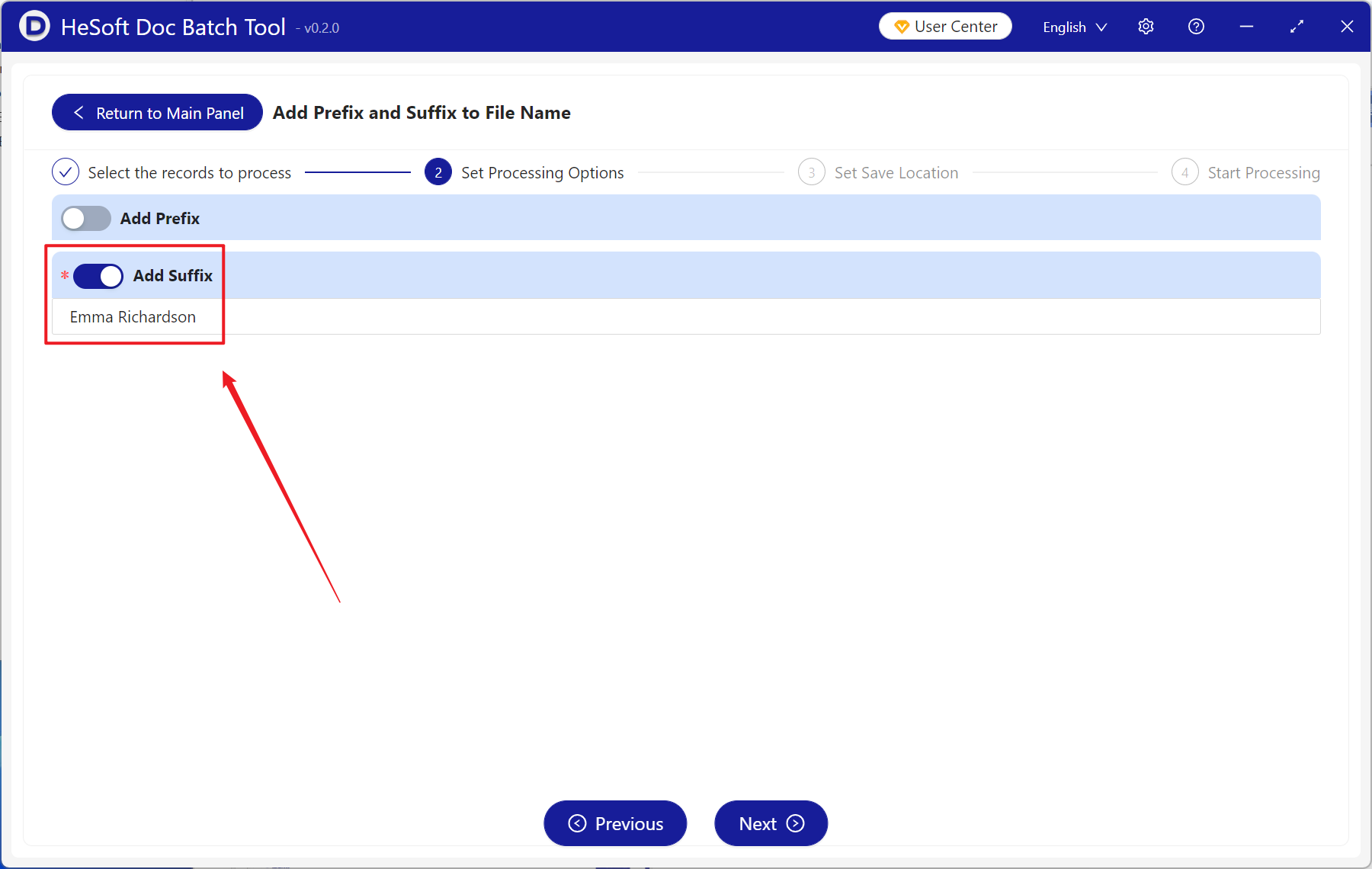
Choose to enable 【Add Suffix】, enter the letters, numbers, keywords, etc., you want to add in the text box below, and then click Next.
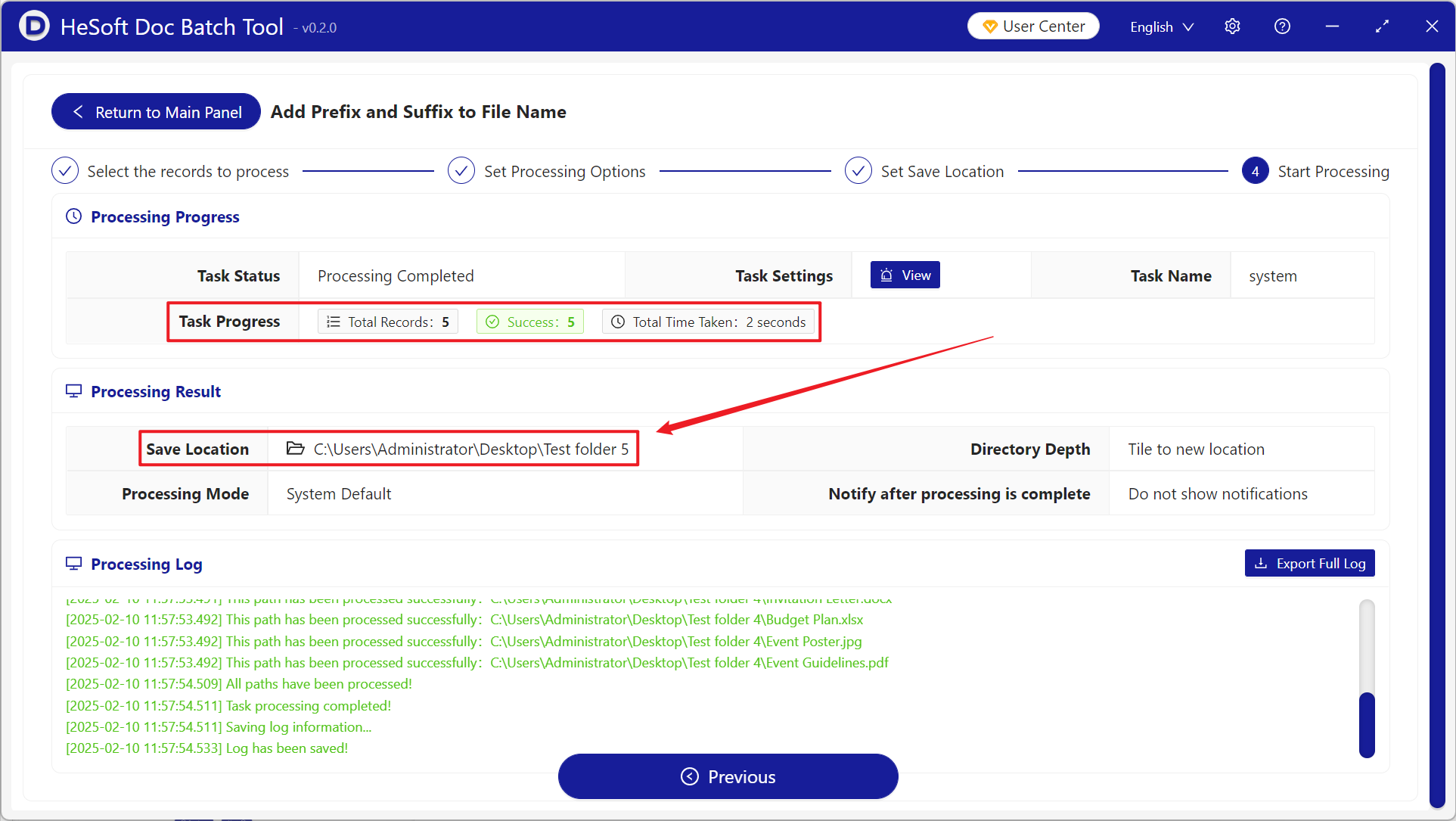
Wait for the process to finish, then click the saved folder to view all the completed files.