Batch Convert Multiple JPG Images to GIF Format at Once
Translation:EnglishFrançaisDeutschEspañol日本語한국어,Update Time:2025-06-07 20:22:48
When a static JPG image needs to exhibit dynamic effects, add a transparent background for designing web icons, stickers, or overlaying onto other background materials, or compress its size in simple color scenarios to improve transfer efficiency, batch converting it to GIF format offers greater flexibility; additionally, since some older or simpler devices only support the GIF format, conversion ensures display compatibility.
1. Use Cases
When you have a large number of JPG images that need to be combined into animated stickers, looped ad displays, or simple demo animations, batch converting them to GIF can achieve a lightweight animated effect at low cost.
2. Preview
Before processing:

After processing:

3. Steps
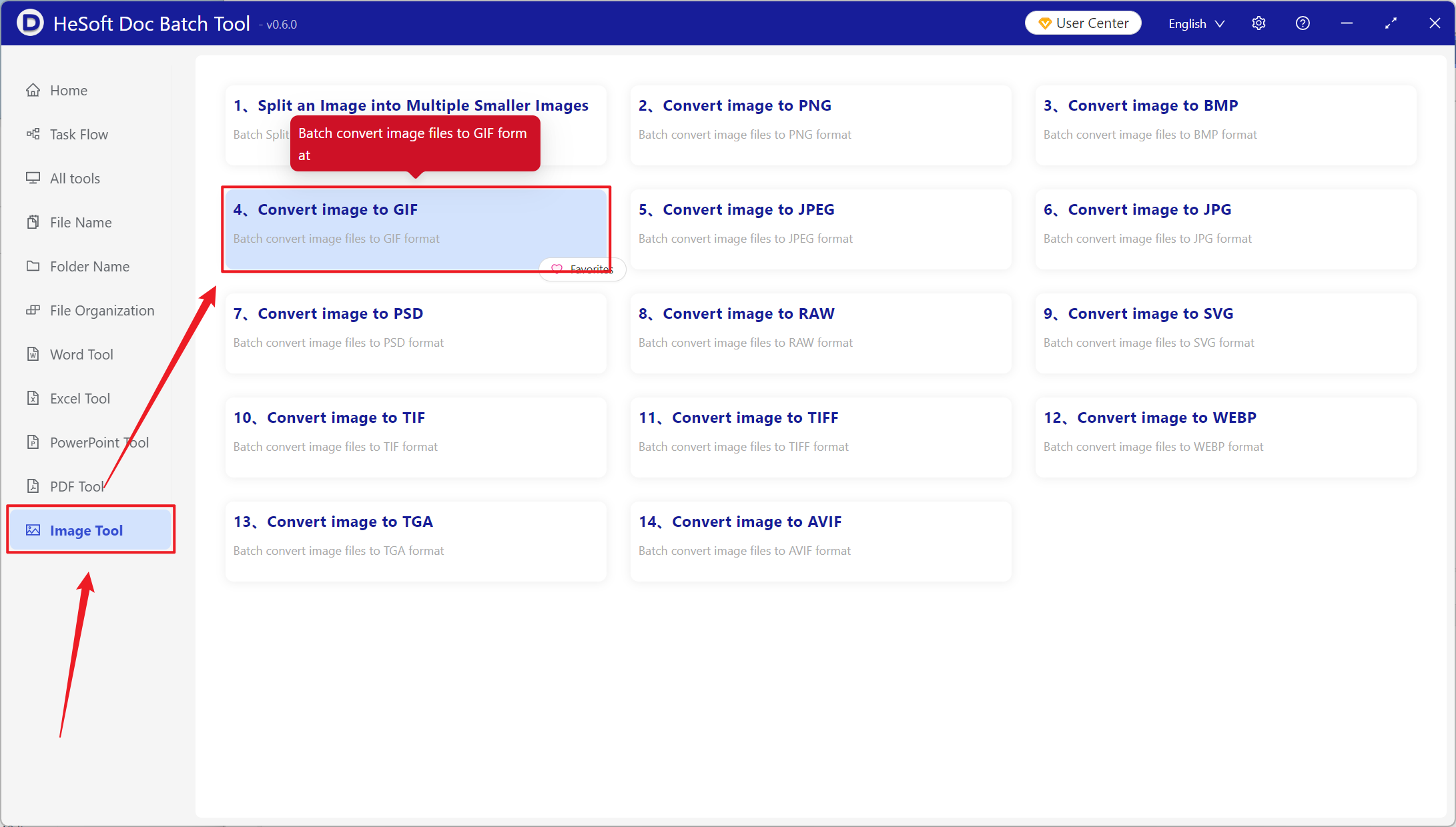
Open【 HeSoft Doc Batch Tool 】, select 【Image Tools】 - 【Convert Images to GIF】.
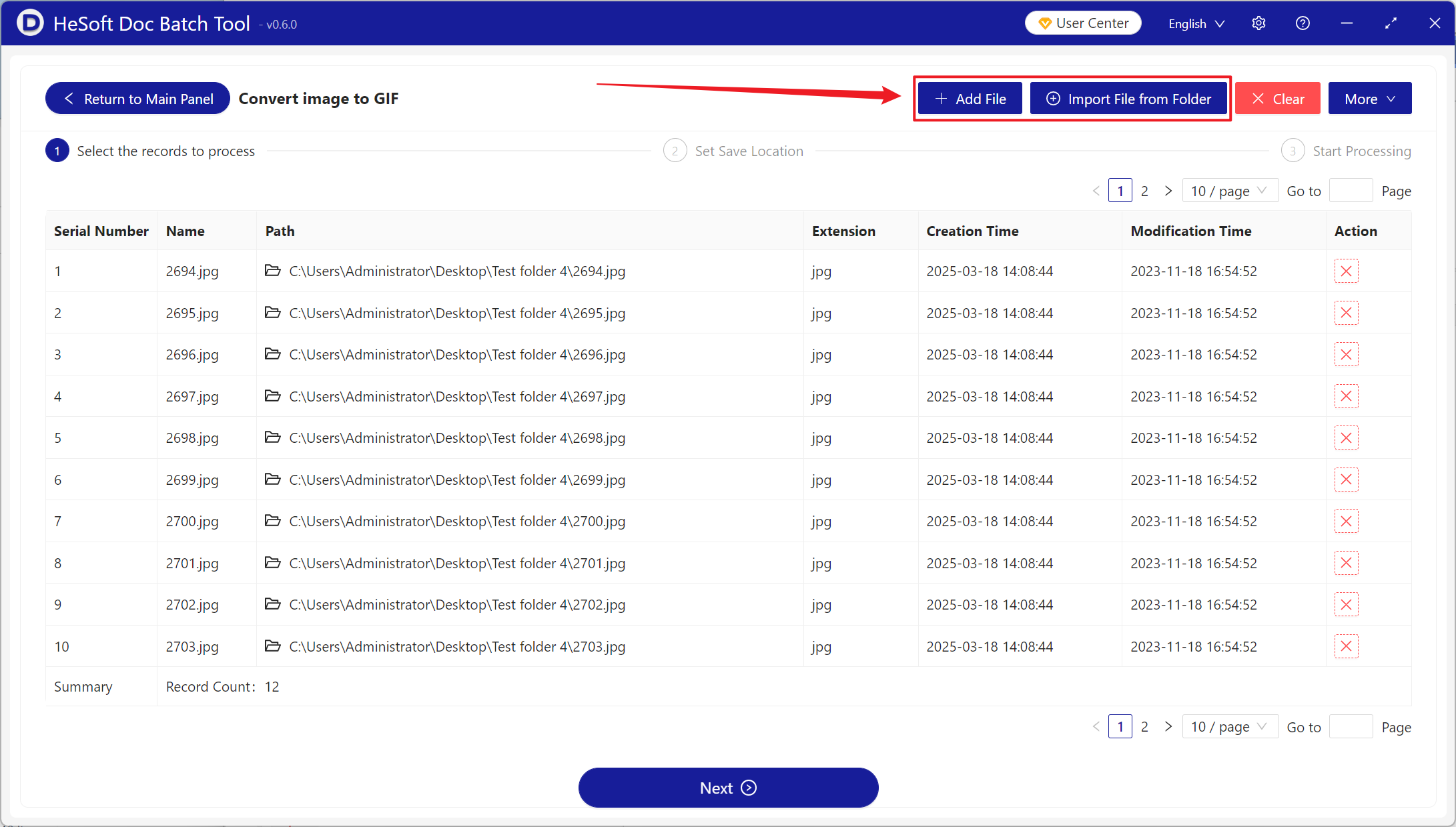
【Add Files】Add one or more images to be converted to GIF format.
【Import Files from Folder】Import all image files from the selected folder.
You can view the imported image files below.
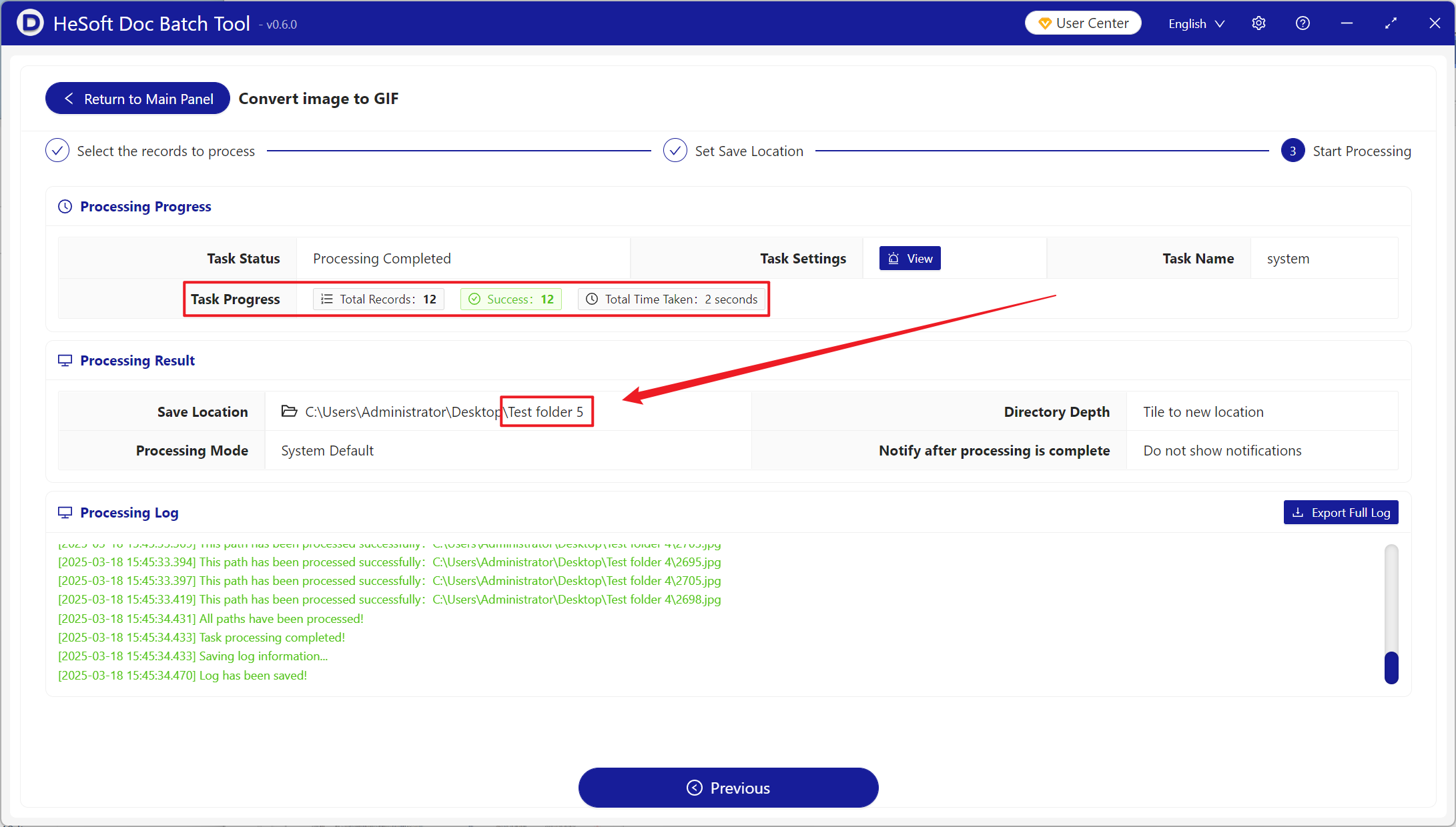
After processing is complete, click the save location to view the successfully converted GIF image format.