How to batch add suffix content to the end of a large number of folder names
Translation:EnglishFrançaisDeutschEspañol日本語한국어,Update Time:2025-06-07 20:23:53
Large amounts of documents, images, videos and other files stored on a computer are organized and kept in folders. Folders can help us organize and arrange files, making it faster and easier to browse files and find the ones we need. Naming folders is also very important. A good folder name can intuitively convey the content of the files inside. When the number of folders is too large, distinguishing them by name alone may be less than satisfactory. In such cases, adding suffix text to multiple folders that need to be identified makes it easier to distinguish different types of folders. Below is an introduction on how to add suffix text to the names of multiple folders.
1. Use Cases
Add the same suffix content such as numbers, text, symbols, or letters to the end of folder names.
For example: Video Folder, Picture Folder, Model Folder
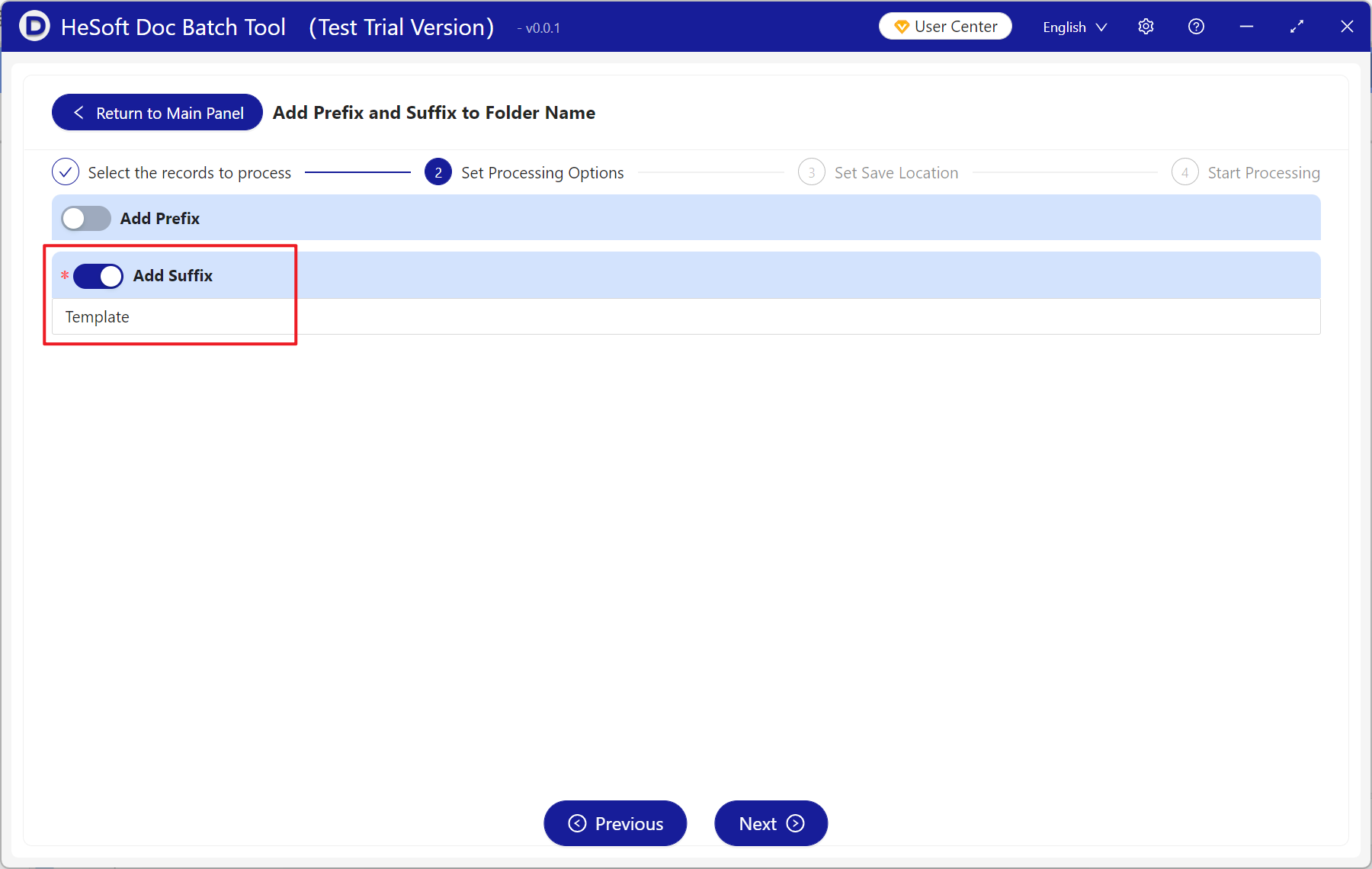
You need to add the suffix "Template" to the right side.
After adding, they become Video Folder Template, Picture Folder Template, Model Folder Template.
2. Effect Preview
Before processing:

After processing:

3. Operation Steps
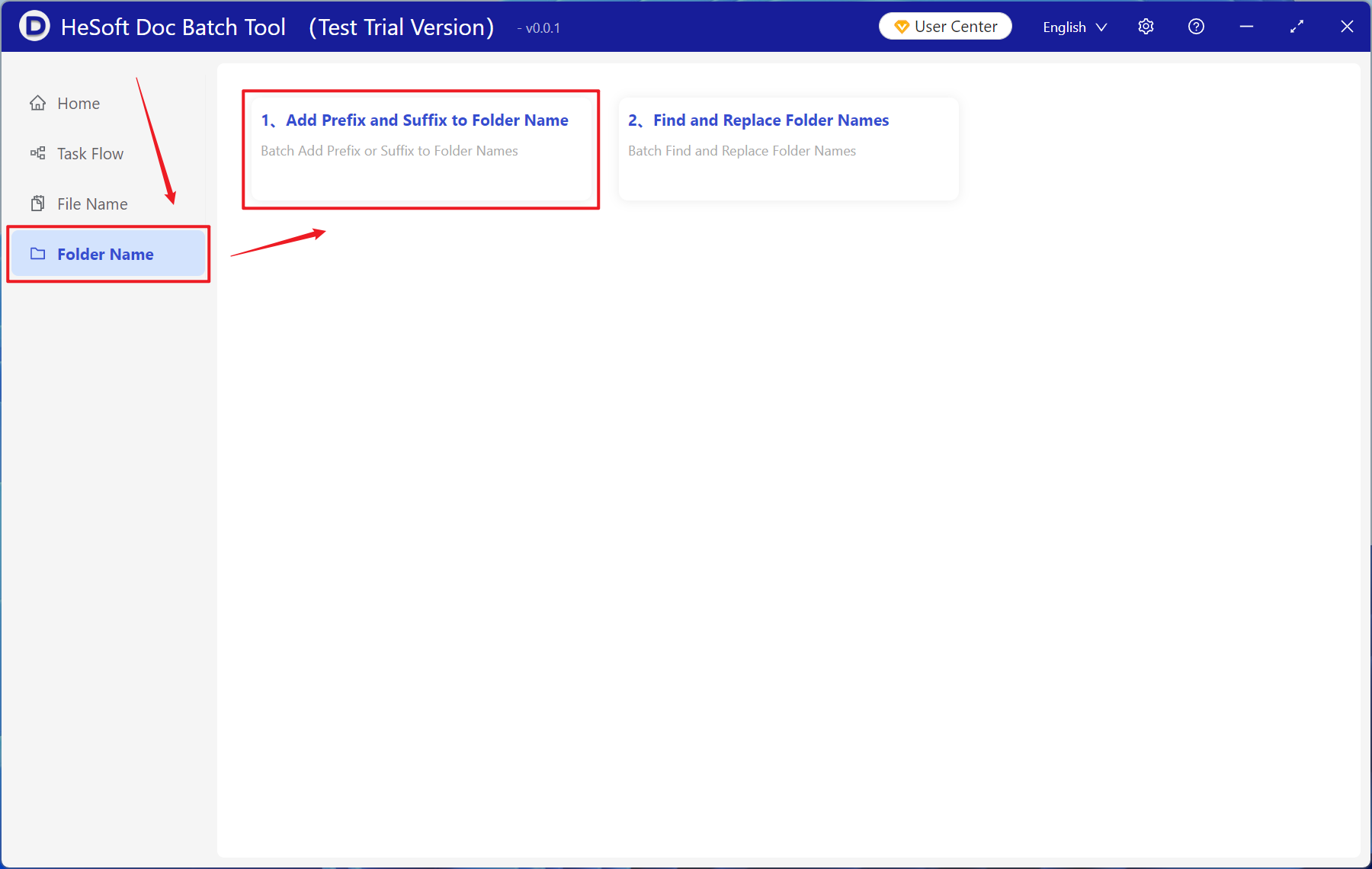
Open 【 HeSoft Doc Batch Tool 】, select 【Folder Name】-【Add Prefix and Suffix to Folder Name】.
【Add Folders】Add multiple folders or subfolders that need to have a suffix added to their folder names.
You can also drag and drop files directly below.

Open 【Add Suffix】, and enter the suffix content to be added below.
Wait for processing to complete, then view the modified folders in the save location.
