Remove duplicate lines from multi-line text copied to clipboard
Translation:EnglishFrançaisDeutschEspañol日本語한국어,Update Time:2025-06-07 20:19:52
When copying and pasting text data from different sources, duplicate content often appears. For example, when organizing customer lists or product information, duplicate entries can lead to inaccurate statistics, and repeated error messages in system logs can obscure the real issues. When merging multiple documents or code, duplicate content can also make files cumbersome. The following explains how to delete duplicate lines from clipboard content, saving a lot of data organizing time.
1. Usage Scenarios
When copying table data from databases or web pages, duplicate rows can lead to statistical errors. Deduplication ensures analysis accuracy.
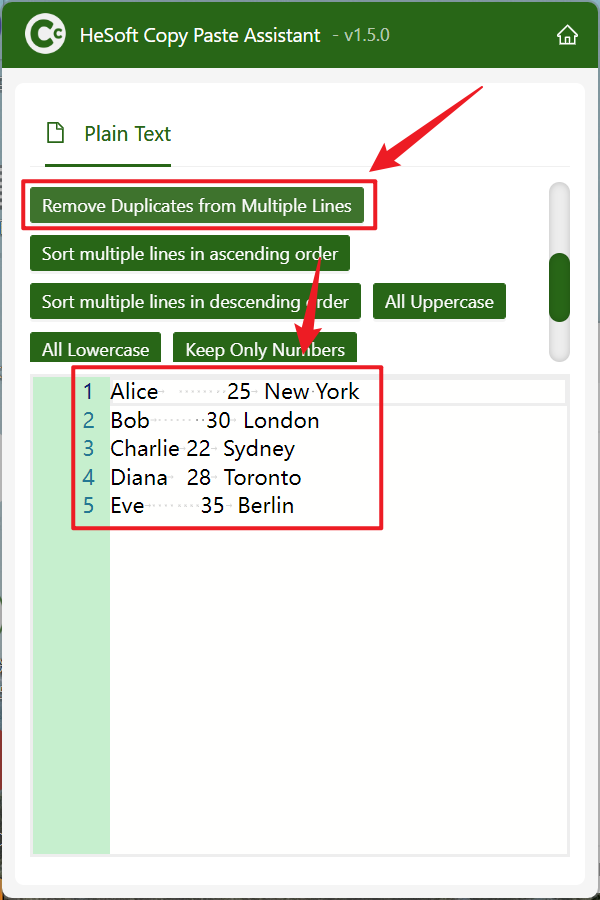
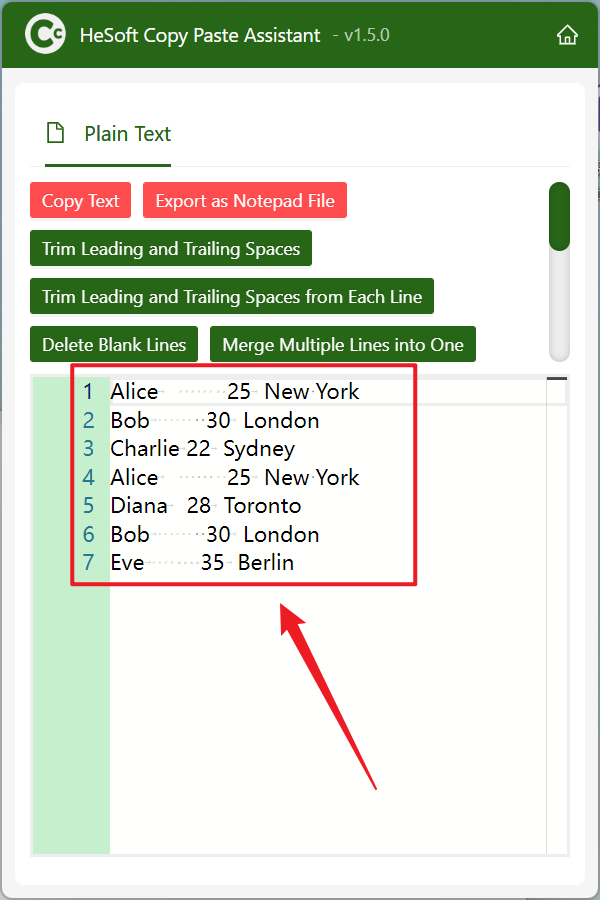
2. Effect Preview
Before processing:

After processing:

3. Operation Steps
Open 【 HeSoft Copy Paste Assistant 】, select the copied content, and press Ctrl + C + C to directly enter the operation interface.
Click 【Multi-line Deduplication】 to remove the copied multi-line duplicate content.