Quickly convert large quantities of PDF files to ZUGFeRD electronic invoice format in batches
Translation:EnglishFrançaisDeutschEspañol日本語한국어,Update Time:2025-06-07 20:21:18
The ZUGFeRD version in the PDF file format is a format specifically designed for electronic invoices, significantly efficient in automated invoice processing, speeding up financial workflows, and required in certain countries or regions for submitting electronic invoices. If files need to be shared across platforms, the ZUGFeRD format can also display consistently on different devices or operating systems.
1. Usage Scenarios
When there are dozens or hundreds of PDF files containing electronic invoices that need to be processed automatically or submitted in countries/regions with specified format versions, they can be uniformly batch converted to the ZUGFeRD format. This ensures consistent display across different devices and systems, and also enhances the document's automated processing capability.
2. Steps
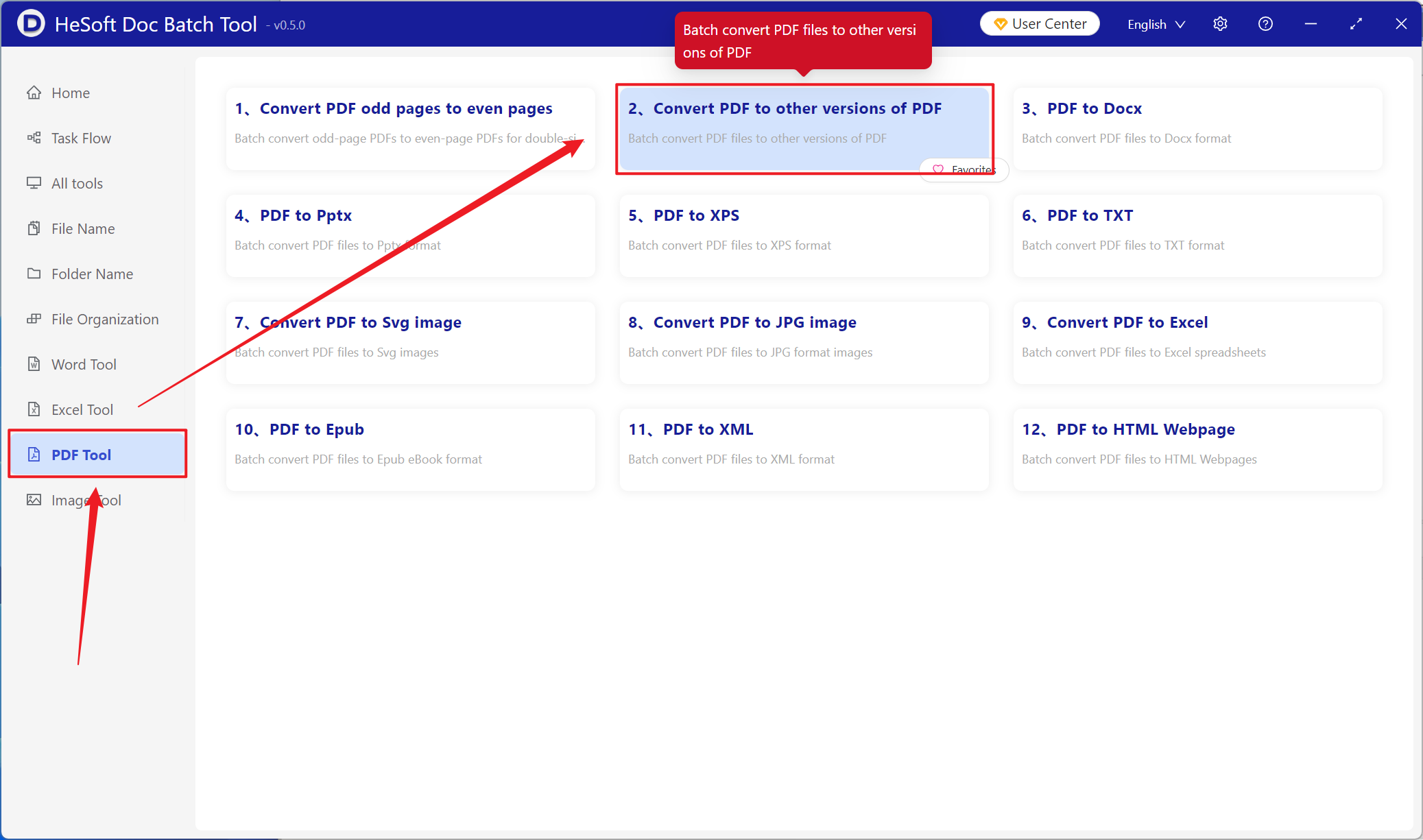
Open HeSoft Doc Batch Tool , select [PDF Tools] - [Convert PDF to Other PDF Versions].
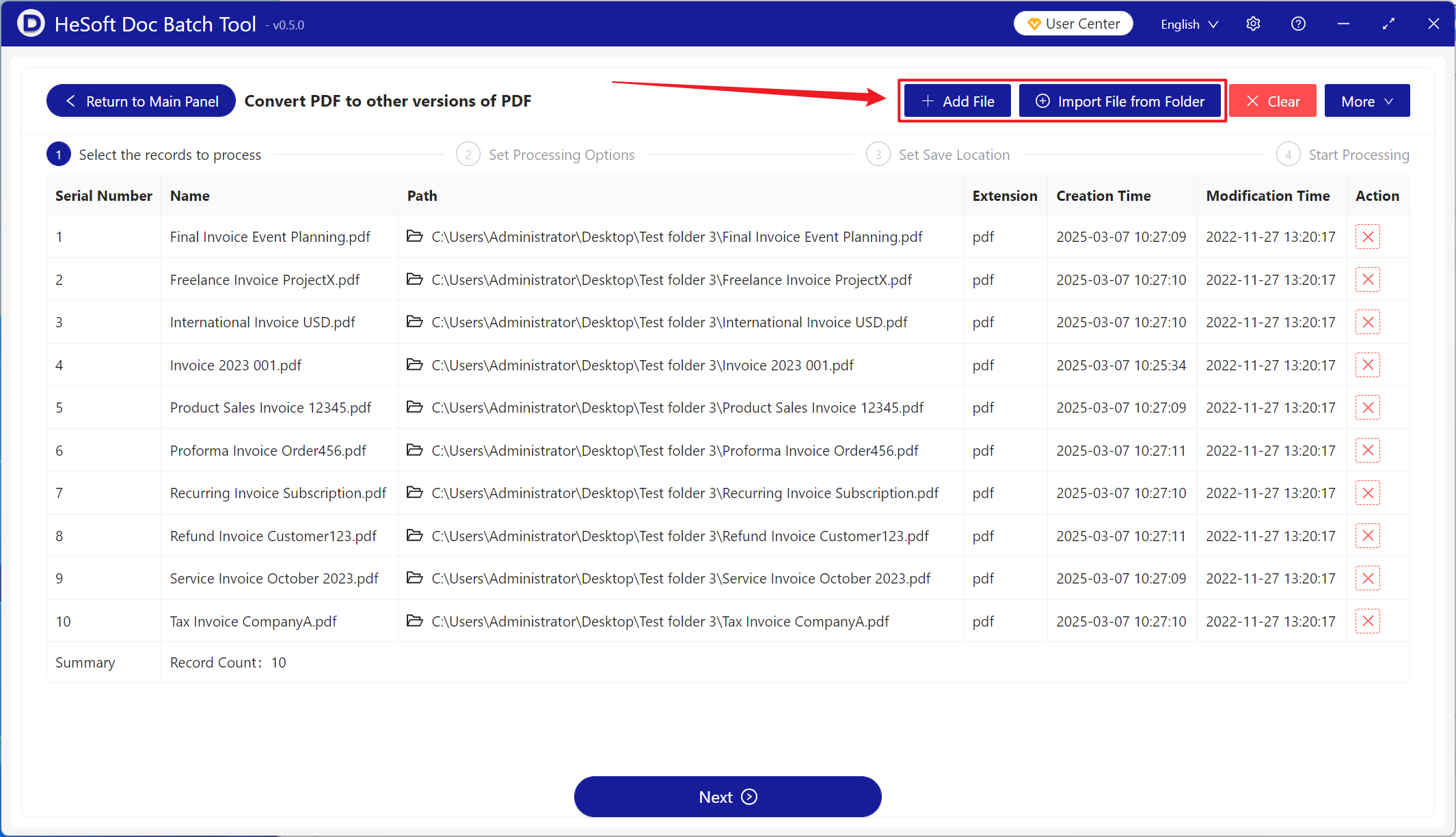
[Add Files] Add single or multiple PDF files that need to be converted to the ZUGFeRD electronic invoice version.
[Import Files from Folder] Import all PDF files from the selected folder.
You can view the imported files below.
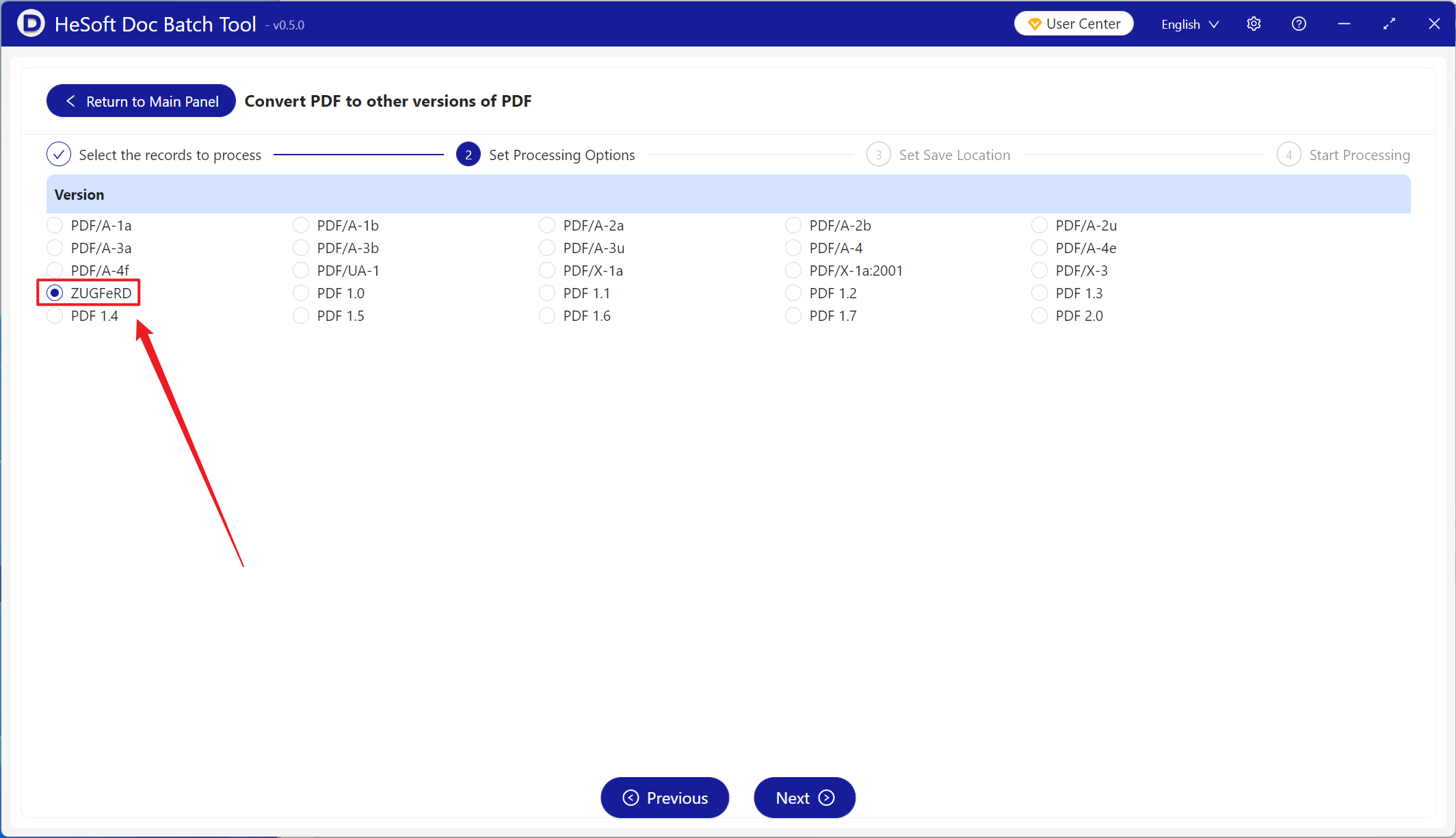
Select the PDF for conversion to the ZUGFeRD version.
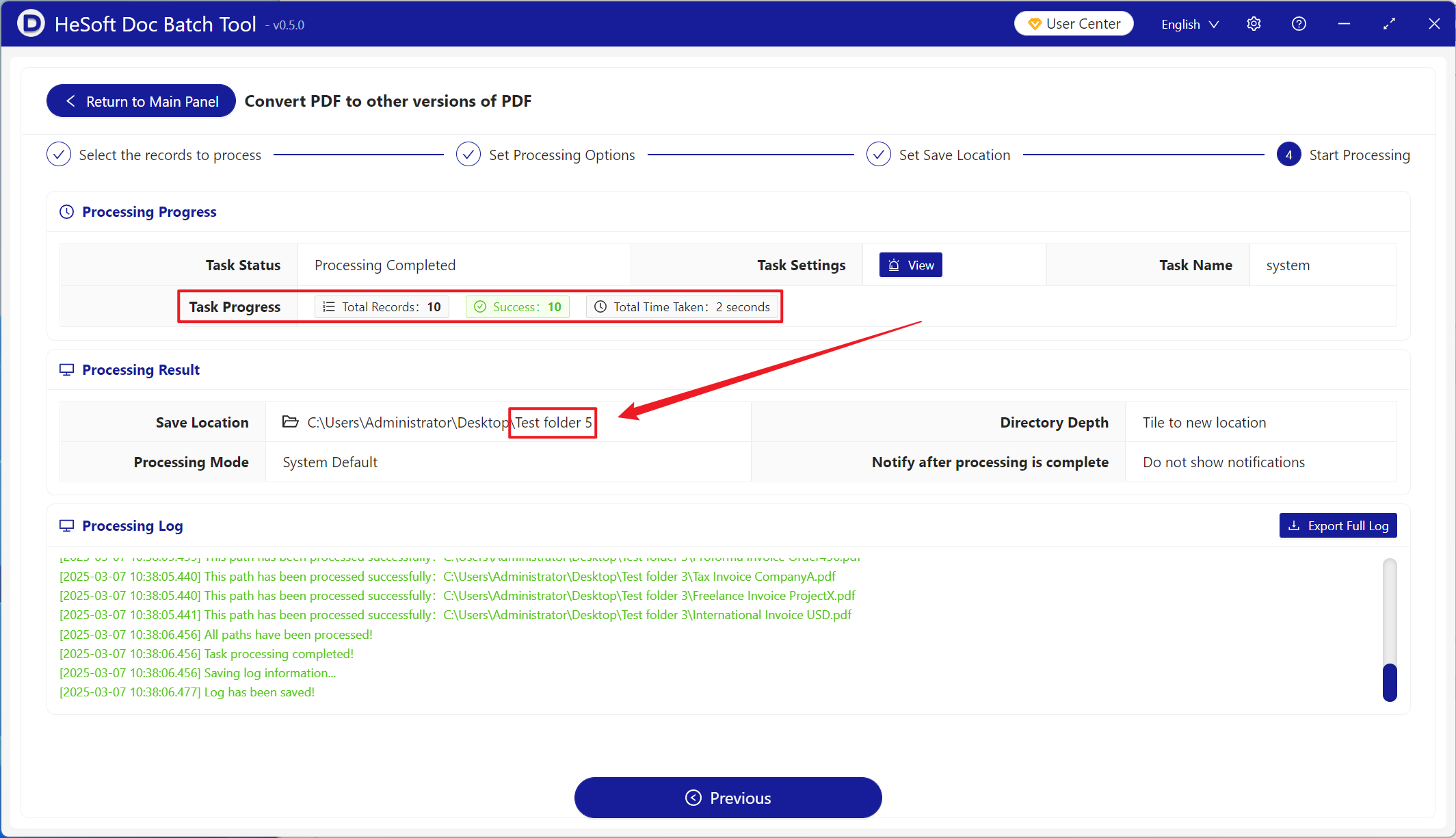
After processing is complete, click the save location to view the successfully converted PDF files.