Quickly remove whitespace at the beginning and end of copied text from the clipboard
Translation:EnglishFrançaisDeutschEspañol日本語한국어,Update Time:2025-06-07 20:19:48
During text processing, there are often situations where the leading and trailing whitespace of copied content needs to be precisely removed while preserving the internal formatting of paragraphs. For example, when copying text from a webpage or PDF, paragraphs often have extra spaces at the beginning and end, which can affect the efficiency of data analysis and processing. Additionally, during content editing, it is necessary to remove leading and trailing whitespace to maintain clean formatting without altering the internal spacing of paragraphs. The following explains how to quickly remove the leading and trailing whitespace from entire paragraphs of text copied to the clipboard.
1. Use Cases
When you copy a whole block of text from a webpage or document and need to remove the whitespace at the beginning and end while preserving the paragraph spacing within, we can automatically delete it for you, avoiding the need to paste and then manually trim it a second time.
2. Effect Preview
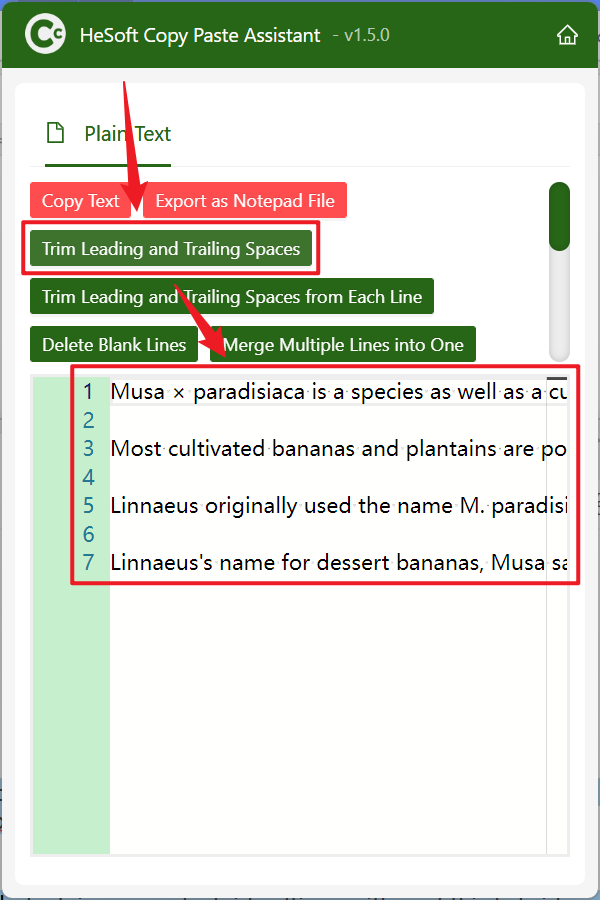
Before processing:

After processing:

3. Steps
Open【 HeSoft Copy Paste Assistant 】, select the copied content, and press Ctrl + C + C to directly enter the operation interface.
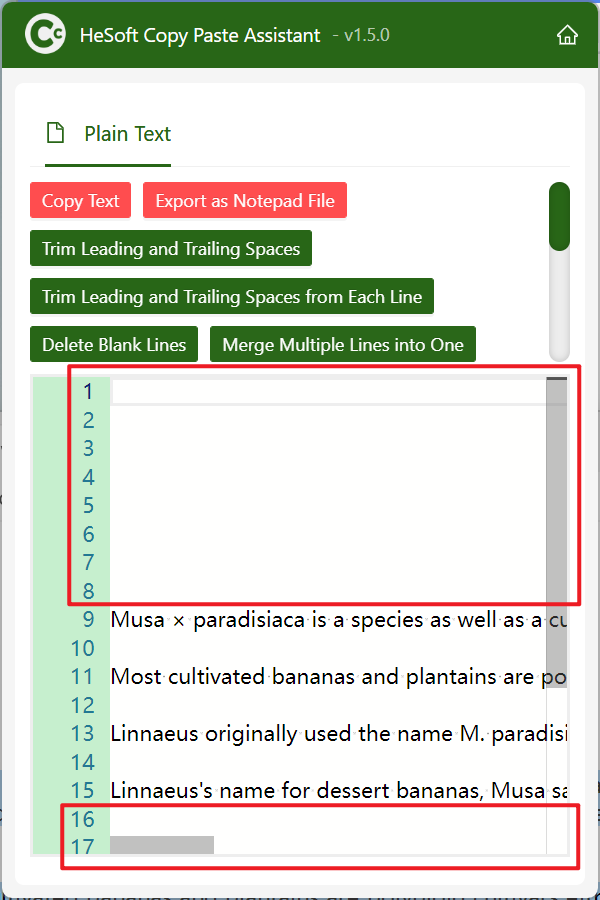
Click【Remove Leading/Trailing Whitespace】to remove the whitespace at the beginning and end of the copied text while preserving the paragraph spacing format within.