Methods for efficiently converting multiple PPT and PPTX slides into the older auto-play PPS format
Translation:EnglishFrançaisDeutschEspañol日本語한국어,Update Time:2025-06-07 20:21:41
When giving a PowerPoint presentation, it's common to fumble and click the wrong mode. Converting PPT and PPTX formats uniformly into PPS format can quickly solve this problem. PPS is the playback format of PowerPoint, which opens directly to full-screen playback, allowing you to enter presentation mode swiftly. Meanwhile, the old Office 2003 PPS format is perfectly compatible with older systems and software versions, so you don't have to worry about compatibility issues in certain situations. When playing multiple files consecutively at a large conference, converting them to PPS eliminates the risk of accidentally clicking into edit mode, allowing for quick switching and auto-play. Similarly, using PPS for auto-loop playback on large advertising screens avoids the manual operation required by PPT and PPTX formats. Nowadays, many government offices and schools still use Office 2003, and most cannot open the newer PPTX slideshows, but they can play PPS format normally. The following introduces how to batch convert a large number of PPT and PPTX files to PPS format at once, with support for various file formats such as PPSX, POT, and POTX.
1. Use Cases
When there are hundreds of PPT, PPTX format files that need to be opened and auto-played directly at large conferences or exhibition halls, or when some enterprises or institutions are still using Office 2003 and cannot directly open 2007 version PPTX format, we can quickly convert these files to PPS format, enabling smooth opening, viewing, and quick entry into presentation mode.
2. Effect Preview
Before Processing:

After Processing:

3. Operation Steps
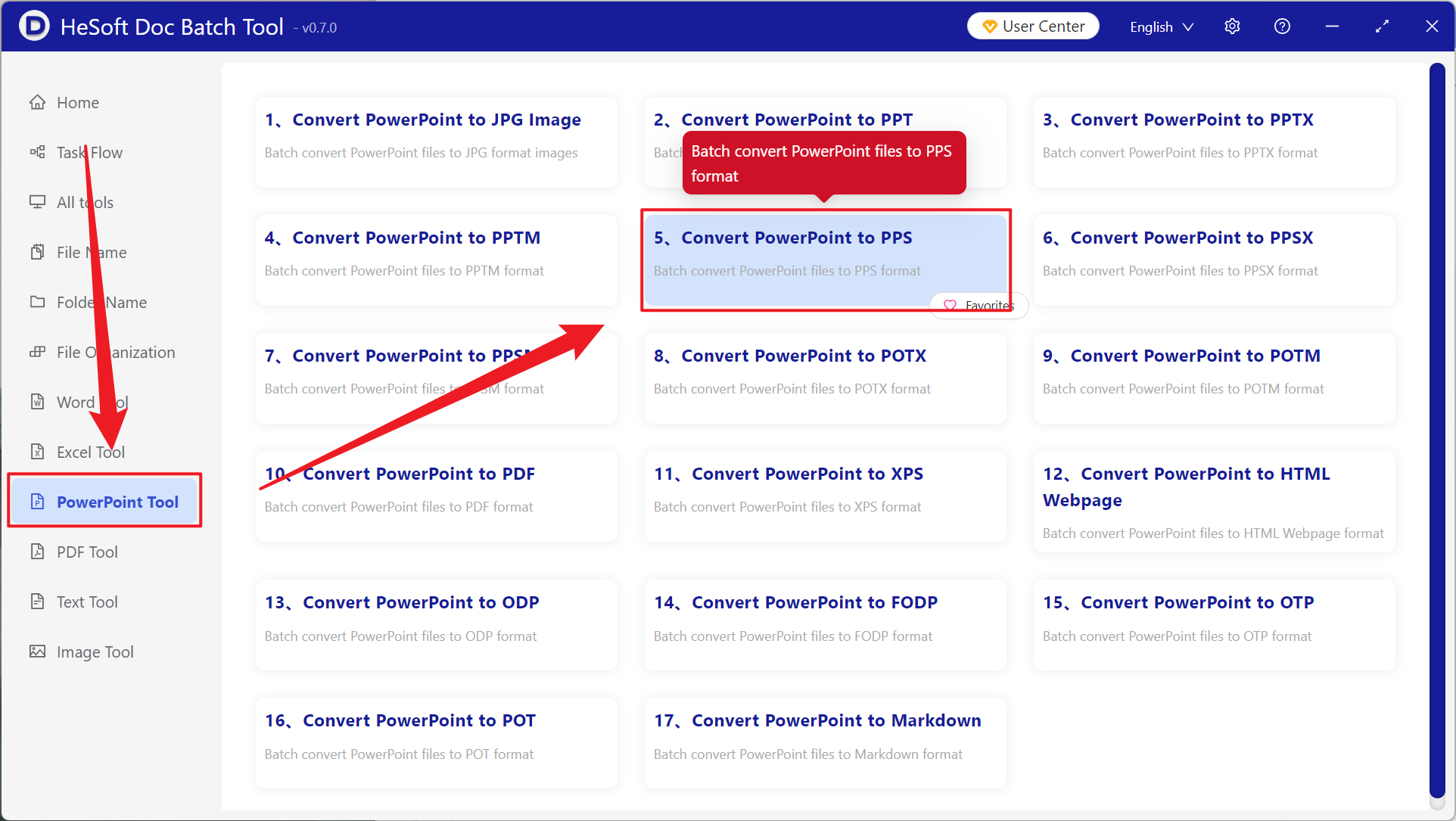
Open【 HeSoft Doc Batch Tool 】, select【PowerPoint Tools】-【PowerPoint to PPS】.
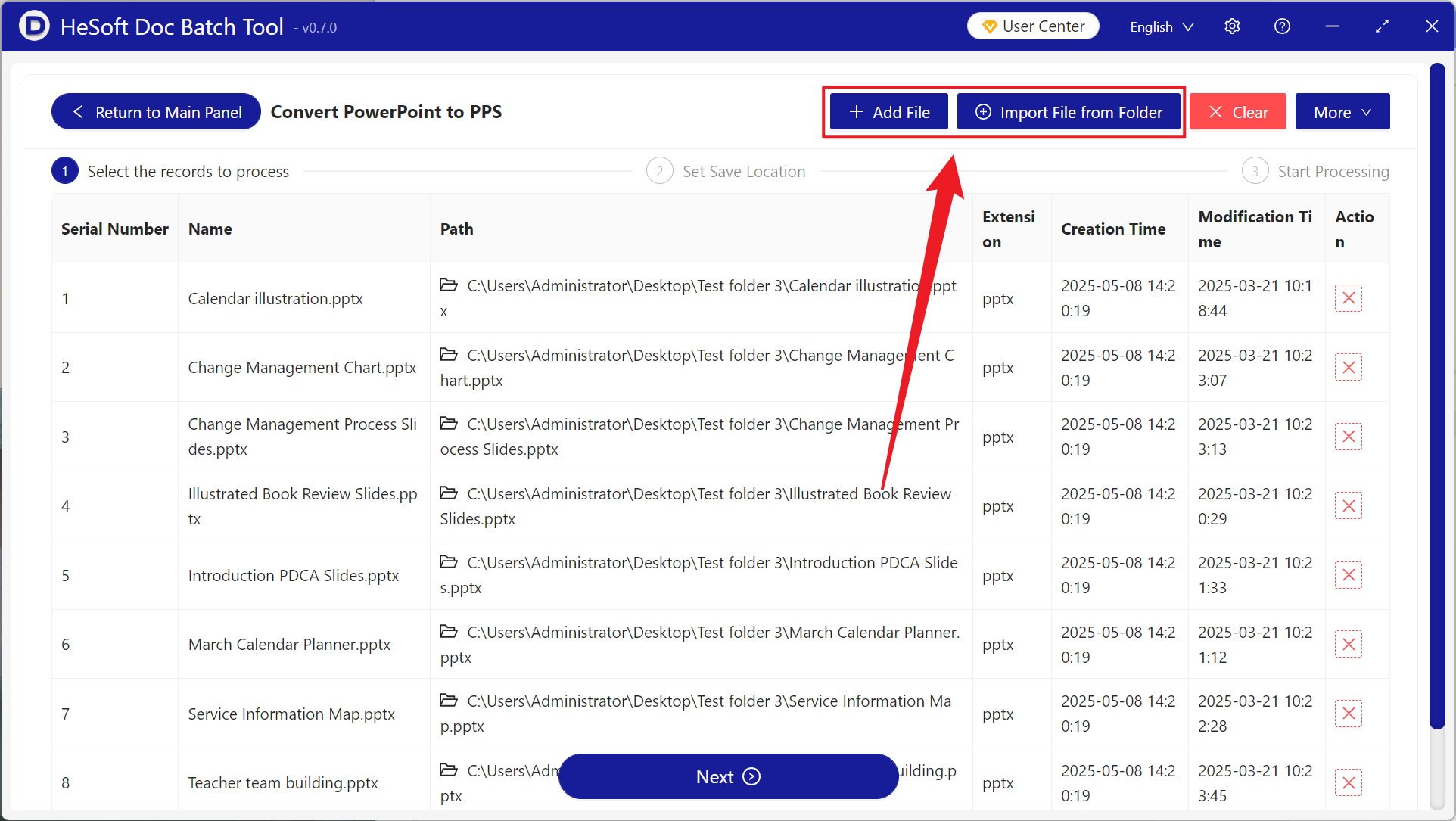
【Add Files】Choose to add the PPT, PPTX slides to convert.
【Import Files from Folder】Import all PowerPoint files from the selected folder.
View imported files below.
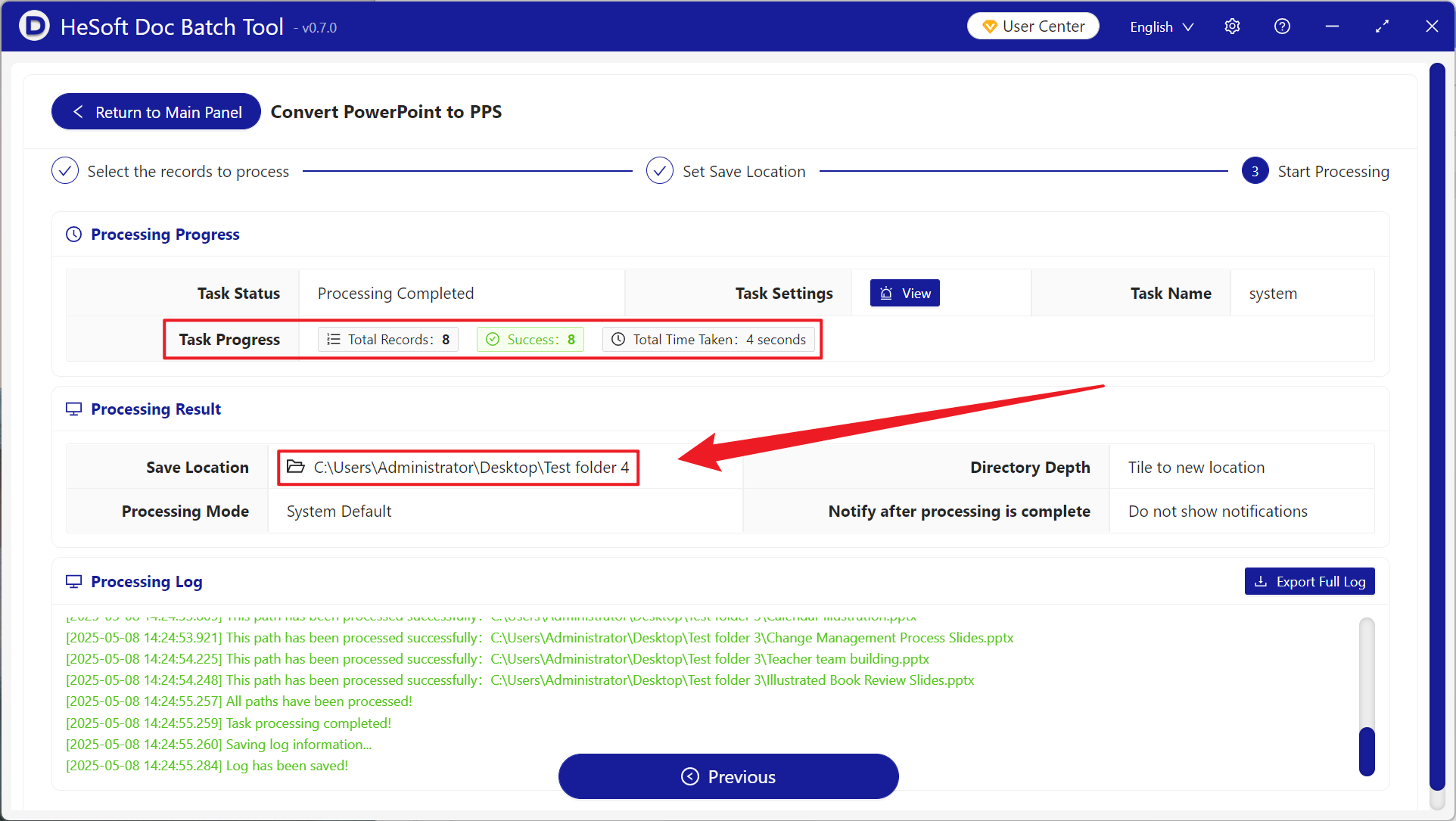
After processing is complete, click the save location to view the converted files.