Rapidly batch convert thousands of JPG and WEBP images to AVIF format
Translation:EnglishFrançaisDeutschEspañol日本語한국어,Update Time:2025-06-07 20:22:45
As a new-generation image format, AVIF is gradually being supported by mainstream platforms. The AVIF format offers higher compression rates than JPG, PNG, and WEBP. When storing and transmitting large volumes of images in cloud photo albums, social media, and similar scenarios, it can significantly reduce file sizes and lower storage and bandwidth costs. It also supports high dynamic range, transparent backgrounds, and animation features, delivering notable performance in web pages, mobile applications, or situations requiring fast loading.
1. Use Cases
When you need to balance high quality with efficient compression for a large number of images, or save on storage and bandwidth costs, batch converting them to the AVIF format can significantly reduce file size and lower storage and server expenses. It supports multiple image formats such as BMP, JPEG, PSD, TIF, and GIF.
2. Effect Preview
Before processing:

After processing:

3. Steps
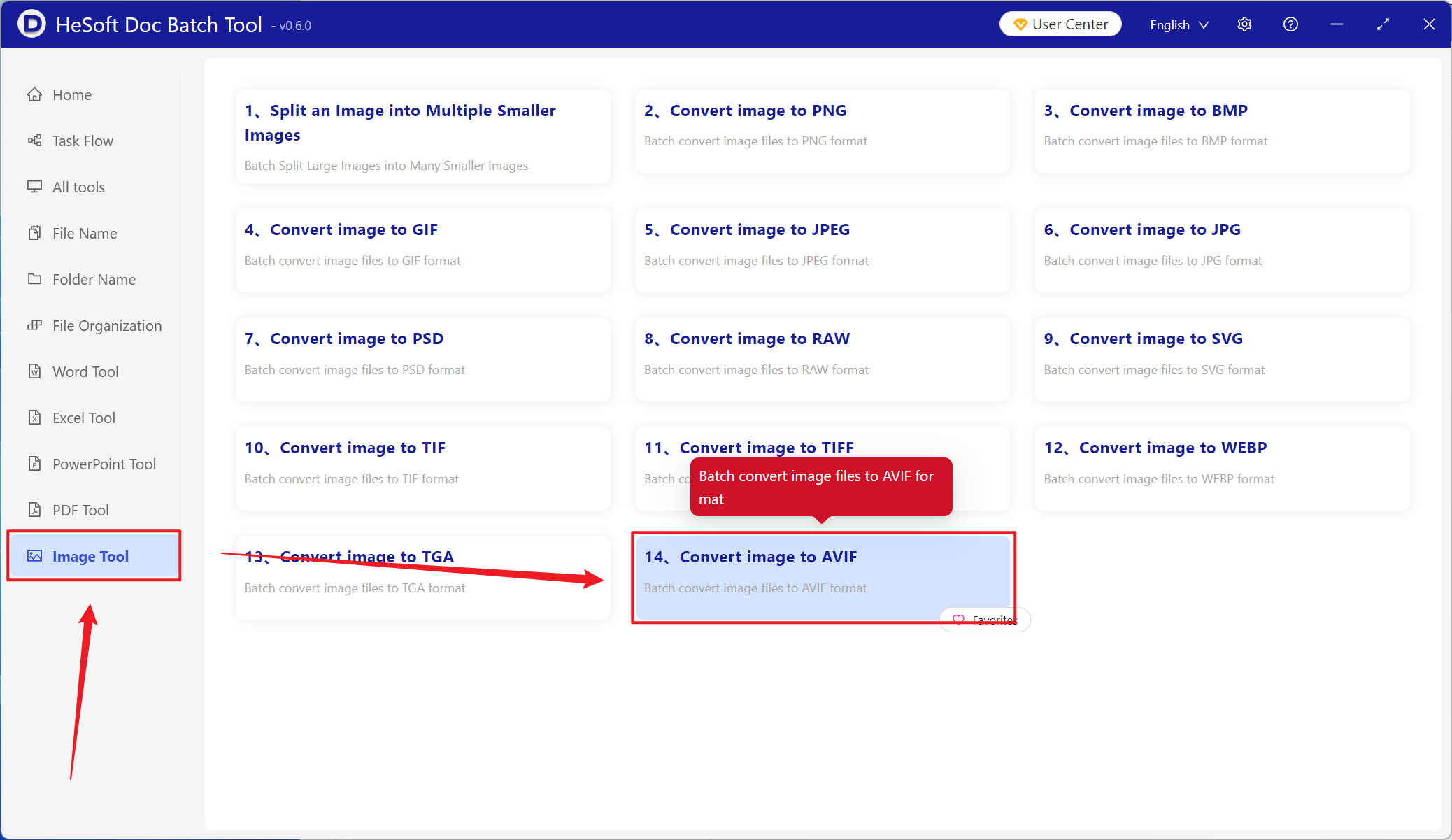
Open HeSoft Doc Batch Tool , select [Image Tools] - [Image to AVIF].
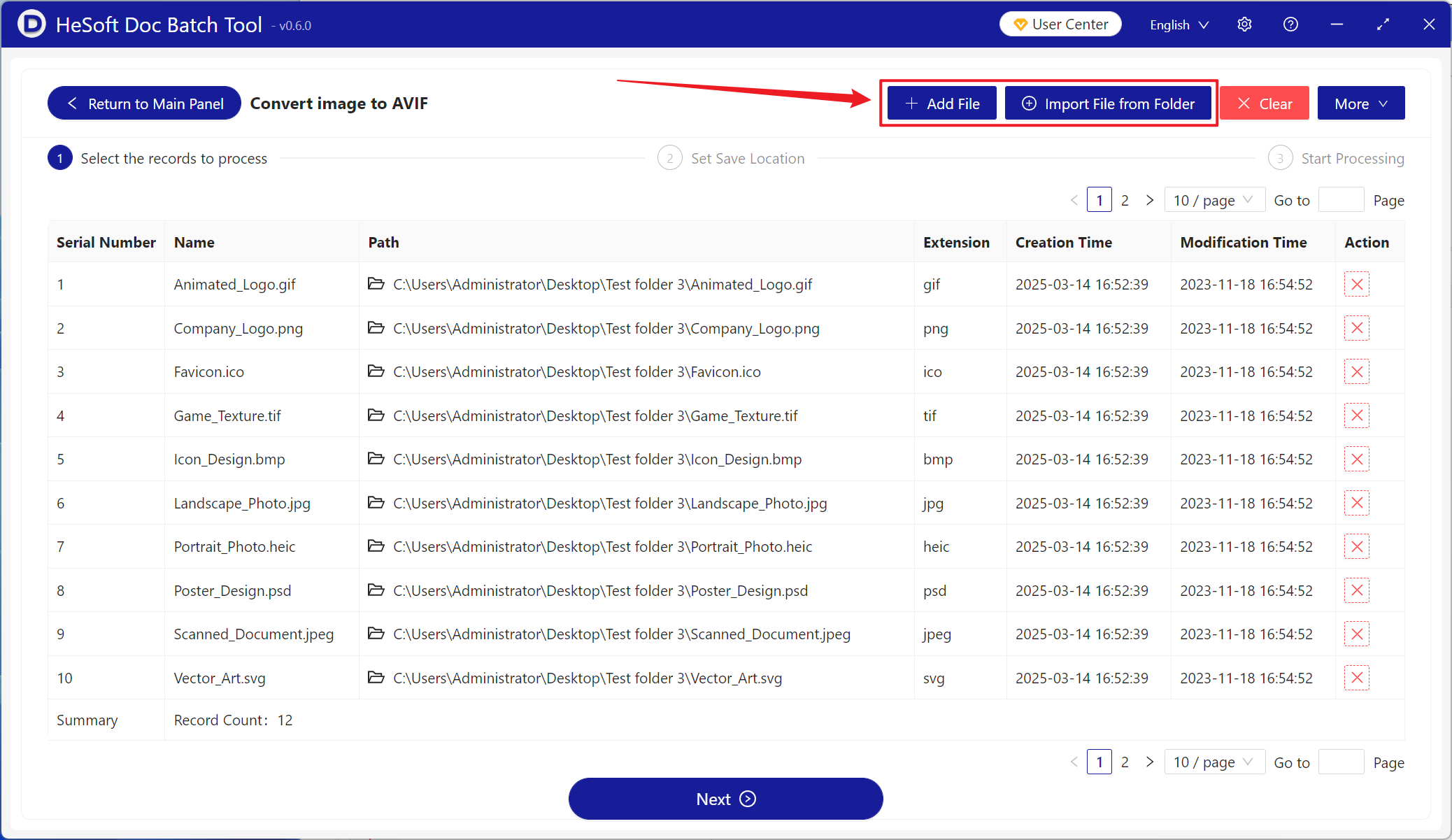
[Add Files] Add single or multiple images to be converted to the AVIF format.
[Import from Folder] Import all image files within a selected folder.
You can view the imported image files below.
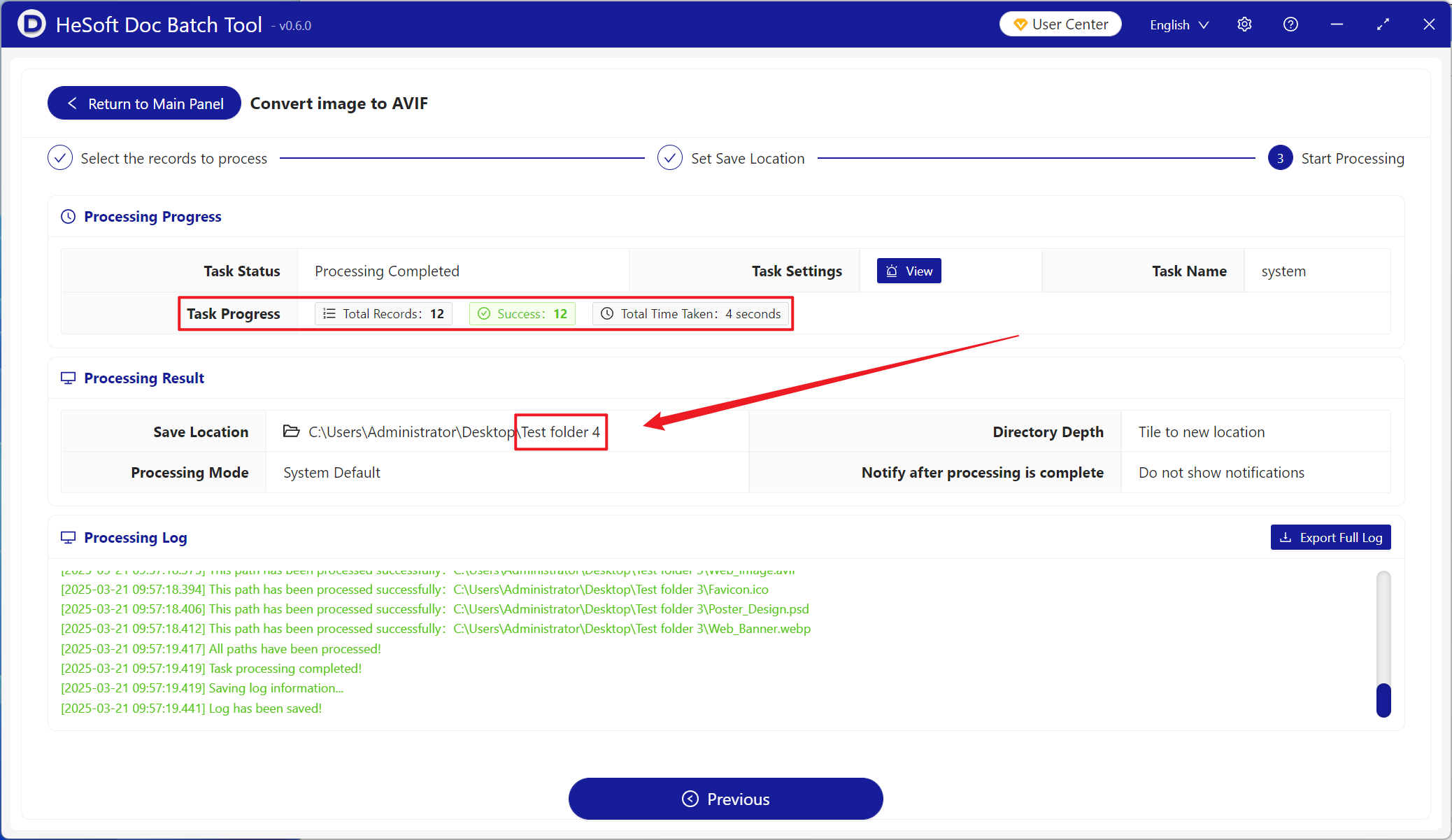
After processing is complete, click on the save location to view the successfully converted AVIF format images.