Batch move a large number of files to corresponding folders based on custom-defined character ranges in the file names
Translation:EnglishFrançaisDeutschEspañol日本語한국어,Update Time:2025-06-07 20:23:34
In file management and archiving, classifying files by characters within a custom range is an efficient way to organize. When the number of files is large and the naming is complex, classifying by character range can quickly filter out specific files. For example, if the middle part of the file name contains the content we need, we can select this segment of characters and uniformly place files with these characters into corresponding folders. The following describes how to move a large number of files to corresponding folders based on a custom-selected range of characters in the file name, supporting Word, Excel, PDF, JPG, and many other file formats.
1. Use Cases
When we have hundreds of files mixed together, with the beginning of the file name being the date and the end being the name, and we need to place files into the same folder based on the content in the middle of the file name, we can select any range of characters to sort files into new folders, significantly improving management efficiency.
2. Preview
Before processing:

After processing:

3. Steps
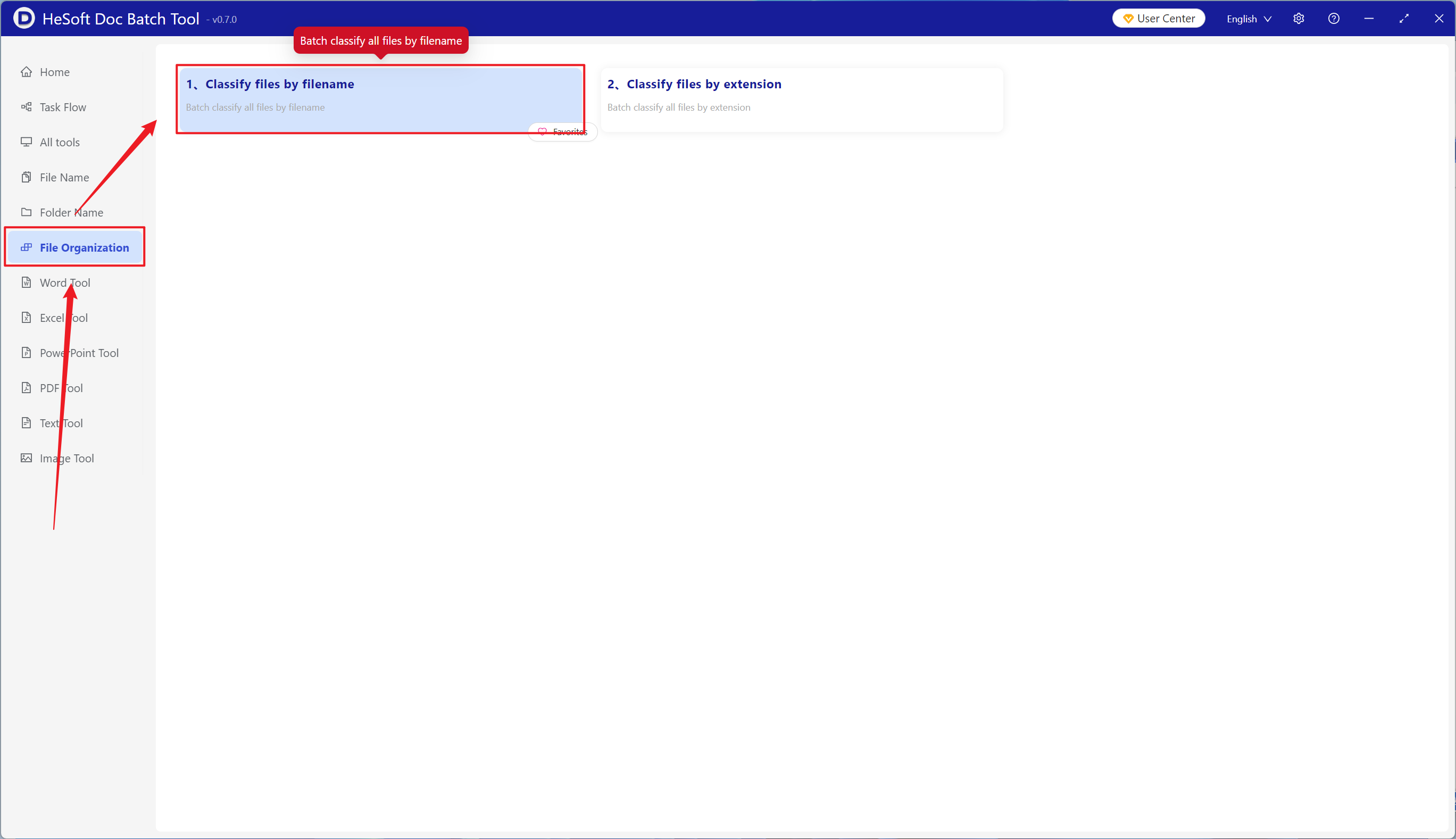
Open HeSoft Doc Batch Tool , select【File Organization】-【Sort Files by File Name】.
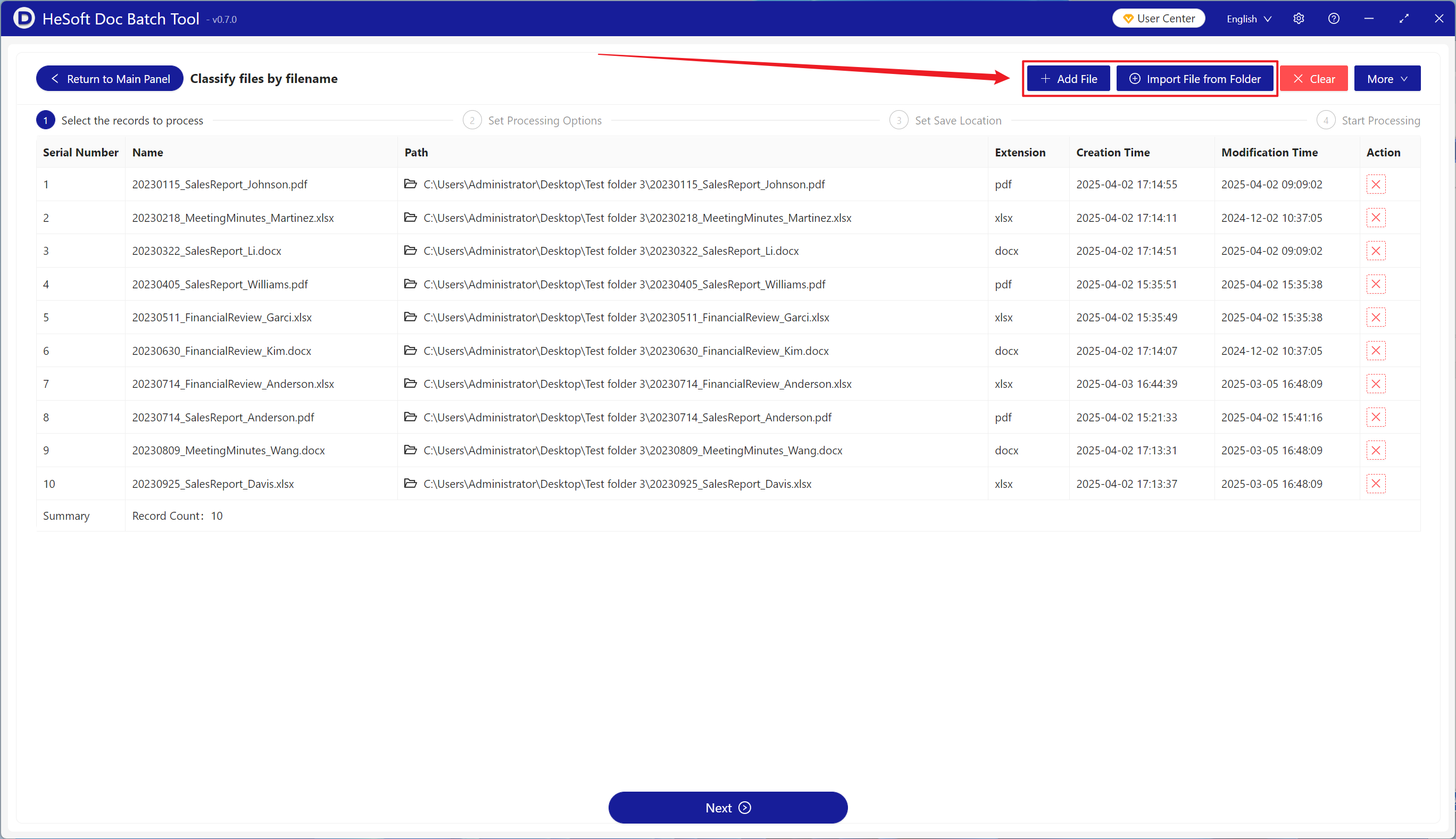
【Add Files】Add multiple files that need to be sorted by a custom range of characters in the file name.
【Import Files from Folder】Import a folder containing a large number of files that need to be sorted by a custom range of characters in the file name.
You can view the imported files below.
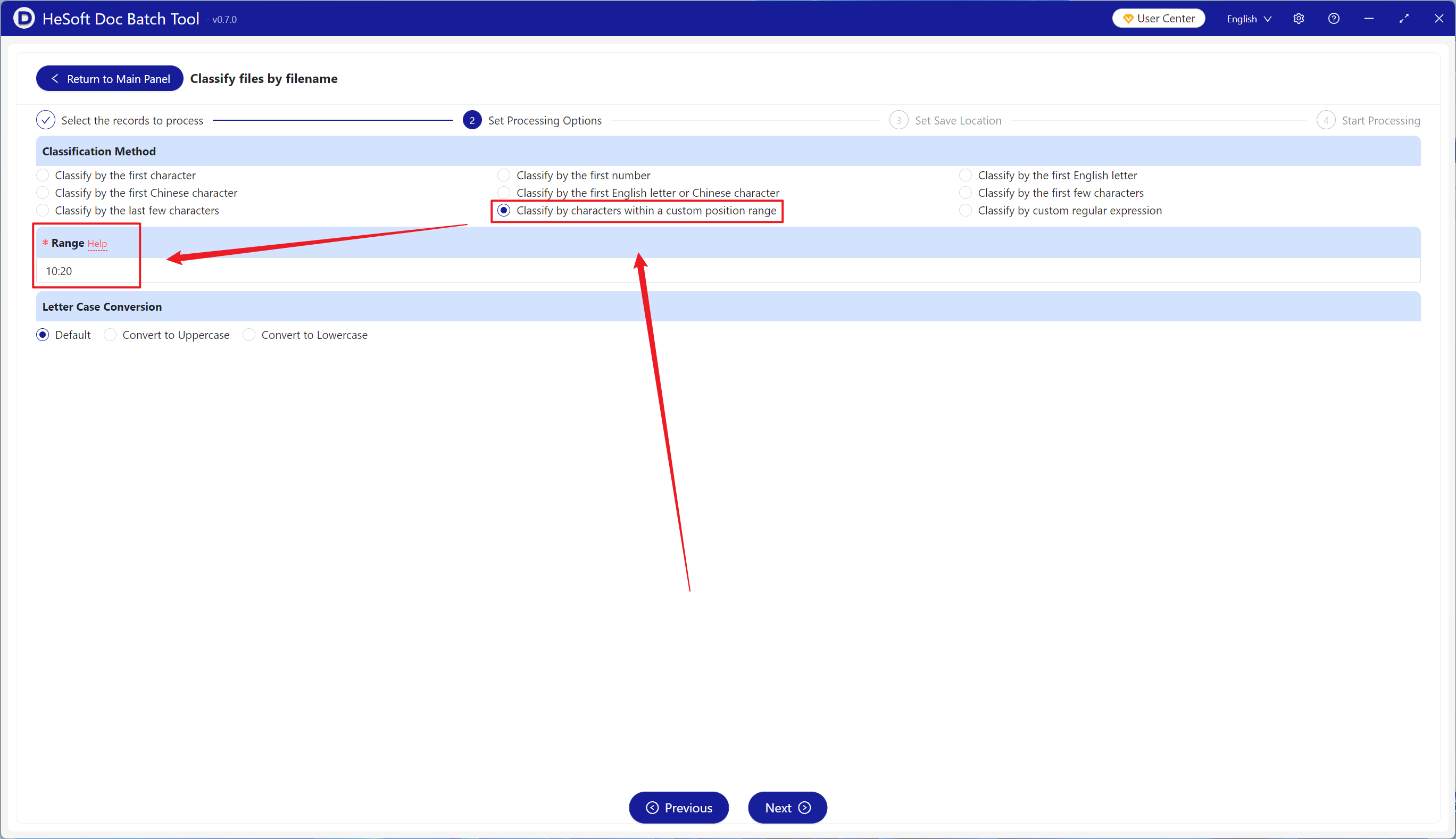
【Sorting Method】Click to sort by characters within a custom position range.
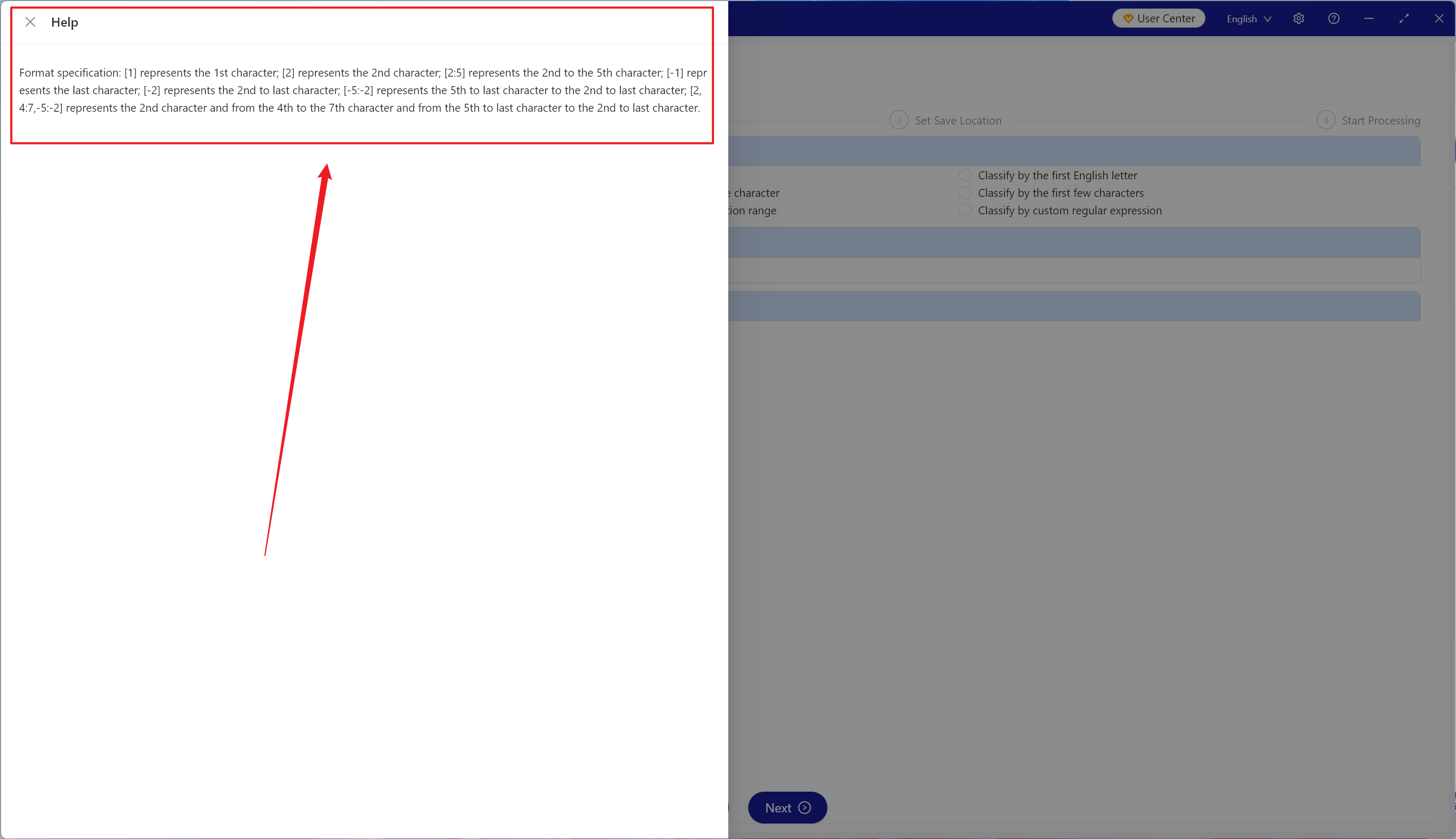
【Range】Enter the selection range as needed. The image below provides helpful instructions.
【Help】
【1】Indicates the 1st character;【2】indicates the 2nd character.
【-1】Indicates the last character;【-2】indicates the second-to-last character.
【-5:-2】Indicates from the 5th-to-last character to the 2nd-to-last character;【2:5】indicates from the 2nd character to the 5th character.
【2,4:7,-5:-2】Indicates the 2nd character, the 4th to 7th characters, and the 5th-to-last to 2nd-to-last characters.
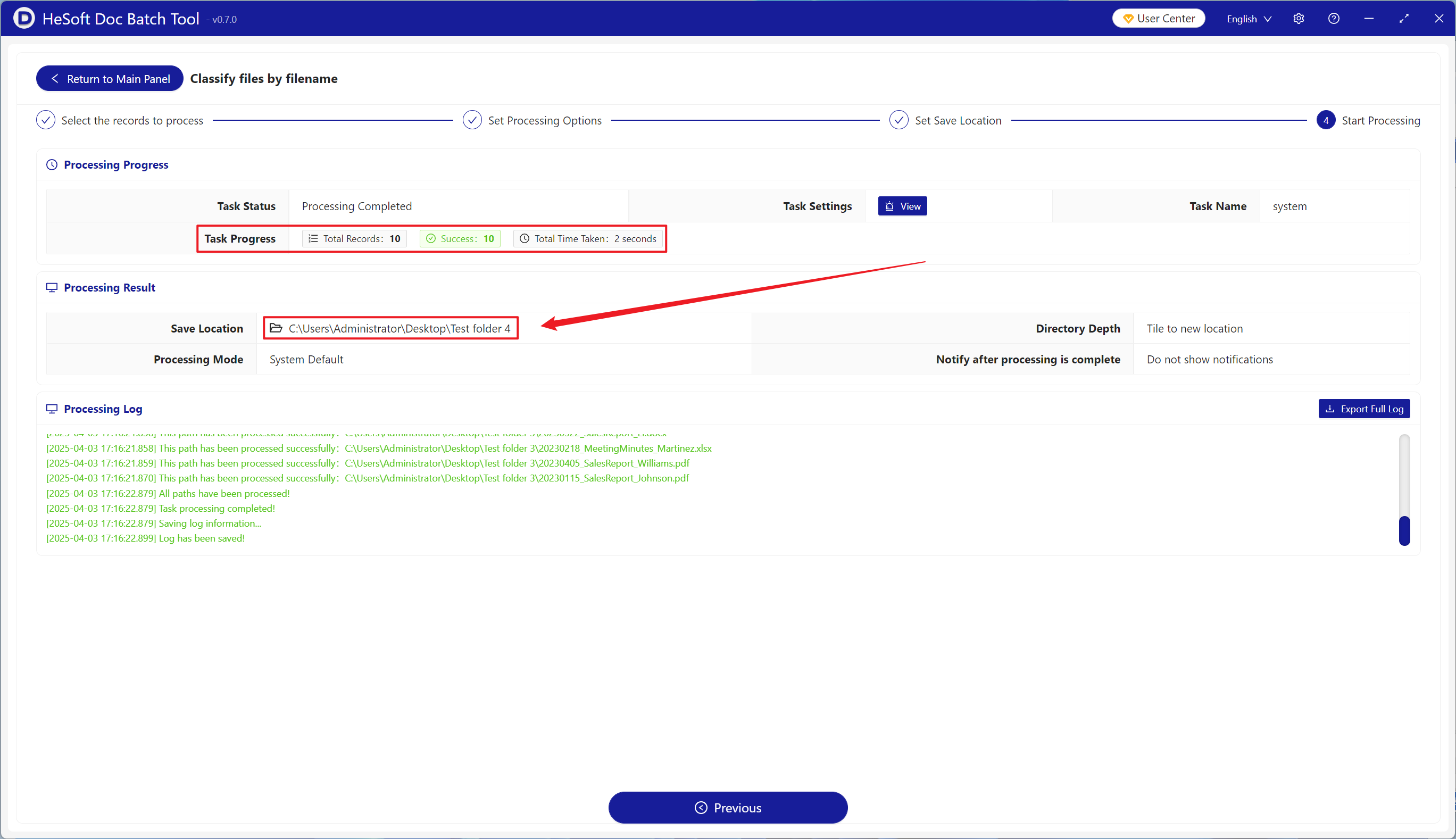
After the processing is complete, click the path behind the save location to view the sorted files.