Manage and preview all JPG, PNG, WEBP and other image files in the specified folder, and batch select unwanted images for permanent deletion
Translation:EnglishFrançaisDeutschEspañol日本語한국어,Update Time:2025-06-07 20:19:31
In the increasingly sophisticated digital age, whether for entertainment or work, image storage and transmission are inevitable. Due to the daily increase in image file volume and careless management, these large numbers of image files are scattered across different folders. When trying to uniformly view, browse, delete, and manage these jpg, png, webp and other format image files, it is difficult to know where to start because of the mess. Below is an introduction on how to use [ HeSoft Multi-function Media Album Viewer ] to preview all jpg, png, and webp files in computer folders.
1. Use Cases
When a large number of image files are chaotically categorized in folders on your computer, you need to preview all image files in multiple specified folders and permanently delete unnecessary images to enhance computer management.
2. Effect Preview
Before processing:

After processing:
3. Operation Steps
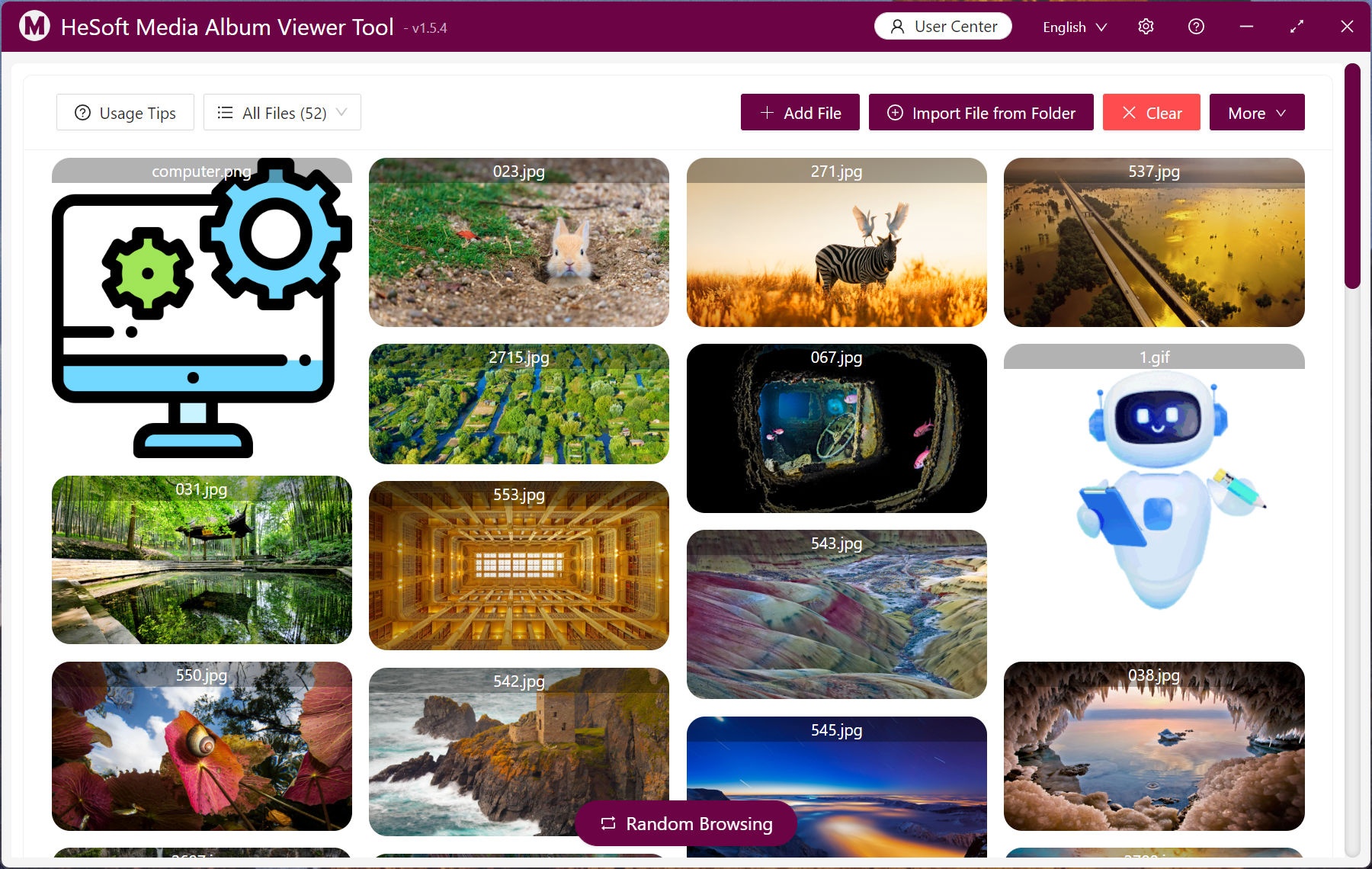
Open 【 HeSoft Multi-function Media Album Viewer 】, click the top right corner:
【Add Files】 Add single or multiple image files in formats such as jpg, png, webp.
【Import Files from Folder】 Import a folder containing a large number of image format files.
You can also drag and drop files directly below.

Imported file extensions support bmp, jpg, jpeg, png, webp, gif, svg suffix formats.

Click 【All Files】 - 【Image Files】 to view only image format files.
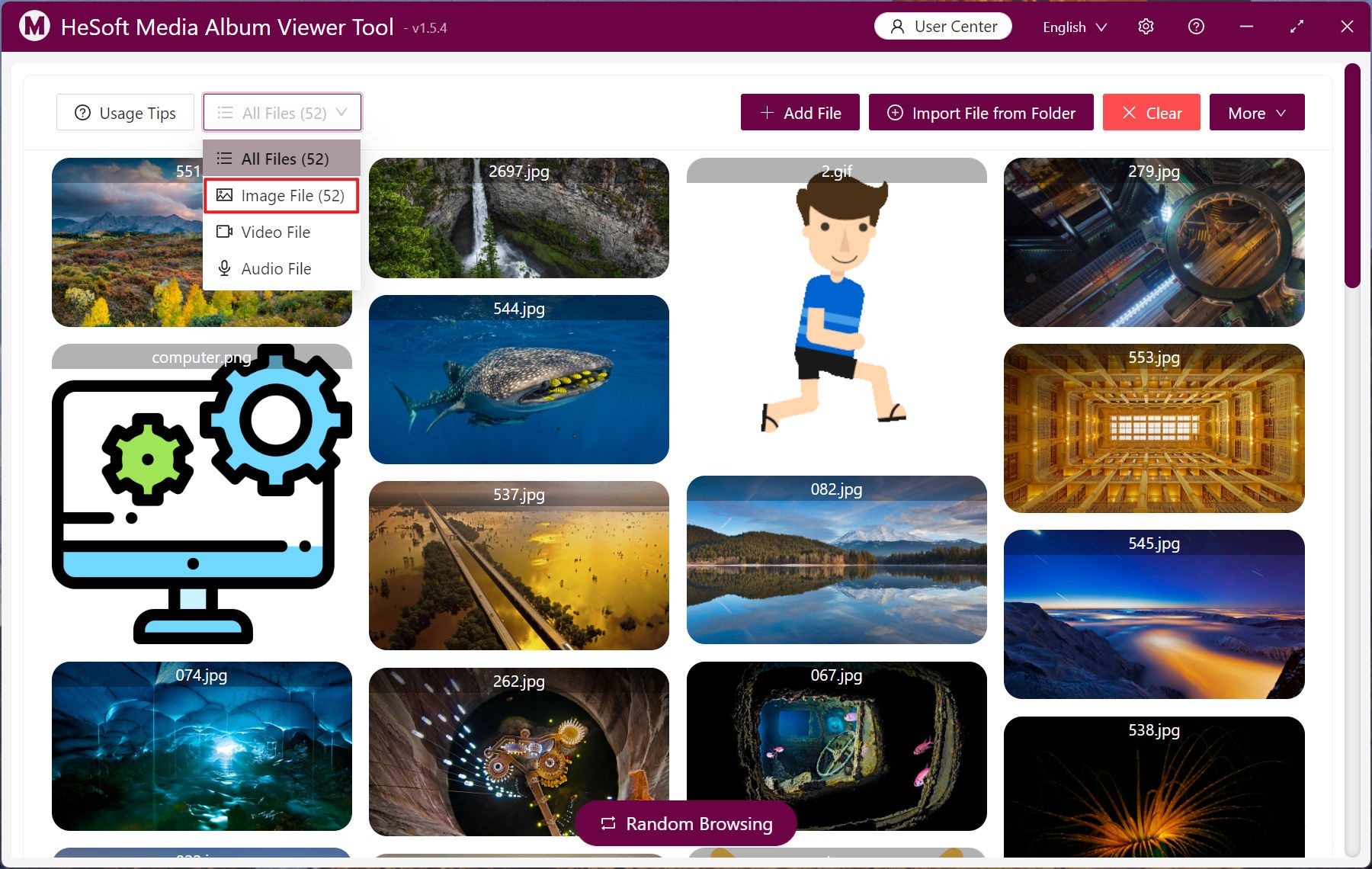
Select unwanted images and right-click, then click 【Permanently Delete】, thus avoiding the need to empty the Recycle Bin afterwards.

If a large number of images need to be deleted uniformly, first left-click to select the images to delete, then click 【Batch Operations】 - 【Permanently Delete】, and the images will be directly removed from the computer.
