How to preview and play all image and video files from multiple folders simultaneously and batch-select files to move to a specified location
Translation:EnglishFrançaisDeutschEspañol日本語한국어,Update Time:2025-06-07 20:19:36
When using image and video files, it is often necessary to open and view them one by one. Image files can be previewed in the form of thumbnails, but video files are inconvenient to preview, and can only be opened for playback. If you need to batch move a large number of image and video files, first finding these files is a challenge. Opening each file for viewing or playback wastes a lot of time and reduces efficiency. Finally, moving them one by one to the target folder is even more troublesome. Below is an introduction on how to simultaneously view and play image and video files, and batch move the needed files to a specified location on the computer.
1. Usage Scenarios
When multiple folders on a computer contain a large number of image and video files, and you need to quickly locate multiple target files and batch move a large number of target files to a target location.
2. Preview of Effects
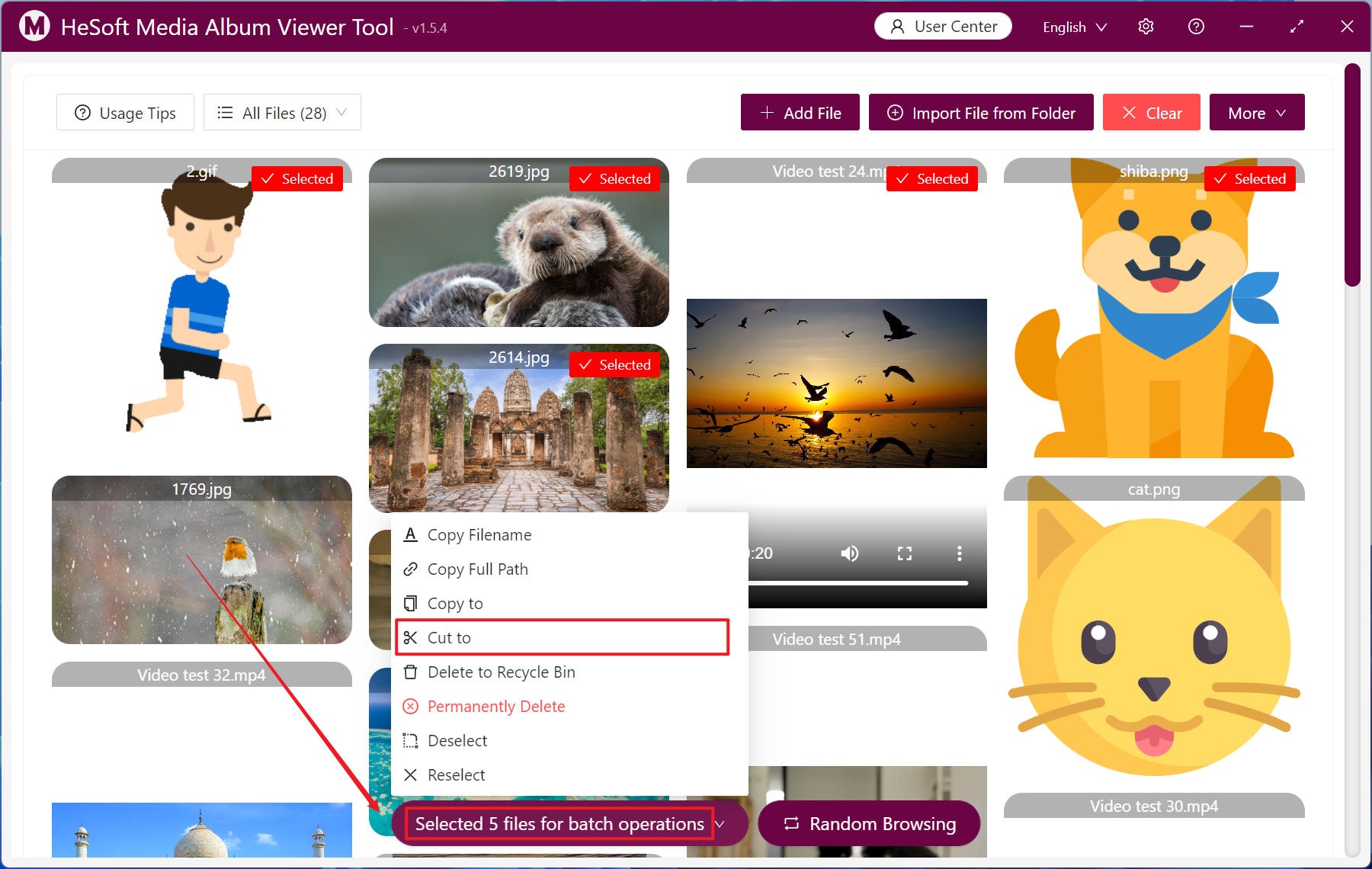
Before processing:

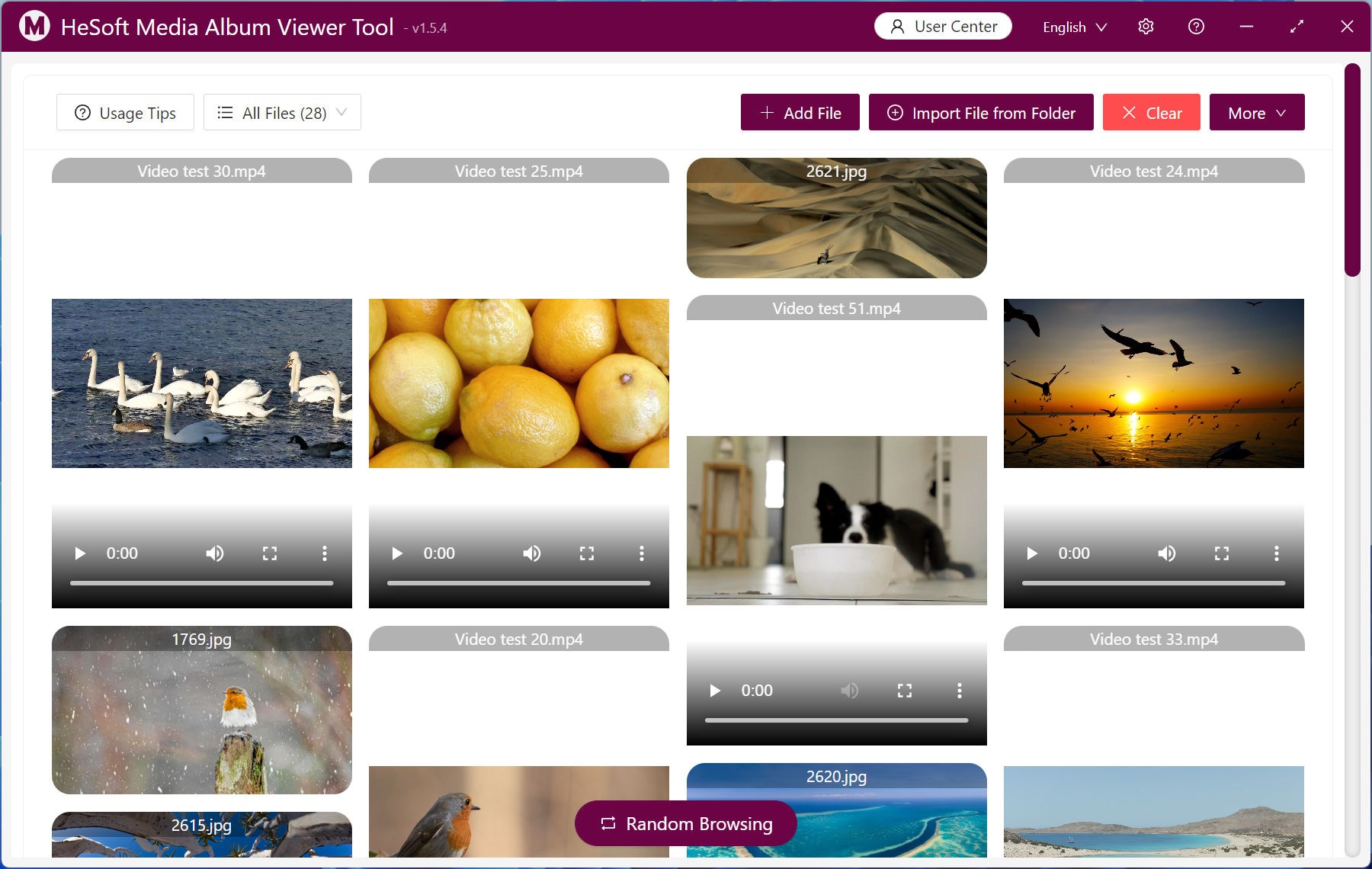
After processing:

3. Operation Steps
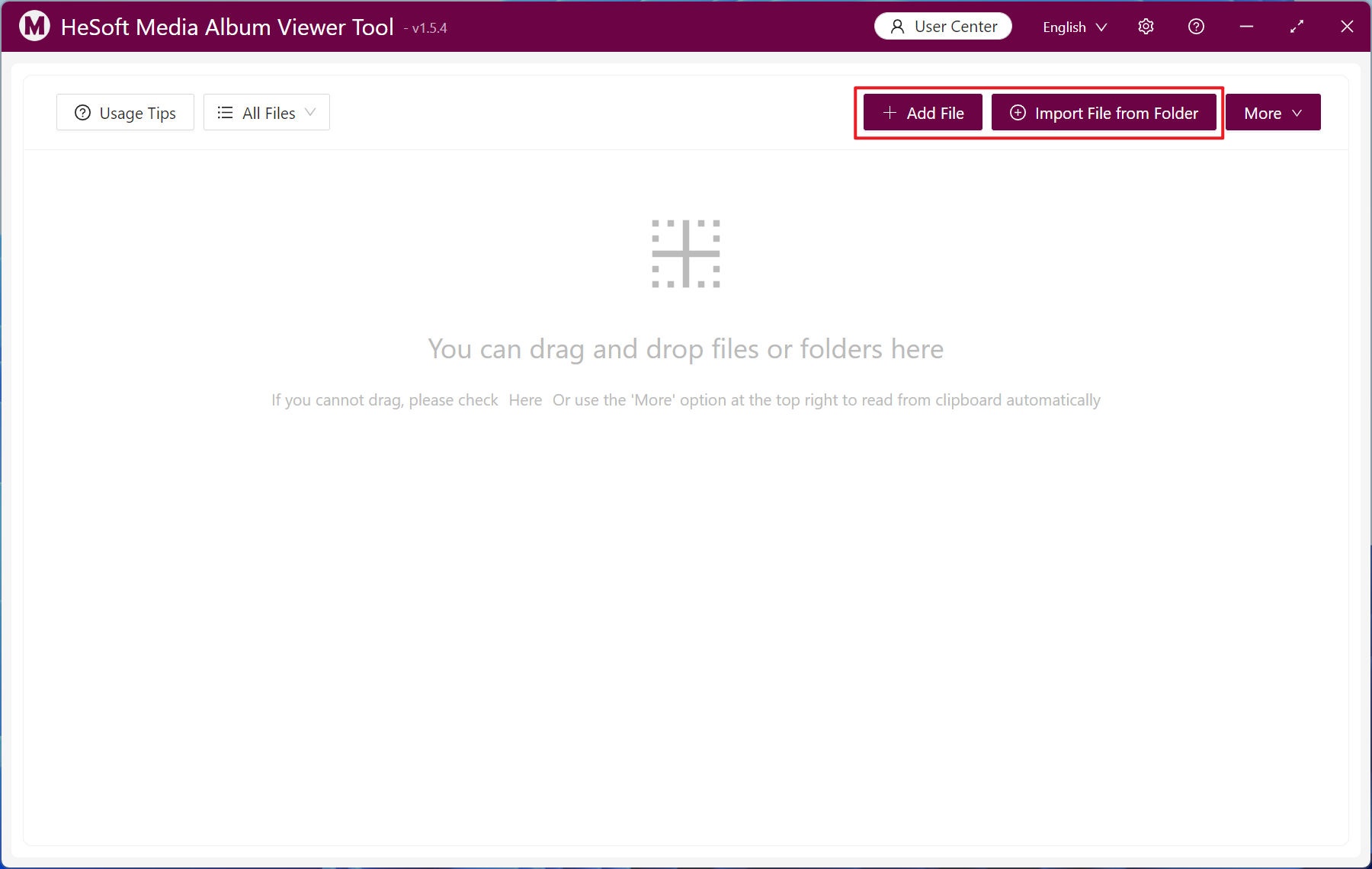
Open 【 HeSoft Multi-function Media Album Viewer 】, and click the top right corner:
【Add Files】to add single or multiple image/video files.
【Import Files from Folder】to import folders containing a large number of files in formats like jpg, png, mp4, etc.
You can also drag and drop files directly below.
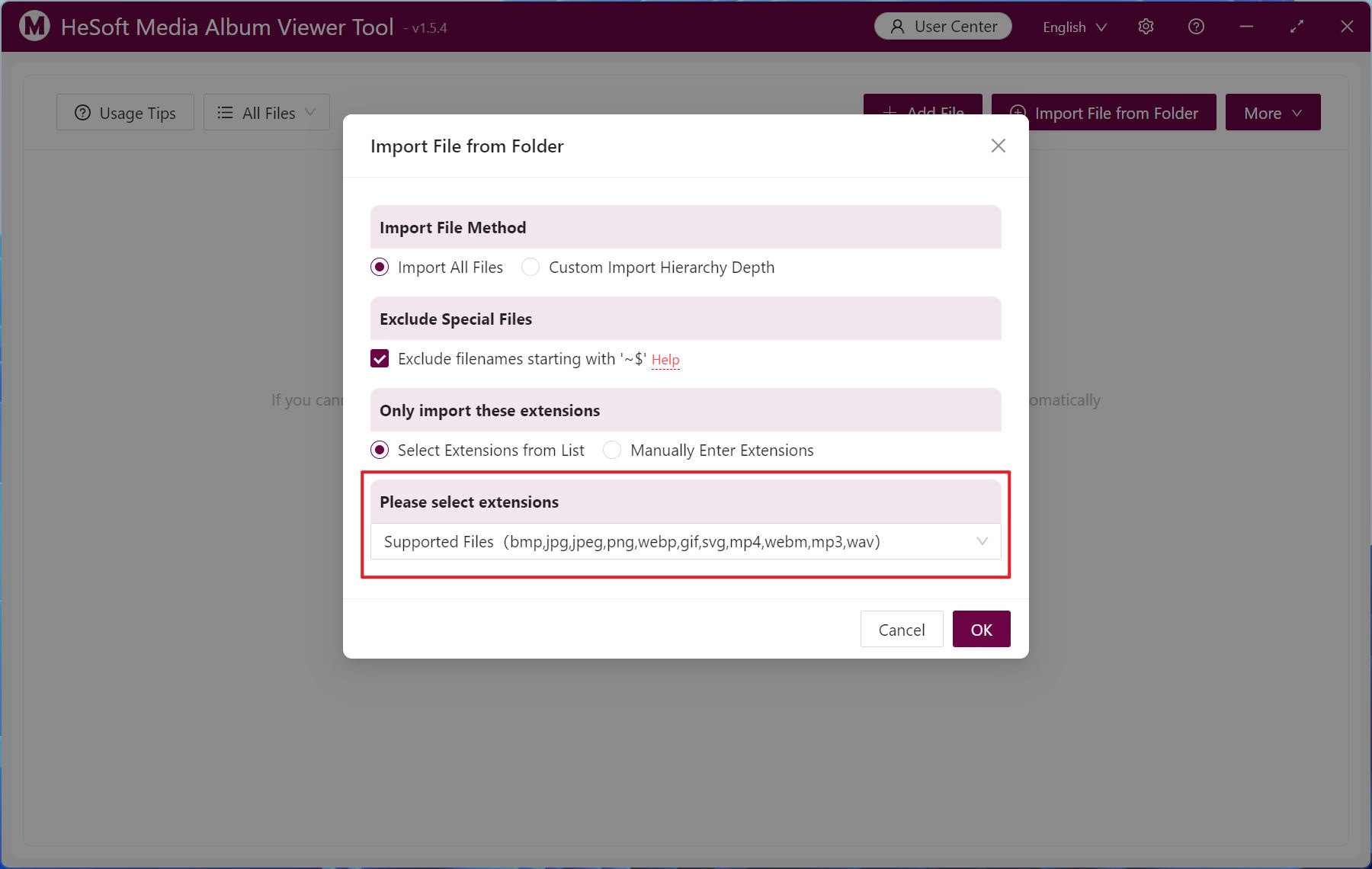
Supported file extension formats: bmp, jpg, jpeg, png, webp, gif, svg, mp4, webm, mp3, wav.
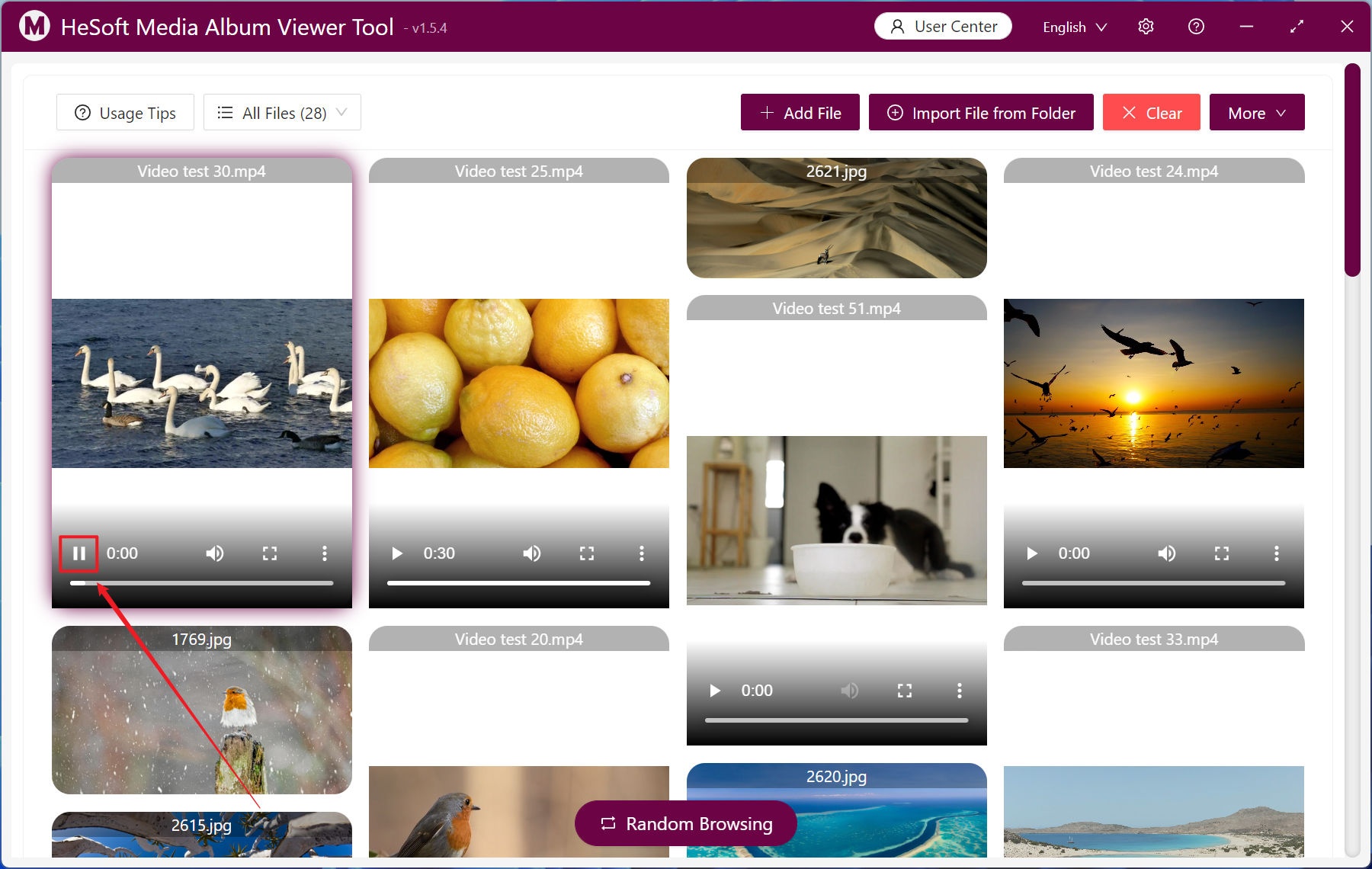
After importing files, images and videos will be batch previewed. Click the 【▶】 button on a video file to play multiple videos simultaneously.
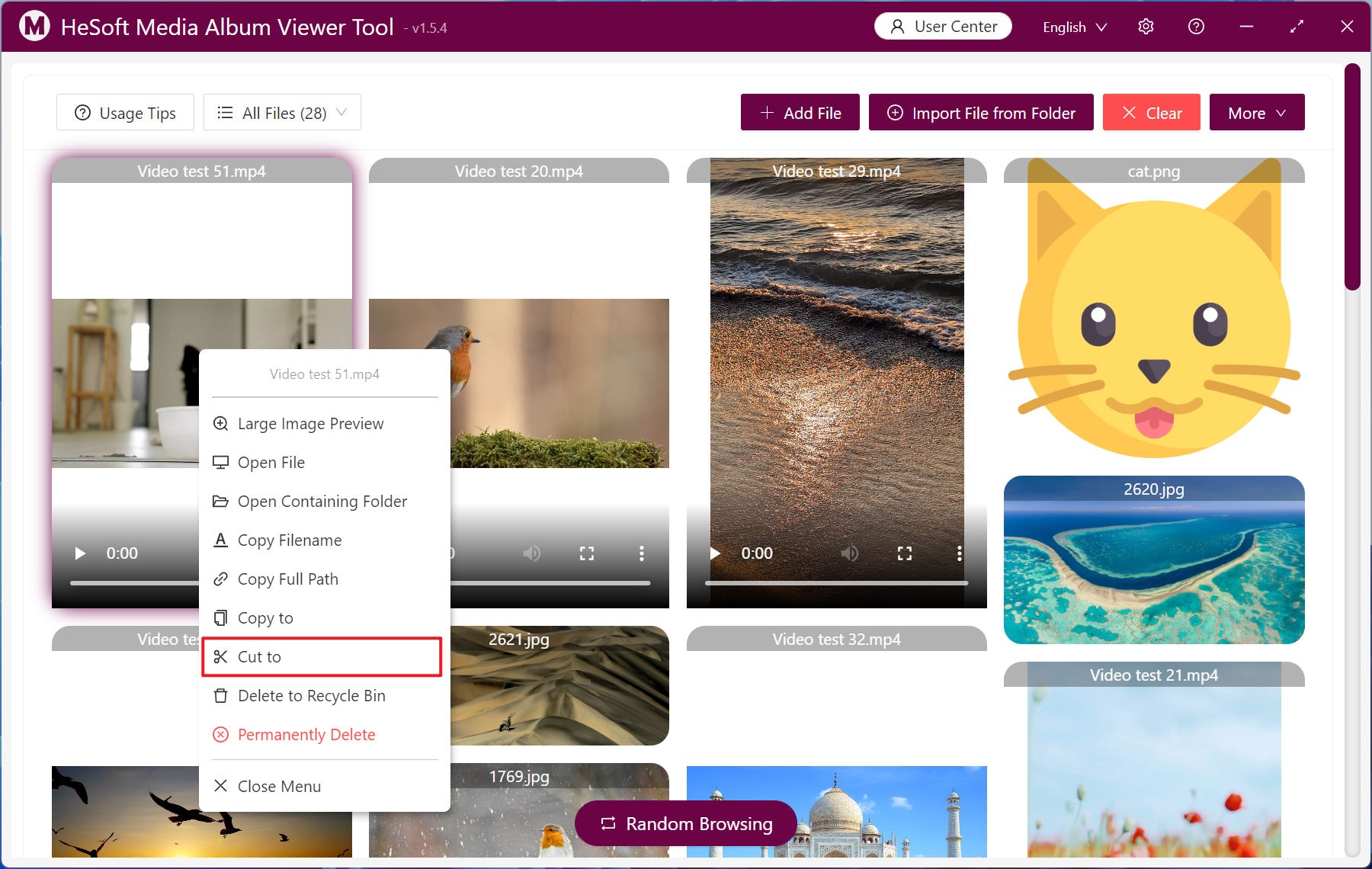
Right-click a file to bring up a menu, and click 【Cut to】 to move the file to a specified folder.
Left-click to select multiple files, then click 【Batch Operation】 to move the selected files uniformly.