How to delete blank lines and leading/trailing whitespace in copied text?
Translation:EnglishFrançaisDeutschEspañol日本語한국어,Update Time:2025-06-07 20:20:00
In our work, we often copy many paragraphs and texts to the clipboard. Occasionally, when pasting text copied from a web page elsewhere, we need to adjust the formatting each time. Without careful adjustment, it becomes messy, greatly reducing our work efficiency. At this point, we clean up the blank lines and leading/trailing whitespace in the clipboard to make the copied text neat and tidy. Usually, when organizing materials online, after copying, we can directly delete blank paragraphs with one click. When summarizing materials, copying to the clipboard and then processing it can directly unify different text formats. Processing the pasted content by removing blank content can save us most of our time. For those who frequently handle text work, using this method can significantly improve work efficiency and quality. So, how should we quickly remove blank lines and leading/trailing whitespace from the text content in the clipboard?
1. Use Cases
When the text we copy from a webpage contains extra blank lines that need to be pasted into a document, or when content transcribed from voice recordings has unnecessary blank lines and leading spaces that need to be cleaned up before pasting, we can copy it to the clipboard and directly process it to quickly remove the blank lines and trim surrounding spaces, improving our text processing efficiency.
2. Preview
Before processing:

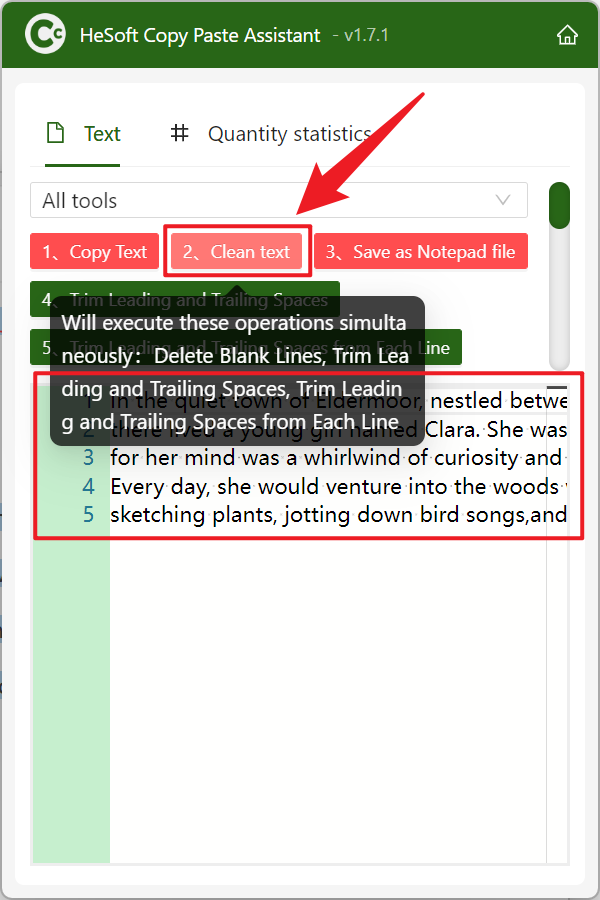
After processing:

3. Steps
Open [ HeSoft Copy Paste Assistant ], copy the text content, and then press Ctrl + C + C to directly enter the interface.
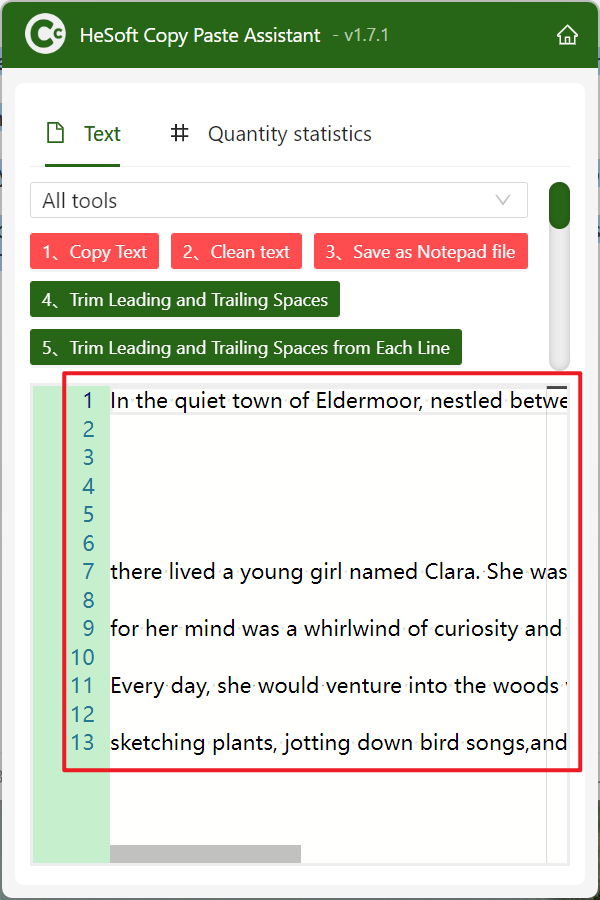
Click [Clean Text] to remove blank lines, leading and trailing whitespace, and trim spaces from the beginning and end of each line from the text. Finally, click Copy Text to finish.
Keyword:Remove whitespace from copied text , remove blank lines in clipboard , clear blank content when copying text